


Random questions about opacity / color-grading
I have a series of random questions about why certain layers may look the way they do, accompanied with pictures. I'm more so trying to figure out how to get this desired effect, as it's been driving me crazy for a bit.
The first question has something to do with opacity and maybe the blending mode of certain layers? Here's a couple of photos :
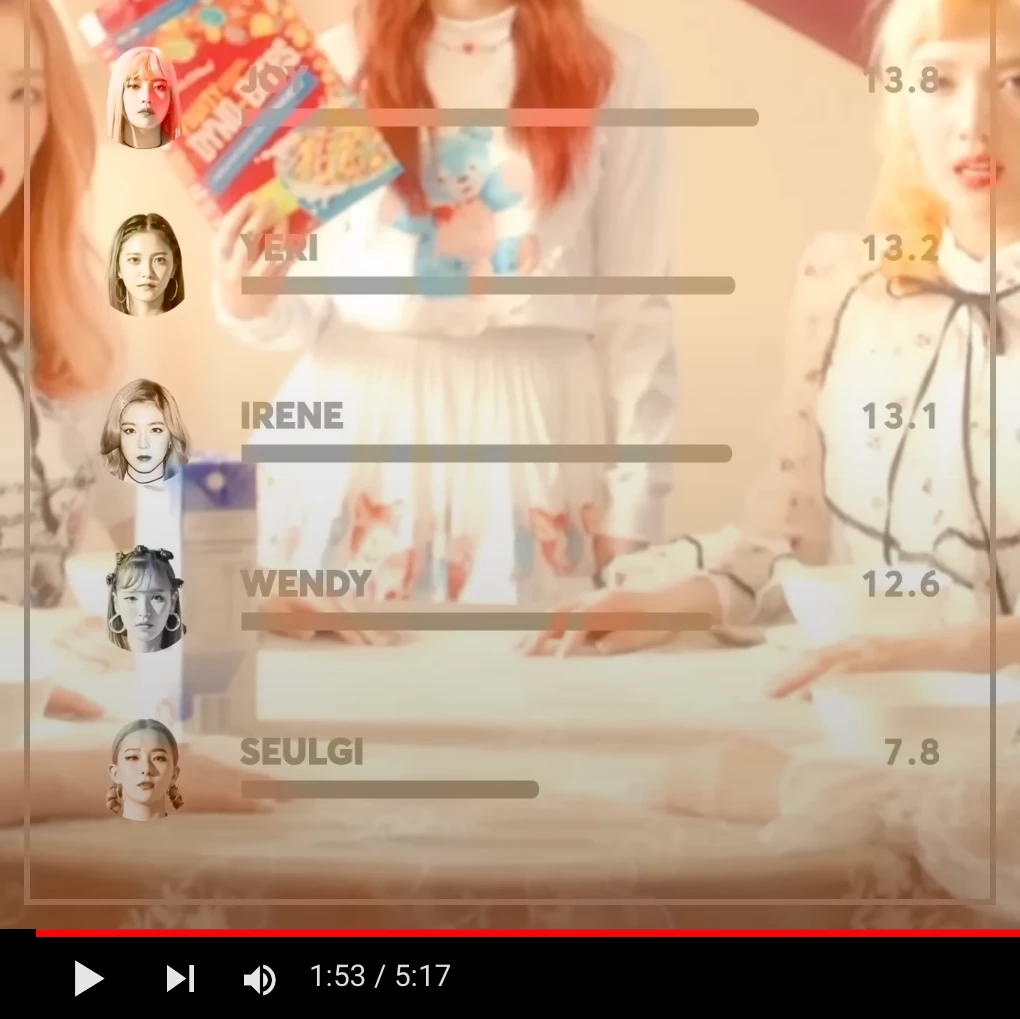

In the first photo, the faces on the left are transparent but still saturated, with the lightest parts of the original image being the most see-through. It's not quite an overlay blending mode, and it almost looks 3D? I'm wondering if it's just the product of good editing in Photoshop or a series of effects in AE. On the left, also shown in the bottom picture, the bars are transparent like an overlay but also solid-ish. I feel like the answer is simple but it's been driving me insane trying to figure out how to produce this effect.
The second question is more about color-grading. Here's another pic :
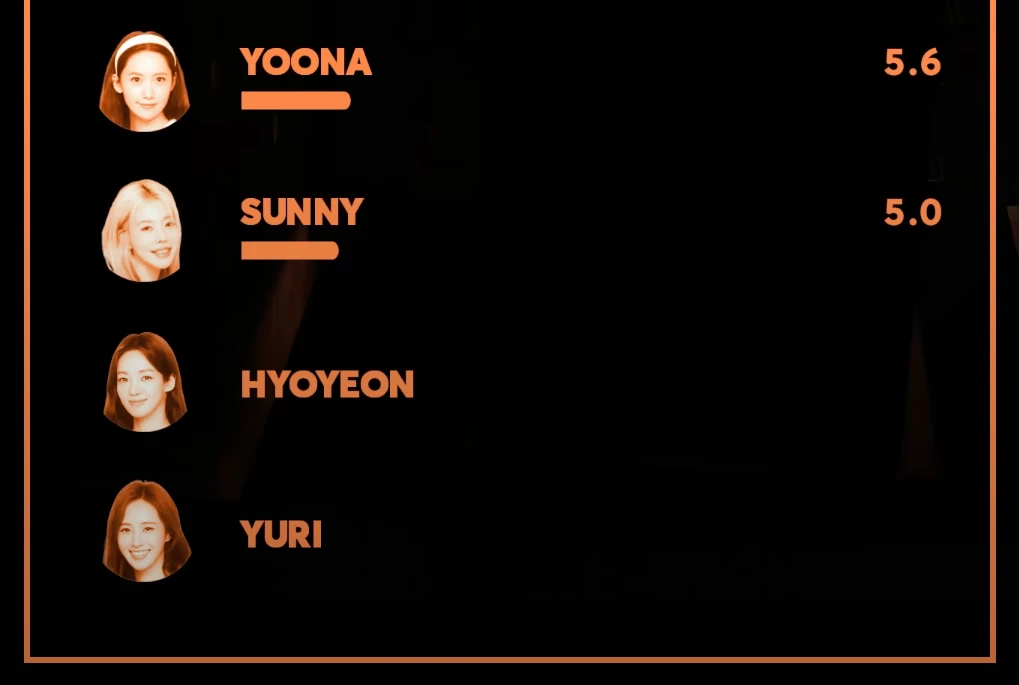
The pictures here are altered to match the background, so it looks more "brown". Again, I'm not sure if this is just tasteful editing in Photoshop or actual AE effects.
 AdChoices