I would only give that tutorial a C. Lots of things in the workflow could be improved and there is a way to accurately position and orient the C4D 3D world with the AE 3D world. None of them were followed.
I can't tell from your screenshot but I think you fouled up when you created the plane and set up the surface texture.
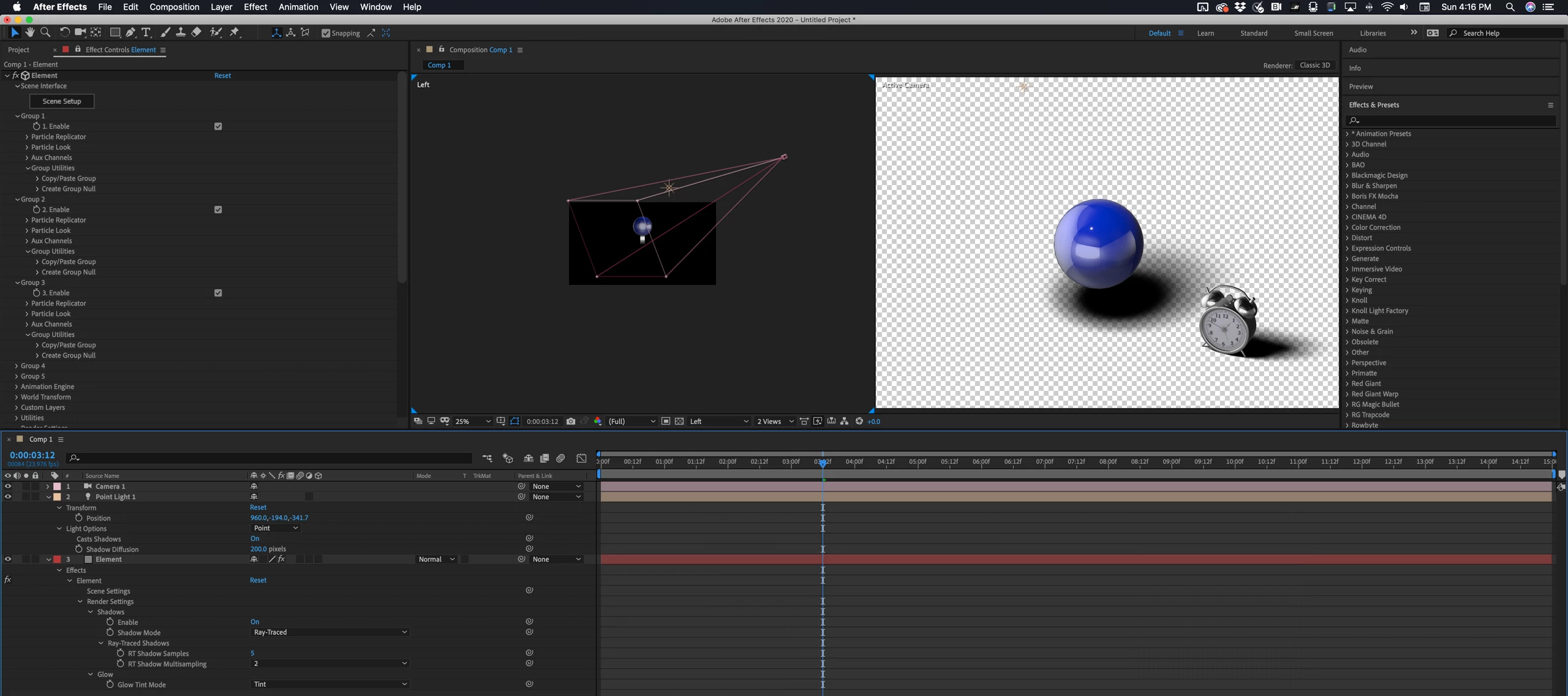
Here's a simple Element 3D scene properly set up to cast shadows:
The advanced settings for your Shadow Catcher material should look like this:
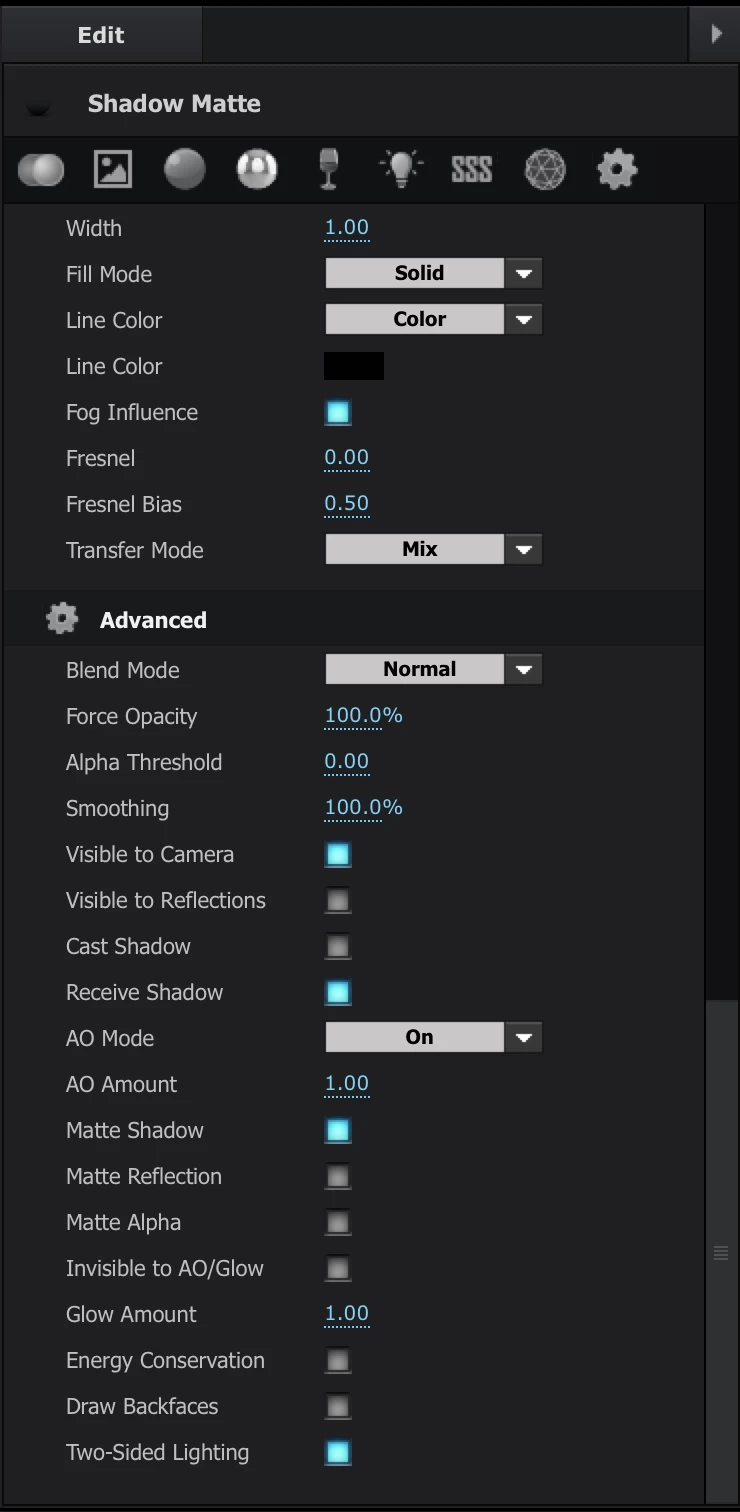
I am showing you all of the settings that are required to make Element cast a shadow. You see every property in the comp that is not at its default value. (press uu) The second screenshot shows everything that needs to be changed in a default material to make it catch shadows from AE's lights.
I won't go into a better workflow for setting up a camera tracked shot to work with Element 3D, but I will say again that the technique used in the tutorial is pretty darn lousy and it won't work with most camera tracked footage. The presenter just got lucky that the center of the comp turned out to be pretty close to the center of Element's 3D world. There are a lot better tutorials over at Video Copilot. I suggest you spend some serious time there. This is the right way to integrate Element 3D and AE's camera tracker. https://www.videocopilot.net/tutorials/3d_truck_compositing/




 AdChoices