


Inspiring
March 8, 2018
Answered

re: "Undefined" Value and Unable to Cancel in Script Prompt

  • March 8, 2018
  • 1 reply
  • 1128 views

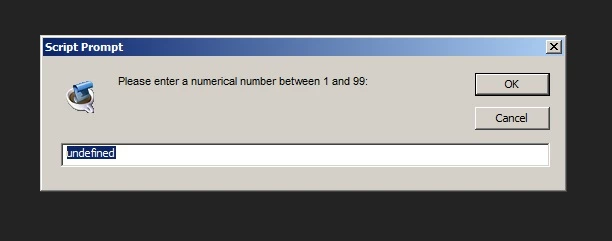
Every time I run my script, there is an "undefined" value in the text field by default. Also, clicking cancel does not actually terminate the script; it moves on to the next part of the code (below).
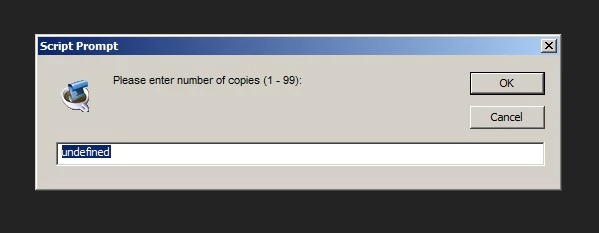
var copies = parseFloat(prompt("Please enter number of copies (1 - 99): "));

while (copies < 1 || copies > 99 || isNaN(copies) ) {


copies = parseFloat(prompt("Please enter a numerical number between 1 and 99: "));


}

Any feedback why this behavior is happening? I've just recently been digging into AE scripting and am probably overlooking something obvious about the cancel function.

Thanks.

This topic has been closed for replies.
Correct answer stib

From the javascript tools guide:

prompt()

Window.prompt (message, preset[, title ]);
message The string for the displayed message.
preset The initial value to be displayed in the text edit field.

Looks like you're missing the preset parameter from the prompt function call. Hence the [undefined] message in the prompt.


As for the script not terminating: are you running it from the extendscript toolkit? If not it won't debug and tends to fail silently and sometimes in unexpected ways. When I ran your code from ESTK it reported:

Error: Too many closing braces

That spurious error went away when I used

var copies = parseFloat(prompt("Please enter number of copies (1 - 99): ", 1));

So the runtime error has something to do with the missing parameter.

1 reply

stib
stibCorrect answer
Inspiring
March 8, 2018

From the javascript tools guide:

prompt()

Window.prompt (message, preset[, title ]);
message The string for the displayed message.
preset The initial value to be displayed in the text edit field.

Looks like you're missing the preset parameter from the prompt function call. Hence the [undefined] message in the prompt.


As for the script not terminating: are you running it from the extendscript toolkit? If not it won't debug and tends to fail silently and sometimes in unexpected ways. When I ran your code from ESTK it reported:

Error: Too many closing braces

That spurious error went away when I used

var copies = parseFloat(prompt("Please enter number of copies (1 - 99): ", 1));

So the runtime error has something to do with the missing parameter.

Inspiring
March 8, 2018

Thanks. I added the preset parameter below and it resolved the issue.

var copies = parseFloat(prompt("Please enter number of copies (1 - 99): ", ""));


However, clicking on 'Cancel' or 'X' still does not work and I am running from ESTK. The same happens when running the script from AE.

EDIT: ESTK version 4.0.0.1, After Effects CC 2017.2

Tomas Sinkunas
Legend
March 8, 2018

Break your script o logic parts so you can see where it brakes.

var copies = prompt("Please enter number of copies (1 - 99): ", "");

var value = parseValue(copies);

if (value === null) return;

while (value < 1 || value > 99 || isNaN(value) ) {

    copies = prompt("Please enter a numerical number between 1 and 99: ", "");

    value = parseValue(copies);

    if (value === null) return;

}

// other magic

alert("I got value " + value + "!");

function parseValue(copies) {

    // user canceled

    if (!copies) return null;

    // else user clicked OK;

    return parseFloat(copies);

}