


Question
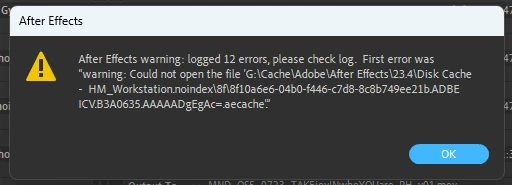
Render error that pops up after finishing regarding cache read errors.
Good afternoon!
My AE box keeps popping up this cache error after most renders with varying file numbers. I have tried both purging the cache and deleting all the contents of the folder without success.
The system details:
Windows 11 Home 22H2
AE v23.4
Ryzen 5900x
64GB DDR 3200 RAM
NVIDIA RTX3070ti
The cache is it's own 250GB Sata 6 SSD drive, set to 210GB.
This is relatively new to me, only been happening for the last month or two. Has anyone else getting this problem? Do I just ignore and carry on?
- Rob
 AdChoices