



Phi.Def
Inspiring
January 3, 2023
Answered

Shadow Problem with Essential Graphics and Collapse Transformations 3D Precomp

  • January 3, 2023
  • 6 replies
  • 2053 views

This may be a bug, but I'm hoping someone has a solution.

I have a precomp with 3D layers using essential graphics (so I can create multiple versions). In my main comp, I have the camera and light. The shadow cast by the object in my 3D layer doesn't change accordingly when I alter some of the essential properties from their original default values (although, oddly, it does change accordingly when I change other essential properties).

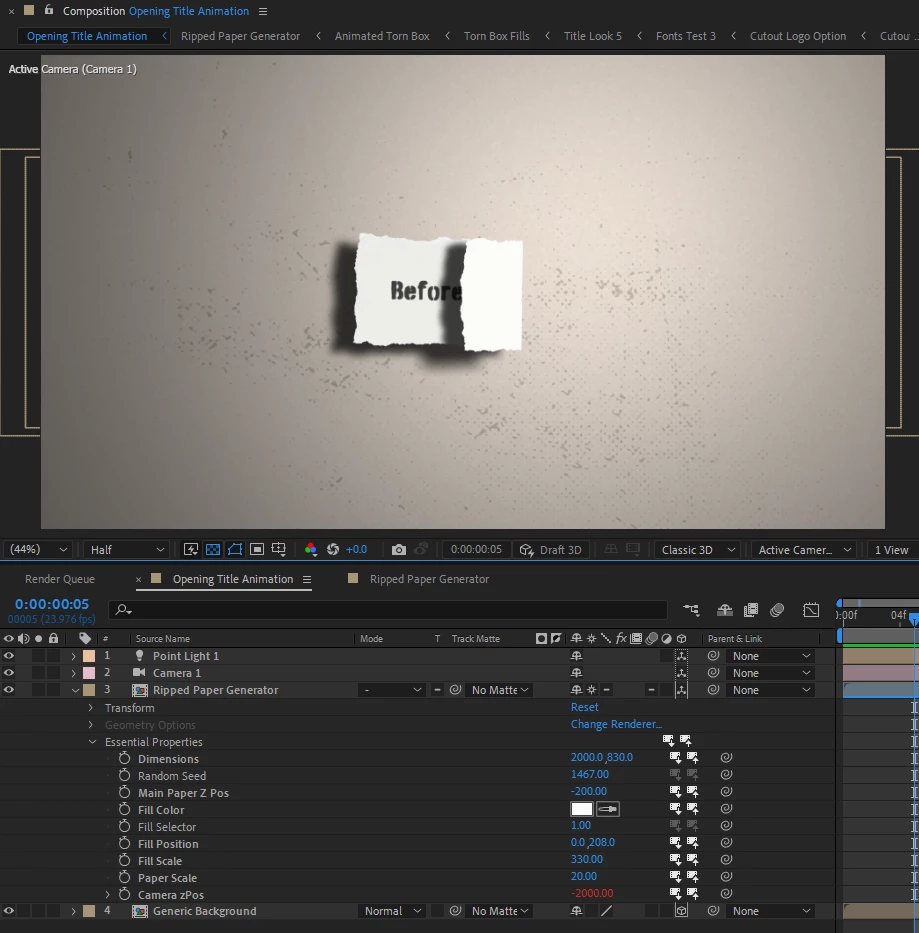
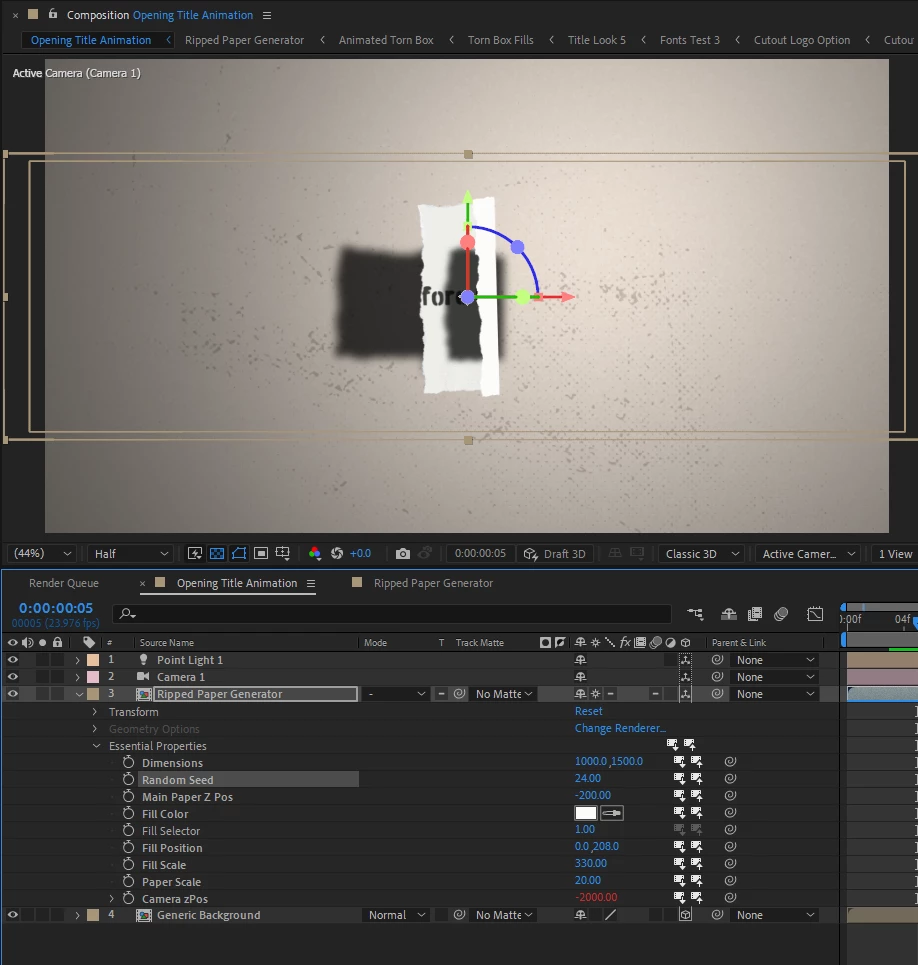
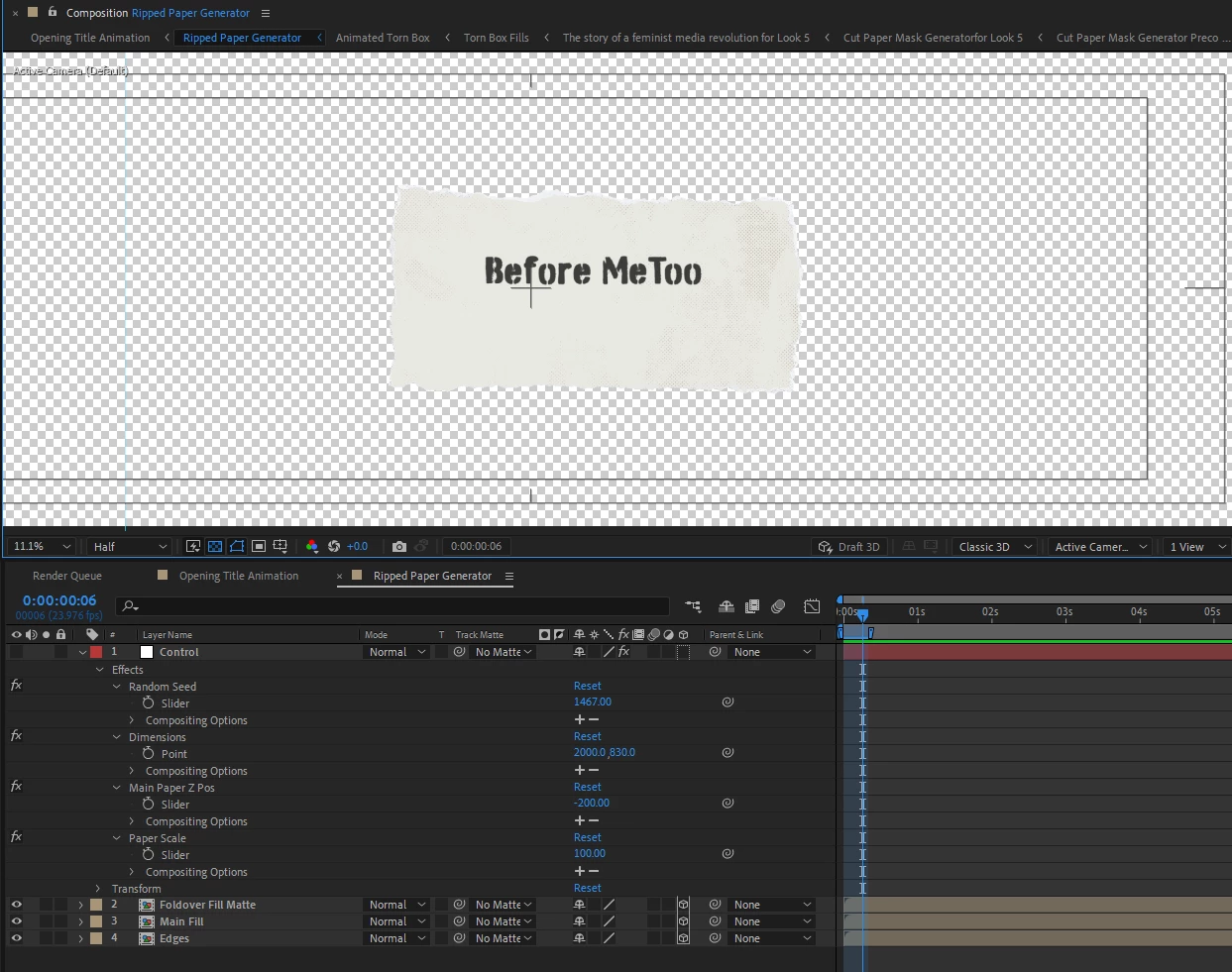
Here are some screen shots to illustrate. My main comp is "Opening Title Animation" and my precomp is "Ripped Paper Generator".

Here's the main comp with the problem essential properties ("dimensions"and "random seed") set to default, but other essential properties adjusted ("paper scale" and "main paper z pos"). Here the shadow has correctly adjusted along with the parameters:

Here's the comp with the problem properties adjusted from their defaults ("dimensions" and "random seed"). The shadow has not changed.

Also, here's a shot of what's inside the precomp:
 

Attached is a solids-only, media-free, reduced version of the project. Any help would be greatly appreciated. Thanks!

This topic has been closed for replies.
Correct answer Phi.Def

In case anyone's interested Adobe has now identified this as a bug. No timeline on when that's expected to be fixed.

6 replies

Phi.Def
Phi.DefAuthorCorrect answer
Inspiring
January 13, 2023

In case anyone's interested Adobe has now identified this as a bug. No timeline on when that's expected to be fixed.

Mylenium
Brainiac
January 4, 2023

It would seem that you have linked the various expressions across the comps in an odd way and thus they don't update. In particular the ones that trim and roughen up the edges seem to be affected. Impossible to say what is going on and we can throw around ideas all day, but it seems to me that there is posterizeTime() involved or some form of time-remapping. If that's the case, it may simply be an issue with an unexpected behavior. the project may have been created in an older version and in 2022 this stuff was changed. Anyway, you'd have to show us one of those comps and ideally also the flow chart for the comps.


Mylenium

Phi.Def
Phi.DefAuthor
Inspiring
January 4, 2023

Thanks for your response.

I have created a new, extremely simple version of the project file (attached) with no roughen edges or posterizeTime(), and only a single precomp with a single shape layer within it, so it is extremely easy to see what's going on. Adjusting the "dimensions" essential property affects the box as expected, but the shadow doesn't follow suit. Adjusting the "Scale" and "Z Pos" essential properties seem to work fine though.

It may have something to do with the way it's rigged, although with this simpler project it's harder to imagine what that could be. If I can understand exactly why this isn't working, I may be able to figure out a workaround and alternative rigging. If you could take a look and help me make sense of it, I would be very grateful.

Thanks again!

Phi.Def
Phi.DefAuthor
Inspiring
January 4, 2023

For anyone who encounters this thread in the future, I've got a solution. It took a day for Adobe tech support to come up with it, and I'm not sure why it fixes the issue, but it does.

Solution, switch the renderer (dropdown in bottom right corner of the composition panel) to Cinema 4D. (Doing so changes the way the lighting looks, so re-adjustment will be necessary.) That's it!

Anyone have any idea why this works and why the problem exists using the classic renderer?

Phi.Def
Phi.DefAuthor
Inspiring
January 4, 2023

I spoke too soon! Changing the render engine solves the one problem but introduces another! Now the essential properties of the precomp don't adjust individually. If I change them in on one instance of the precomp, it changes them in all instances.

Still need help! Anyone?

Phi.Def
Phi.DefAuthor
Inspiring
January 3, 2023

I've attached a solids-only, media-free, reduced version of the project. Adjusting the scale property works fine, but the dimensions property changes only the object, not the shadow. Please take a look. Thanks!

Phi.Def
Phi.DefAuthor
Inspiring
January 3, 2023

Help please! I'm really stuck with this one. I've put a lot of time into building this monster template. Thanks!

I've added a screenshot of what's inside the top precomp.


Phi.Def
Phi.DefAuthor
Inspiring
January 3, 2023

Does anyone know why this is happening? Should I contact Adobe support?