


Exit
  • Global community
    • Language:
      • Deutsch
      • English
      • Español
      • Français
      • Português
  • 日本語コミュニティ
  • 한국 커뮤니티
0

Simple text fade in with AE CS6

Explorer ,
Feb 19, 2017 Feb 19, 2017

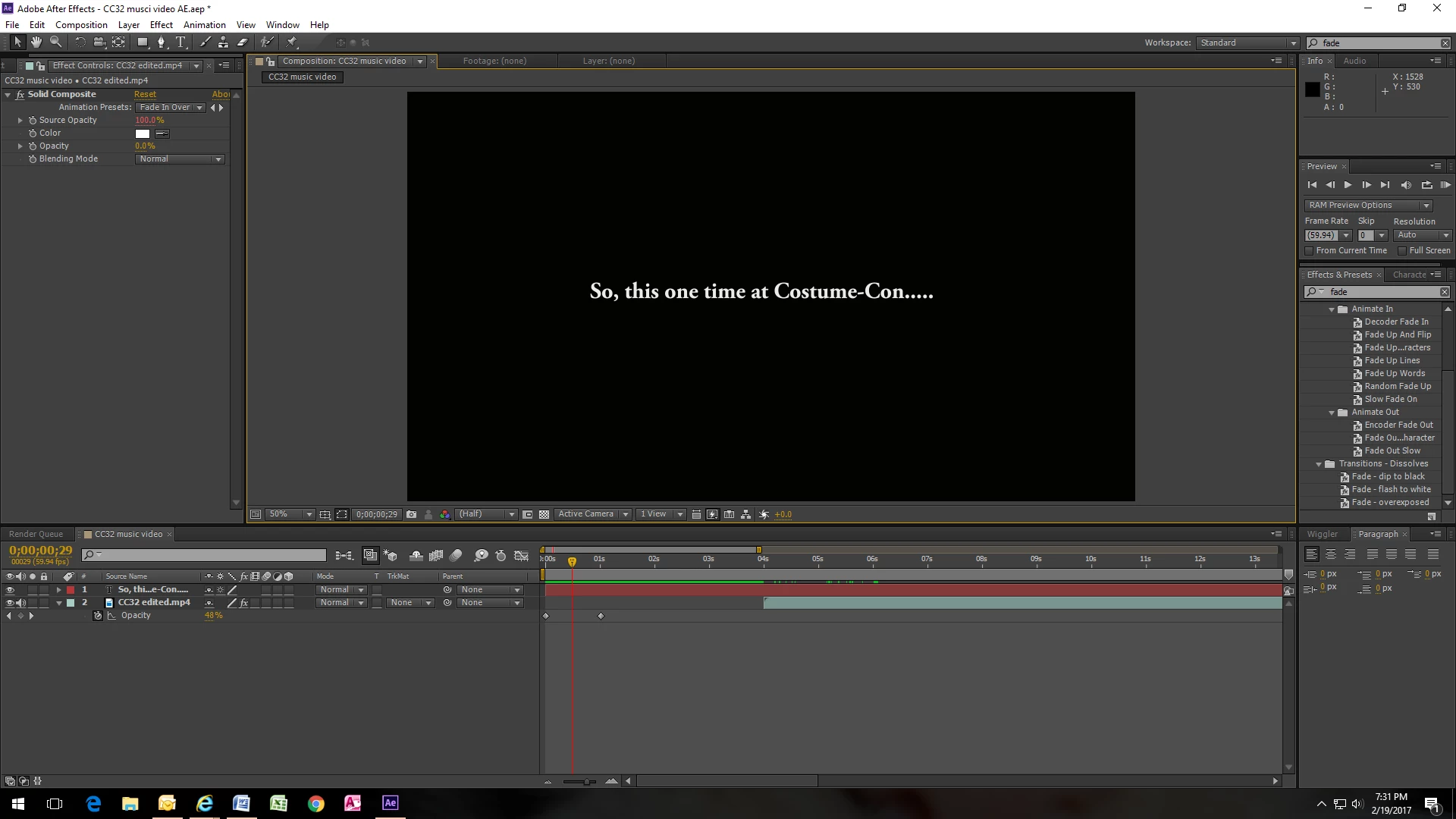
I may have approached this wrong, so feel free to correct me.   I imported my video, then wanted to add a "slide" in front of it with text that fades in and out.  So I moved the video back a few seconds until there was a black screen and typed in my text.   I created the fade with key frames.   It shows properly that it starts with 0% opacity and changes to 100% at the next keyframe.   Yet I'm not seeing the text fade in and out.   So where am I going wrong?   I'm sure it's pretty simple.   Here's the screen cap:
551
Translate
Report
Community guidelines
Be kind and respectful, give credit to the original source of content, and search for duplicates before posting. Learn more
community guidelines
LEGEND ,
Feb 19, 2017 Feb 19, 2017

You are fading your video, not the text, but obviously you won't see any changes because you moved your video out of the way. I would strongly recommend you watch some basic tutorials how AE works.

Mylenium

Translate
Report
Community guidelines
Be kind and respectful, give credit to the original source of content, and search for duplicates before posting. Learn more
community guidelines
Community Expert ,
Feb 21, 2017 Feb 21, 2017
LATEST

Mylenium is right; you've done your opacity fade to the video layer and not your text layer.

Translate
Report
Community guidelines
Be kind and respectful, give credit to the original source of content, and search for duplicates before posting. Learn more
community guidelines