


ninose11
Inspiring
February 25, 2019
Question

single shape layer with Repeater effect: is it possible to randomly spread out the Repeater copies?

  • February 25, 2019
  • 5 replies
  • 10878 views

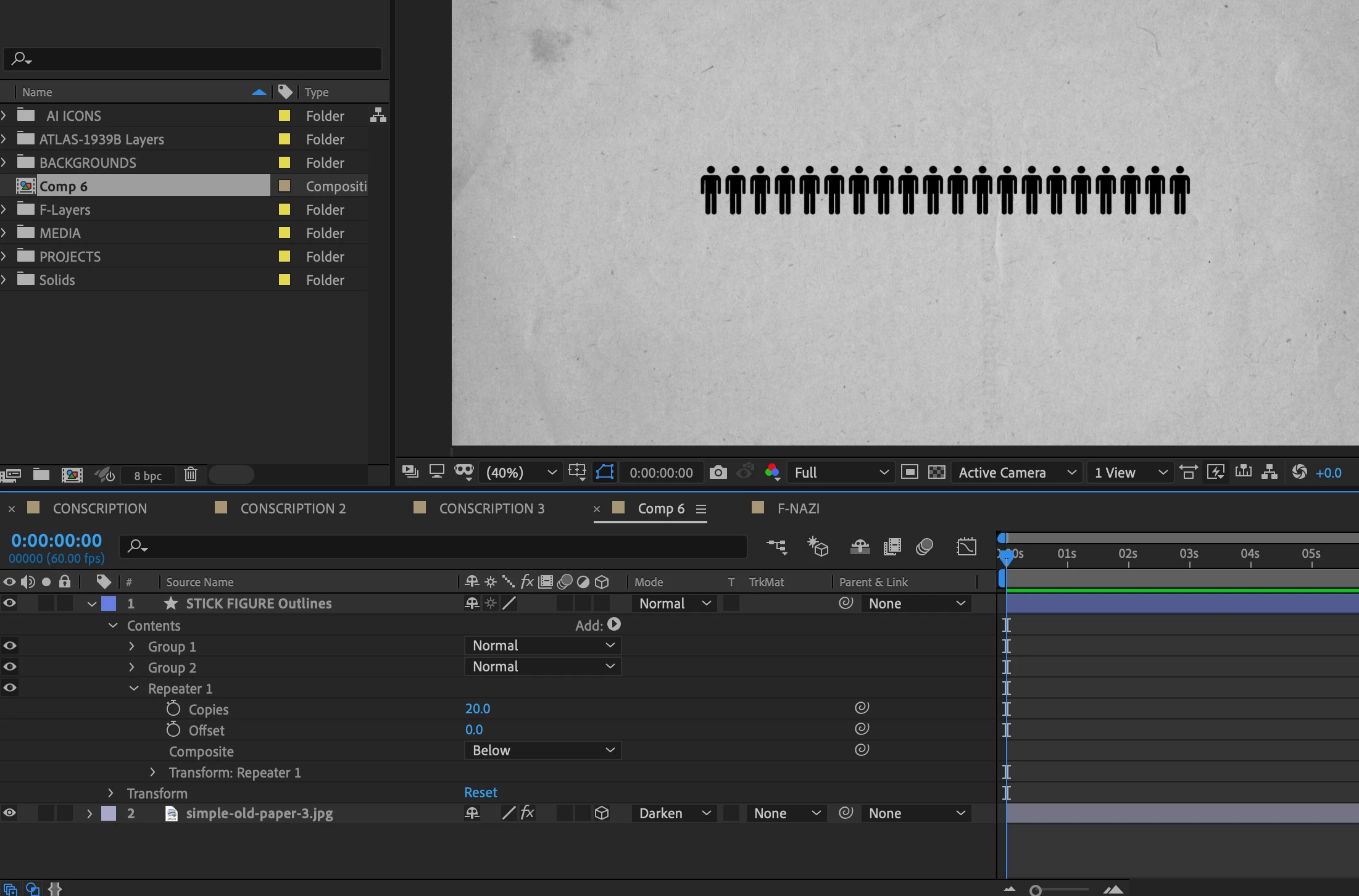
I have a single layer with a Repeater (20x) effect applied to it. But I'd like to randomize the positions of the repeated shape, not in an X or Y direction

but to spread out the copies randomly in a disorganized crowd so to speak. Is it possible to do this with a script for a single layer with a Repeater effect applied? Or do I have to instead copy the human icon layer 20 times and then manually spread the copied layered shapes one by one?

Supposing the number were much greater, like for example several dozen or several hundred repeated shapes. Is there not a faster way to position them randomly in x,y space than to manually move each one? This would take forever. There must be something I'm missing.
This topic has been closed for replies.

5 replies

ninose11
ninose11Author
Inspiring
February 27, 2019

Thank you so much Mylenium, Gutterfish, Roland, and Rick, for your help. Gutterfish I'll definitely take a close look at your program, as I may need to do this type of effect quite often with future infographics, and it looks like Pastiche could save me a lot of time. Thanks again everyone.   

Roland Kahlenberg
Legend
February 26, 2019

See if this does what you want -

Very Advanced After Effects Training | Adaptive & Responsive Toolkits | Intelligent Design Assets (IDAs) | MoGraph Design System DEV
Roland Kahlenberg
Legend
February 25, 2019

All good options from Mylenium and GTF. I'll add AE's built-in particle generator, Particle Playground to the list of effects that allows you to place an image/video into a grid. You can then use a greyscale image to offset elements in the grid to create randomness.

Very Advanced After Effects Training | Adaptive & Responsive Toolkits | Intelligent Design Assets (IDAs) | MoGraph Design System DEV
Community Expert
February 26, 2019

Roland beat me to it. You can go nuts with animators. This is one 60 X 60 rectangle:

The screenshot shows all modified properties of the layer.

Here is a project file for you to play with: Dropbox - shape layer swarm CC (15.x).aep

(note: if your browser adds a .txt extension to the AEP file when you download it, just delete it)

Roland Kahlenberg
Legend
February 26, 2019

The TriCK is by placing Wiggle Transform Operator after the Repeater Operator.

Very Advanced After Effects Training | Adaptive & Responsive Toolkits | Intelligent Design Assets (IDAs) | MoGraph Design System DEV
P.M.B
Legend
February 25, 2019

I would use a plugin I own called Pastiche (Search results for: 'pastiche' - aescripts + aeplugins - aescripts.com​ ) for this but for a one time thing just randomize 10 layers then pre compose them.  Duplicate the composition as many times as you want and flip half of them by changing the X Scale to a negative value...I think ALT+Home is the shortcut. Arrange them and add a few individual layers to fill in any gaps if needed.  Again if this is a "one time" or even "once in a while" thing then the most economic solution is to do it by hand.

If it's something you do enough to have it start cutting into your bottom line then invest in Form like Myll said or check out Pastiche

or (if money isn't a problem) check out Motion Boutique's Motion Bundle which comes with Newton 3, Pastiche & Layer Generator. 

~Gutterfish
Mylenium
Legend
February 25, 2019

Nothing missing. That's just how it works. If you need different patterns, you need to use other tools like grid-based particle tools such as Trapcode Form or even AE's good old own Card Dance - it will just take time to understand those tools and how to get the most out of them e.g. using custom parameter maps.

Mylenium