


New Participant
August 12, 2021
Answered

Some Font Styles Displaying Differently In After Effects

  • August 12, 2021
  • 1 reply
  • 4983 views

Not sure if this is an After Effects problem or an Adobe Fonts problem...


But I'm working with the Rig Shaded font in an After Effects composition, using the Bold Face style with the Bold Extrude. After I duplicate the original text layer and change its style from Bold Face to Bold Extrude, the spacing is much wider and the Extrude style no longer lines up with the Face style. This doesn't happen in Illustrator or InDesign, for example, and I have not changed any character or paragraph parameters between the top and bottom layer.


This happens not only with bold styles, but also light and medium. The width discrepancy appears between the face styles and the 3D styles; however, the 3D styles all seem to line up with eachother correctly.
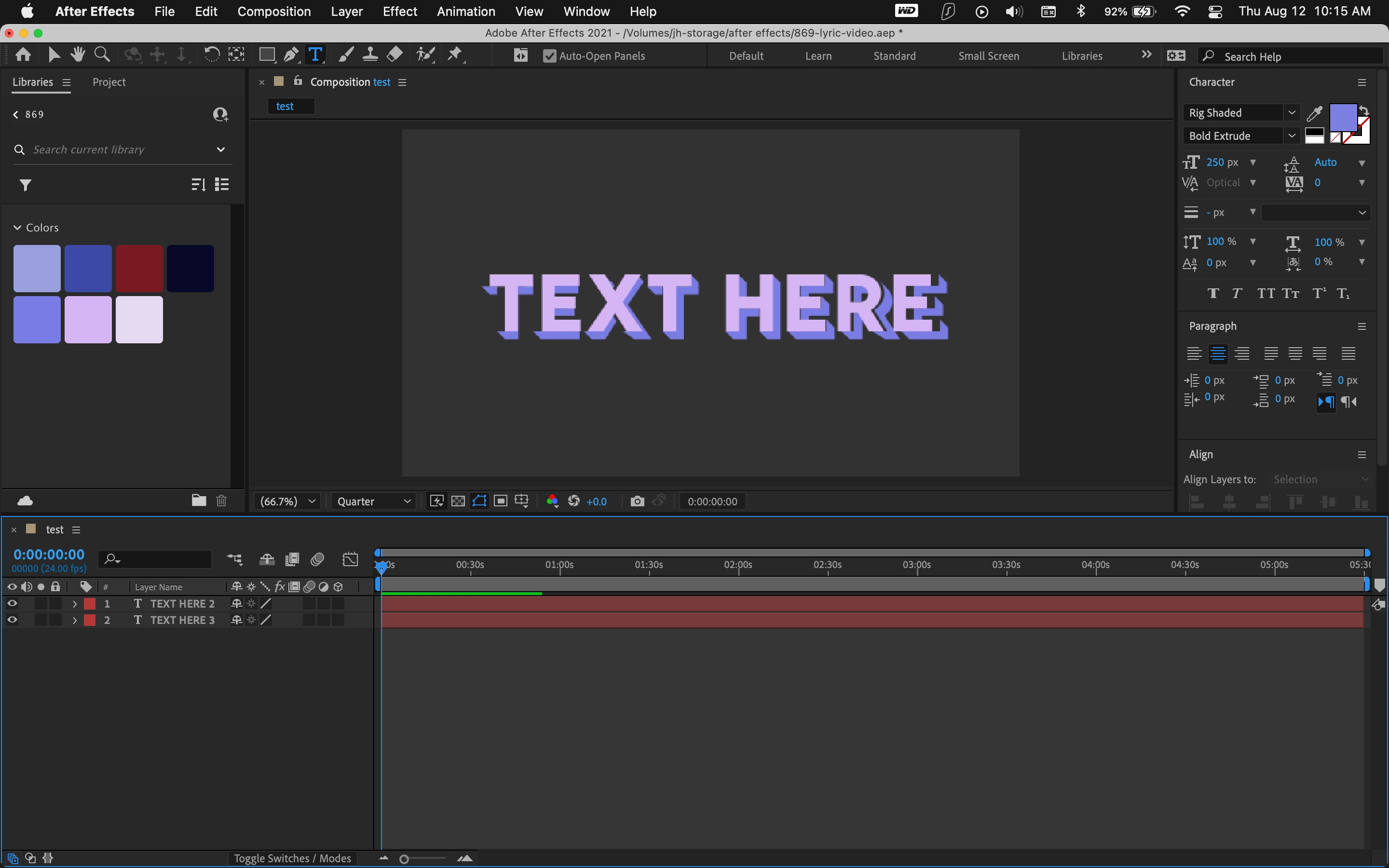
 

(Video clip attached as well.)


I'm generally familiar with After Effects, but I have no clue what's going on here...


Thanks,

jonathan

This topic has been closed for replies.
Correct answer j.hill0422

Thanks for your response -- I ended up figuring out that the layers actually only line up under Metrics kerning, and not under Optical/etc., even if it's exactly the same for both layers.

1 reply

nishu_kush
Community Manager
Community Manager
August 12, 2021

Hi Jonathan,


Sorry for your issue.

I tested the font at my end. It seems to be working as expected. Can you try deactivating the font and reactivating it? If that doesn't help, try clearing the After Effects preferences. Here's how: https://community.adobe.com/t5/after-effects/faq-how-to-reset-trash-preferences-in-after-effects/td-p/10634342

Let us know the outcome.


Thanks,

Nishu

j.hill0422AuthorCorrect answer
New Participant
August 12, 2021

Thanks for your response -- I ended up figuring out that the layers actually only line up under Metrics kerning, and not under Optical/etc., even if it's exactly the same for both layers.