Hi Roei, thanks for taking the time to explain things to me.
I wanted to apply the stroke via the Effects tab at the top of the screen and then go in to Generate, as there are more effects there, such as Scribble which aren't in the "add" tag in the timeline.
Is it not possible to use the effects through Generate then for a vetor shape layer? I can do this with a mask layer.
suzie
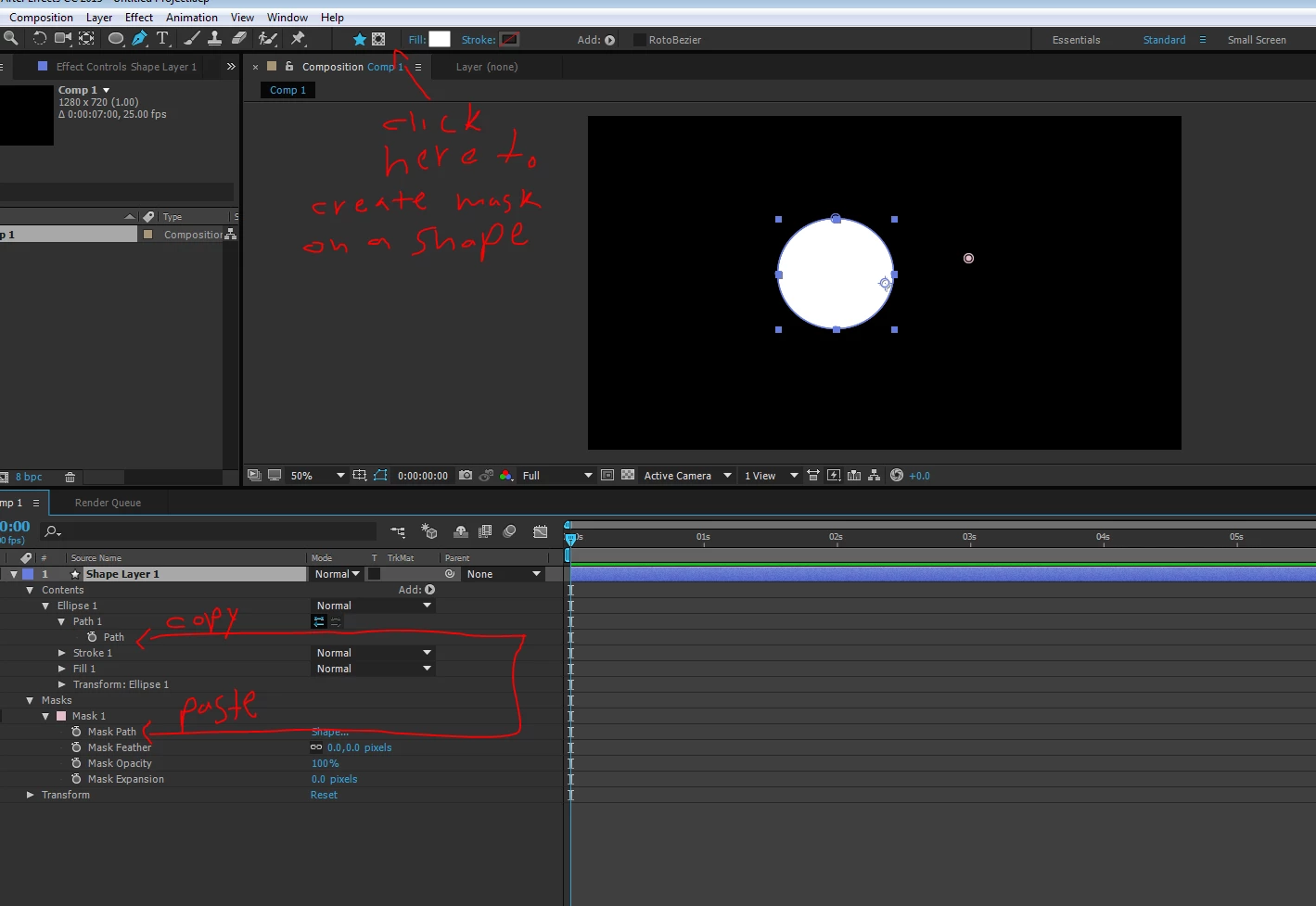
scribble and stroke works on mask paths, not on shape layer paths. if you want just the mask path for only these type of effects then you don't have to use "Create Shapes from Vector Layer" and instead just leave the layer as is and copy paste the path like I showed you before. another way to do it, if you already converted it to shape and want to keep the shape too, is to copy the path from the shape path parameter to the mask path parameter (you can just create a dummy mask so you will have where to copy it to)
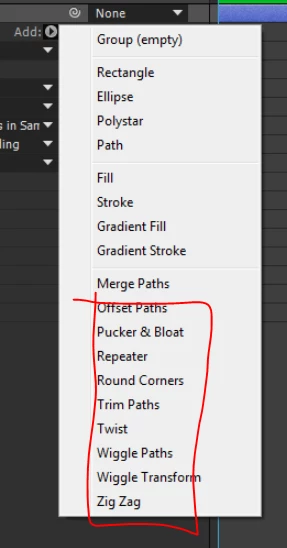
BTW shape layers also have some very powerful path operations here: wiggle path can create very nice and organic scribble effect to your outlines. but it's not the same as scribble.



 AdChoices