



Known Participant
July 25, 2020
Answered
Stumped - Fill and Stroke controls do not appear when text layer selected.
- July 25, 2020
- 2 replies
- 2474 views
Hi All!
In the middle of a project I created a single letter text layer. When I went to put a stroke on it I could not find the stroke and fill panel that usually just appears at the top of the interface.
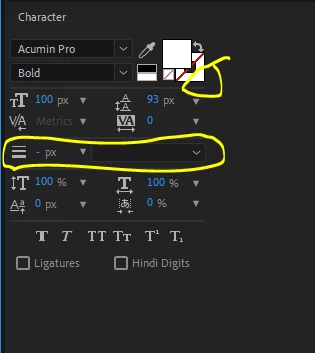
I've tried clicking on the text layer. I've tried double clicking on the text layer. I've tried using the character panel to put a stroke on the text. The character panel lets me choose a color for the stroke but a stroke does not appear.
I'm completely stumped here. Any help is appreciated.
Gabe
 AdChoices