


Inspiring
April 17, 2022
Answered

Text Paragraph not working properly?

  • April 17, 2022
  • 2 replies
  • 3203 views

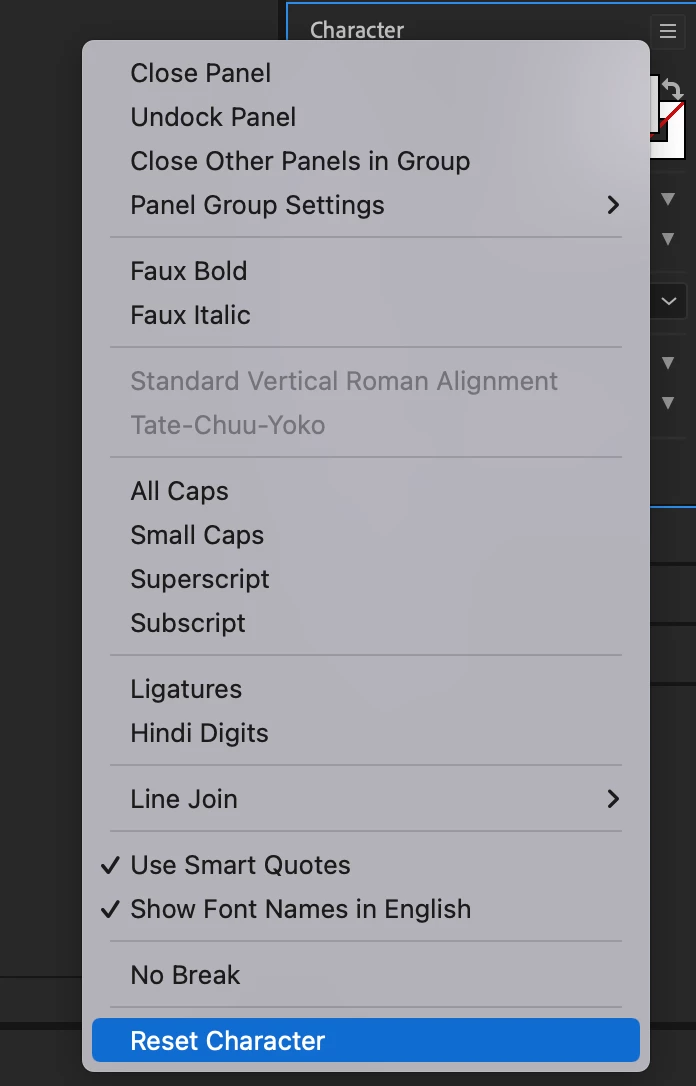
I am using the lastest AE version. I tried making a text for a video as paragraph text and it doesn't work, I typed the first line and pressed enter, but the new text just gets mixed with the first text. I adjusted the text box and it still doesn't work properly. Any ideas? I am uploading a picture showing that it is already selected as paragraph text.
Correct answer Mohammad.Harb

Make sure the text layer selected, Then click on Reset Character.


2 replies

Mohammad.Harb
Community Expert
Mohammad.HarbCommunity ExpertCorrect answer
Community Expert
April 17, 2022

Make sure the text layer selected, Then click on Reset Character.


Community Expert
April 17, 2022

Make sure that tracking in the character panel is set to "Auto"
Edit: I meant "Leading" not "Tracking"

Inspiring
April 17, 2022

I tried to find it but I couldn't. Is it in a different tab?

Community Expert
April 17, 2022

My mistake it's "Leading" not tracking: