


Answered
Toggle Switches / Modes
How to get Toggle Switches / Modes here?
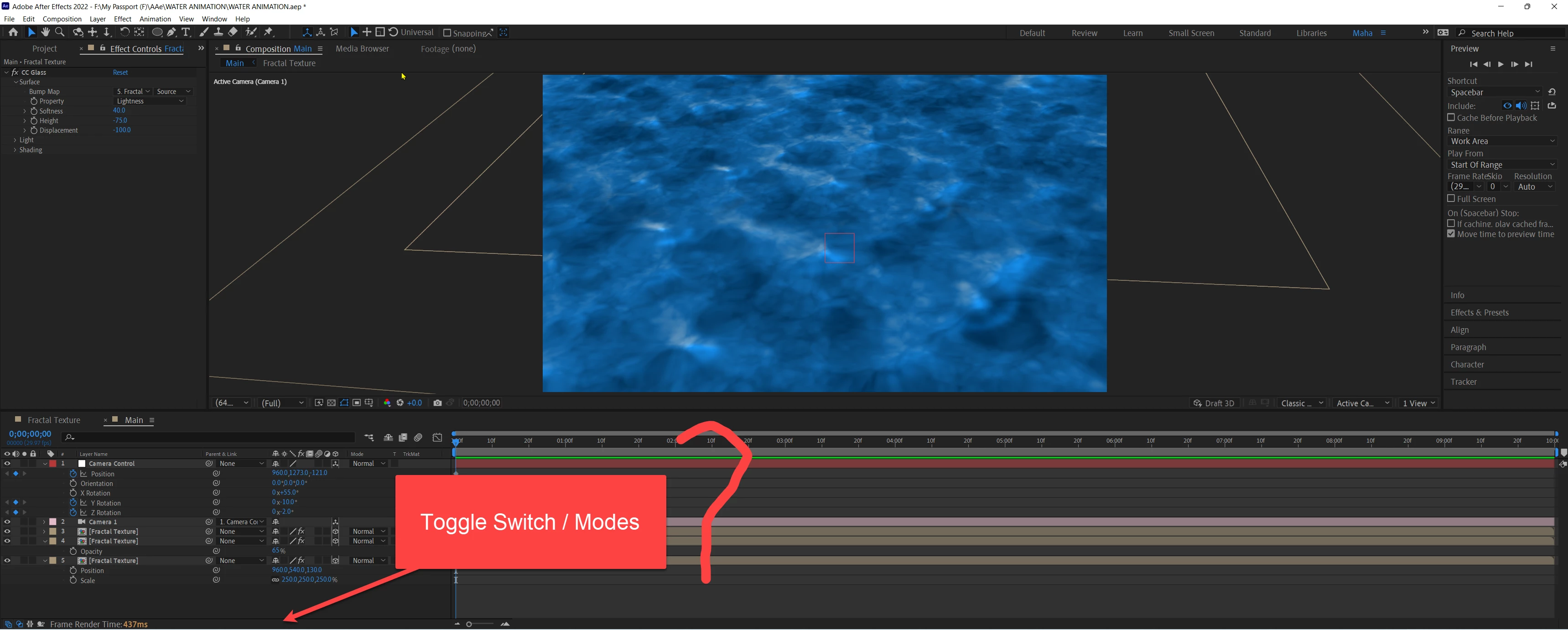

How to get Toggle Switches / Modes here?
Thanks
How to get Toggle Switches / Modes here? Video is attached.
You have both the Switches and Modes columns turned on in the bottom left corner of the timeline. Turn one of them off. Their switches are the first two icons in the bottom left corner. One looks like three little squares stacked on top of each other. That is the Switches Column. Hover over it, and you'll see Expand or Collapse the Layer Switches Pane. Hover over the one with the circle and the square, and you will see Expand or Collapse the Transfer Pane. The Transfer Pane is the same as the Modes pane. Blending modes are also called transfer modes. I don't know why Adobe uses both names. If you have both panes open, there is no need to switch between them. You have a wide enough display that your workflow would probably be more efficient if you left both open.
Already have an account? Login
Enter your E-mail address. We'll send you an e-mail with instructions to reset your password.
 AdChoices