



Elyse Da Silva
Participant
February 7, 2024
Answered

Trim Path Looping Troubles

  • February 7, 2024
  • 2 replies
  • 623 views

Hi there,


I'm having trouble getting my trim path to loop seamlessly - I feel so close yet so far. 

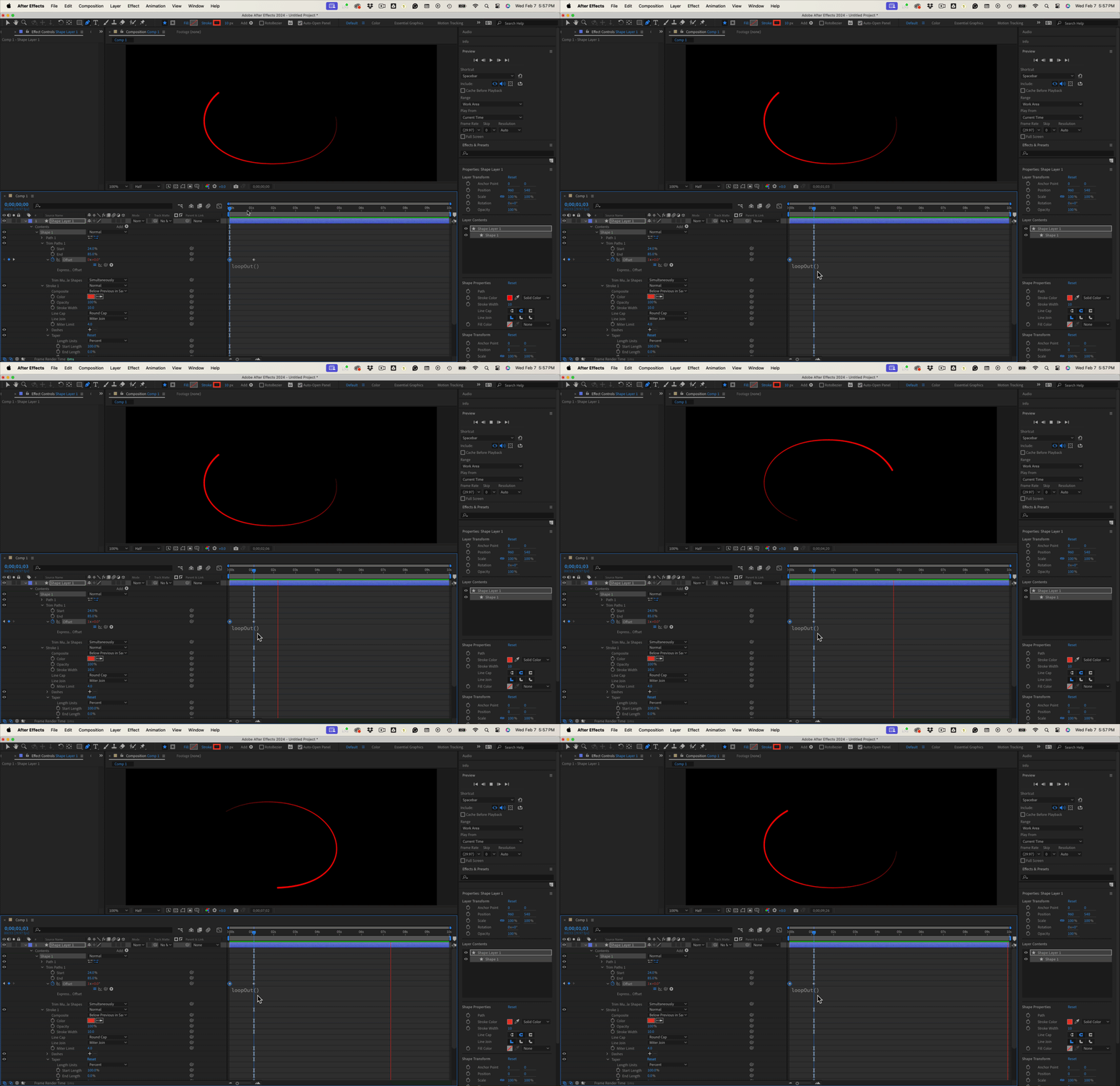
You can see in the video clip that there is a bit of overlapping between pass 1 & pass 2 before looping. How do I get the looping effect without any stutter? I've tried adjusting the start and end points, and adjusting the offset but nothing seems to be working. I've tried to include my keyframes to make it easier to diagnose what may have gone wrong.

Any suggestions or solutions to this? If there is an expression that would solve this I wouldn't know it so feel free to share! 
This topic has been closed for replies.
Correct answer Rick Gerard

If you are using loopOut(), the first and last frames must be identical. You have a pause, probably at the end of the animation, that looks to be a few frames long.  I drew an ellipse, added Trim Paths just below the Path, set a start and end value to give me a partial path, adjusted taper to give me a tapered line, and animated the offset from 0º to 1 revolution and 0º so the first and last frames are identical and added loopOut().


Then I just copied the gif of the recording and pasted it to the reply field on the forum so you could see the result. A perfect loop using loopOut() only.


2 replies

Rick GerardCommunity ExpertCorrect answer
Community Expert
February 8, 2024

If you are using loopOut(), the first and last frames must be identical. You have a pause, probably at the end of the animation, that looks to be a few frames long.  I drew an ellipse, added Trim Paths just below the Path, set a start and end value to give me a partial path, adjusted taper to give me a tapered line, and animated the offset from 0º to 1 revolution and 0º so the first and last frames are identical and added loopOut().


Then I just copied the gif of the recording and pasted it to the reply field on the forum so you could see the result. A perfect loop using loopOut() only.


Elyse Da Silva
Participant
February 8, 2024

This worked perfectly! Thank you so much for sharing and offering your insight 🙂 

Elyse Da Silva
Participant
February 7, 2024

Including a gif of the animation here so it's a bit more clear as to what's going on. 

Apparently my screen recording was too big so I compressed it and it now looks terrible!