


Participant
May 30, 2023
Answered

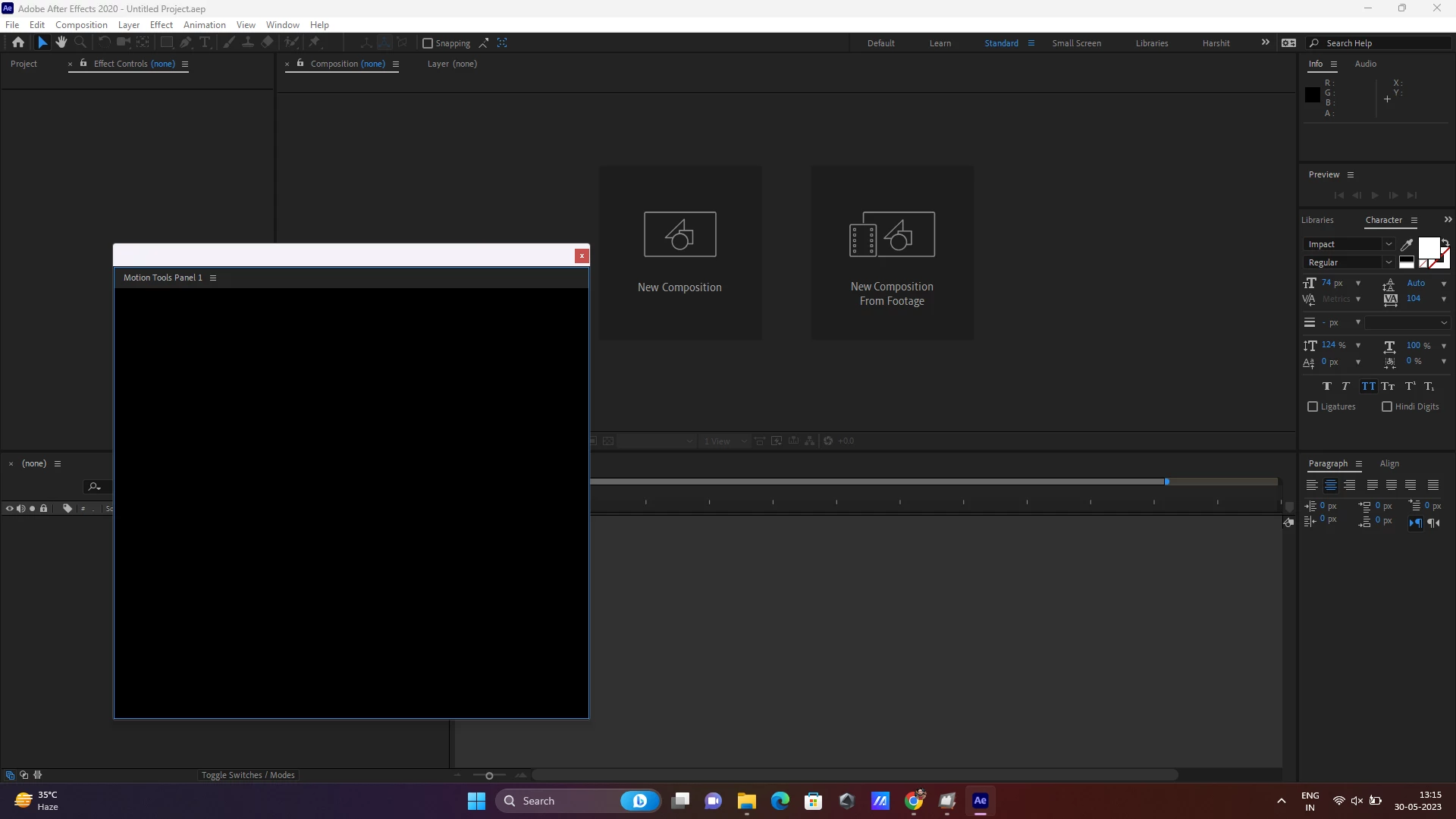
Unable to access the Motion Tools Pro in After Effects 2020

  • May 30, 2023
  • 2 replies
  • 13217 views

Can anyone tell me why the motion tools pro UI is not showing? I have installed it many times and getting the same error. Is there Version compatibility ? I am using AE 2020 and the motion tools pro version was v_1.1.4. 
Correct answer Denys Bondartsov

Hi Denys, 

I have some problem to install the 1.4.0 version of MTP. When i open the .zxp file with ZXP installer, the installation work but when i launch MTP in After Effects i have the error "Settings Folder not found". I re-installed the v1.3.2 for the moment. Do you know what is the problem ?

Thanks you si much for your work and your tools 


Sorry for the inconvenience. We updated the mechanics of creating a settings folder in the computers with extra permission limitations, but missed one bug. Please try to install this new version. Let me know if it helps you

2 replies

Participating Frequently
July 11, 2023

Your AE is likely outdated if you notice a black screen in Motion Tools Pro. The earliest versions of 2020 AE, such as 17.0.0, do not work. Try to update to the most recent version as possible. As we tested it should work with >17.5 version. But overall these versions are outdated and they don't have all possibilities for extensions. Best experience you will have in the latest AE versions.

Participant
January 16, 2024

I am also experiencing this issue, even with the latest version of After Effects. I recently got a new MacBook and installed Motion Tools Pro last week. Everything was working fine until today when the Motion Panels suddenly stopped displaying anything. I tried uninstalling and reinstalling the extension and even After Effects, but it still wouldn't open. Now, when I try to open the Motion Panels by going to Windows > Extensions, nothing happens. 

Participant
April 21, 2024

It works! Thank you so much!


Hi!
I can't get my motion tool plug in to open up in after effects. I'm using the latest 2024 version and the 1.4.0 version of the MTP after trying the 1.4.2 version.
I go to window > extensions > motion tool panel 1 and then it comes up with a pop-up saying 'Network access is disabled. To allow please go to preferences > general and check off 'allow scripts to write files and access network'.
Firstly, this setting isn't even in general, it's in the Scripting and Expressions tab and secondly, it's already checked off.
When I press okay, the MTP says the session folder isn't found.
Please helllppp!!

Community Expert
May 30, 2023

What happens if you try and open the Motion Tracking workspace? You have to have a footage layer in a comp to use Motion Tracking, but you should be able to see the UI,