


026163
Participating Frequently
July 8, 2019
Answered

upscaled 'look' plugin / down convert resolution effect

  • July 8, 2019
  • 2 replies
  • 524 views

Looking for a plugin for After Effects or Premiere to lower the sharpness of footage.

I find digital footage these days is often too sharp and I prefer the softer look of a filmic image.

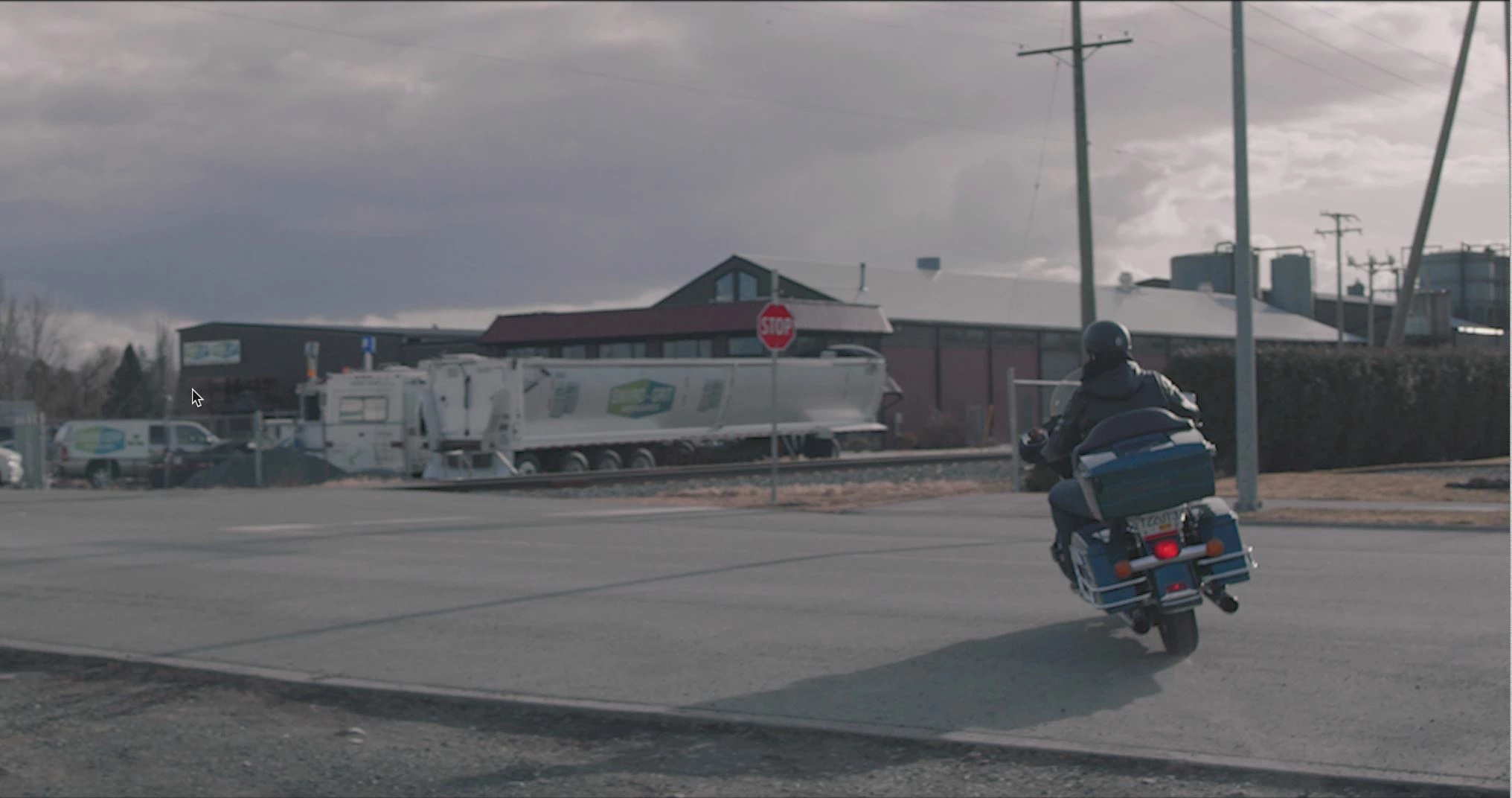
This screen grab is from an 8K RED file played back at 1/8 resolution in Red Player, which approaches the look i'm after.

I would love to find a way to easily 'downconvert' footage to simulate this look (sort of a DVD look with softer edges) without creating the pixelization effect that often occurs when simply up converting footage within an NLE.

Thus far i've been nesting my comps in a lower res sequence and then re-importing back into a 4k sequence, but this creates that undesired pixelization look. Anyone encountered any tools that desharpen footage in a more aesthetically pleasing manner?
    This topic has been closed for replies.
    Correct answer Roland Kahlenberg

    Duplicate the layer and apply your favorite Blur effect to the copy at the top. A low value will suffice, to begin with. Then set its Blending Mode to Soft Light. Then, adjust its Transform>Opacity and Blur values to suit your taste.

    2 replies

    026163
    026163Author
    Participating Frequently
    July 9, 2019

    Thanks for the tips guys, will give these a try

    Roland Kahlenberg
    Roland KahlenbergCorrect answer
    Braniac
    July 9, 2019

    Duplicate the layer and apply your favorite Blur effect to the copy at the top. A low value will suffice, to begin with. Then set its Blending Mode to Soft Light. Then, adjust its Transform>Opacity and Blur values to suit your taste.

    Very Advanced After Effects Training | Adaptive & Responsive Toolkits | Intelligent Design Assets (IDAs) | MoGraph Design System DEV
    Braniac
    July 9, 2019

    Before I would try a multi-layered After Effects solution to your look problem I would dive into Lumetri in Premiere Pro or even Magic Bullet. There are a bunch of controls on the look that has nothing to do with color. There's also Black Magic Fusion, Resolve and a bunch of other tools that are much more suited to grading an entire film. After Effects is great for a few shots you can't do any other way, but doing this kind of correction work on a movie that was longer than a couple of minutes in After Effects could turn into a management nightmare. Something like this with the first LUT applied:

    Can turn into this by tweaking the Creative Panel and the HSL Panel in Lumetri inside Premiere Pro with almost no rendering or preview hit. Here are a couple of screenshots:

    I don't know how well you can see it in the screenshots but the overall sharpness of this shot went way down with a little tweaking of a couple of sliders. Here's a before and after full rez section of the 4K footage: