


Answered
Use comp marker to simply play a pre-comp
I have done tons of search query's on this... it seems so simple on the surface, but can't nail it.
1- I have a simple y-pos animation in a precomp -- to transition from a blank screen to the screen full with content
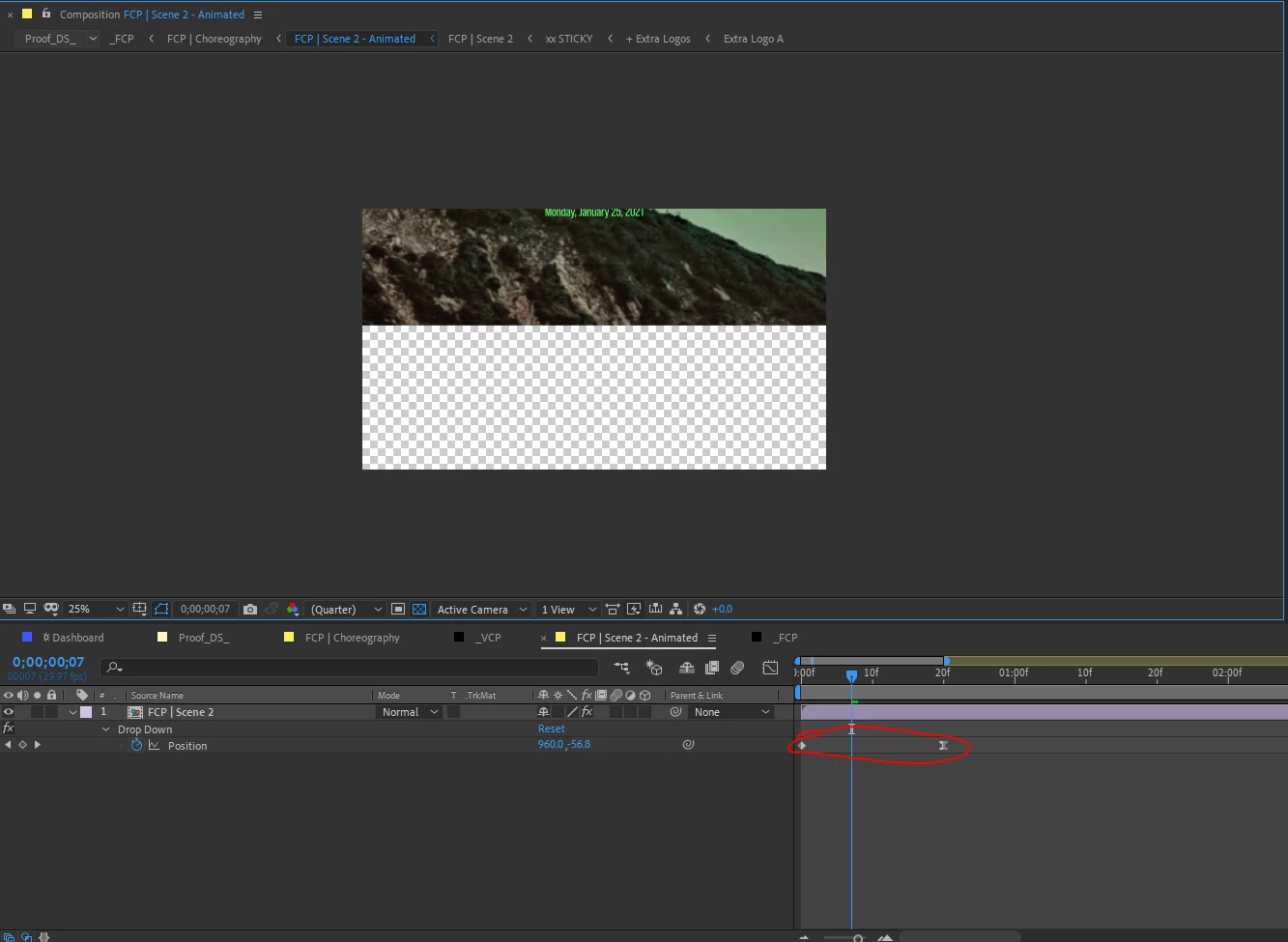
2- I have a parent-comp with two comp-markers, that will trigger the appropriate nested precomps to play real-time
- Scene 1 will already be on screen, so the first marker triggers scene 2, and the second marker triggers scene 3
- Marker should trigger the scene to play from frame 1 in realtime - no stretching time. Just like a powerpoint presentation... I click my mouse, and the slide plays as it's been set up
I am using the comp below to time three-scenes for each of 3-digital signage boards (FCP, VCP, ICP) simultaneously.
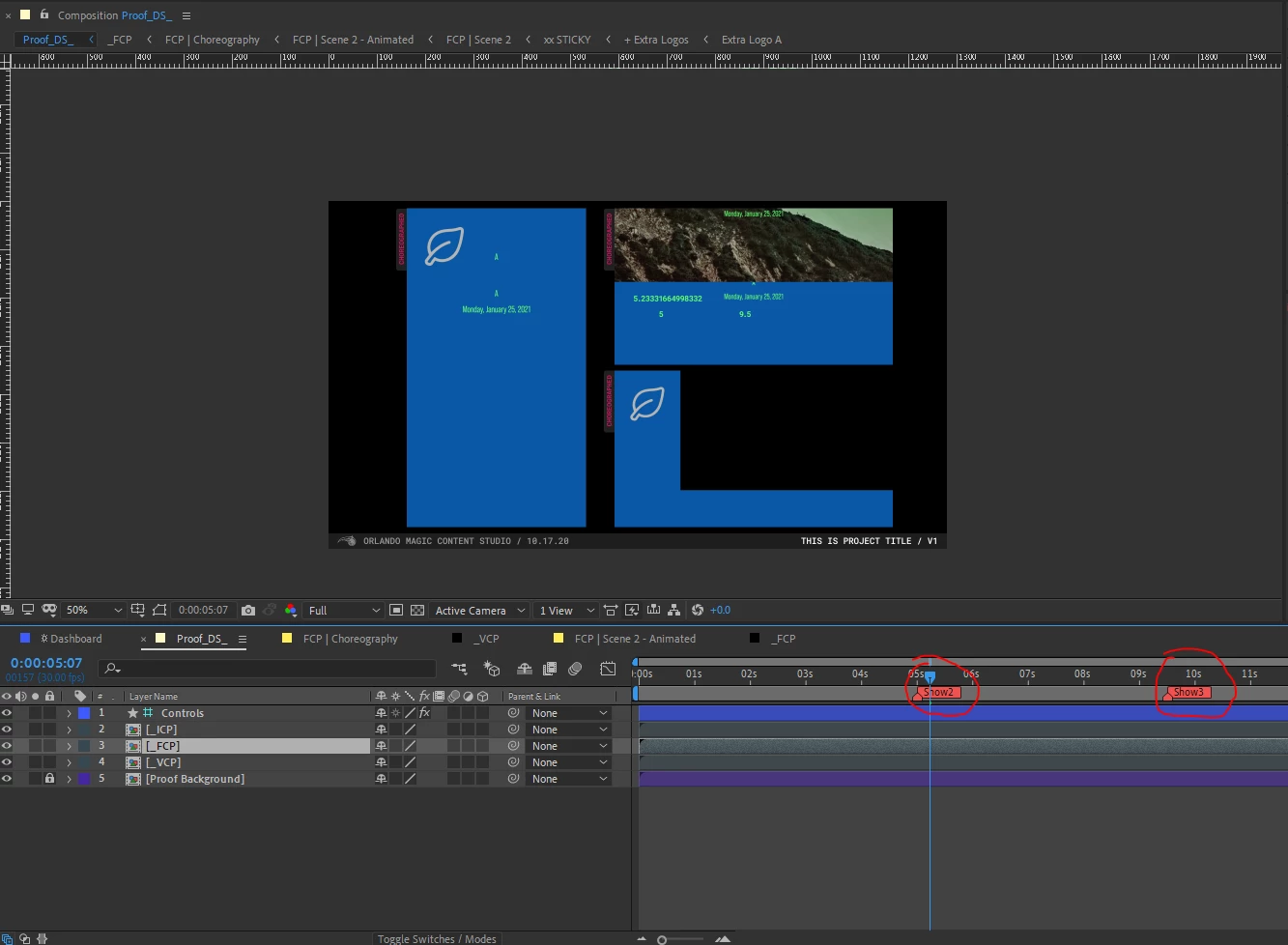
3- My approach and the problem
- After research I'm assuming I'm correct that Linear( ) would be the way to approach this
- Here is the expression I came up with
var compWithMarker = comp("Proof_DS_");
var show2 = compWithMarker.marker.key("Show2").time;
var show3 = compWithMarker.marker.key("Show3").time;
linear(time,show2,100,0,100)- The problem is with this expression it is "stretching time" -- albeit by a tiny amount, but I need it to be realtime
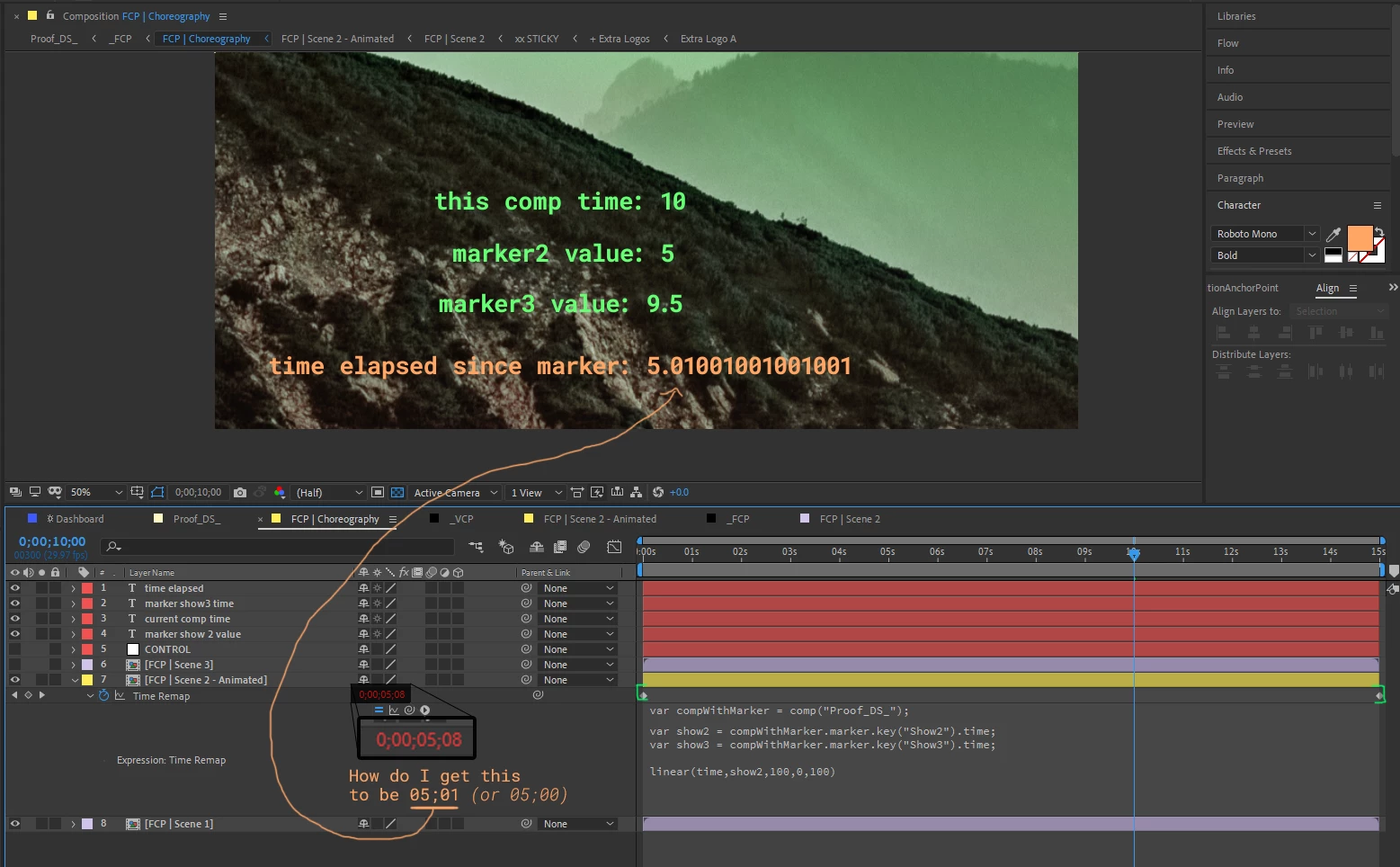
- I time remapped the precomp.
- With the current expression, it triggers on-time (at 5.00 seconds)
- When the playhead is at 10.00 seconds --- only 5.00 seconds should have elapsed (or as AE math shows it as 5.01 seconds)
- Why is the precomp's time-remap showing 5.08 seconds have elapsed? How do I get it to play in realtime?
Thank you!
 AdChoices