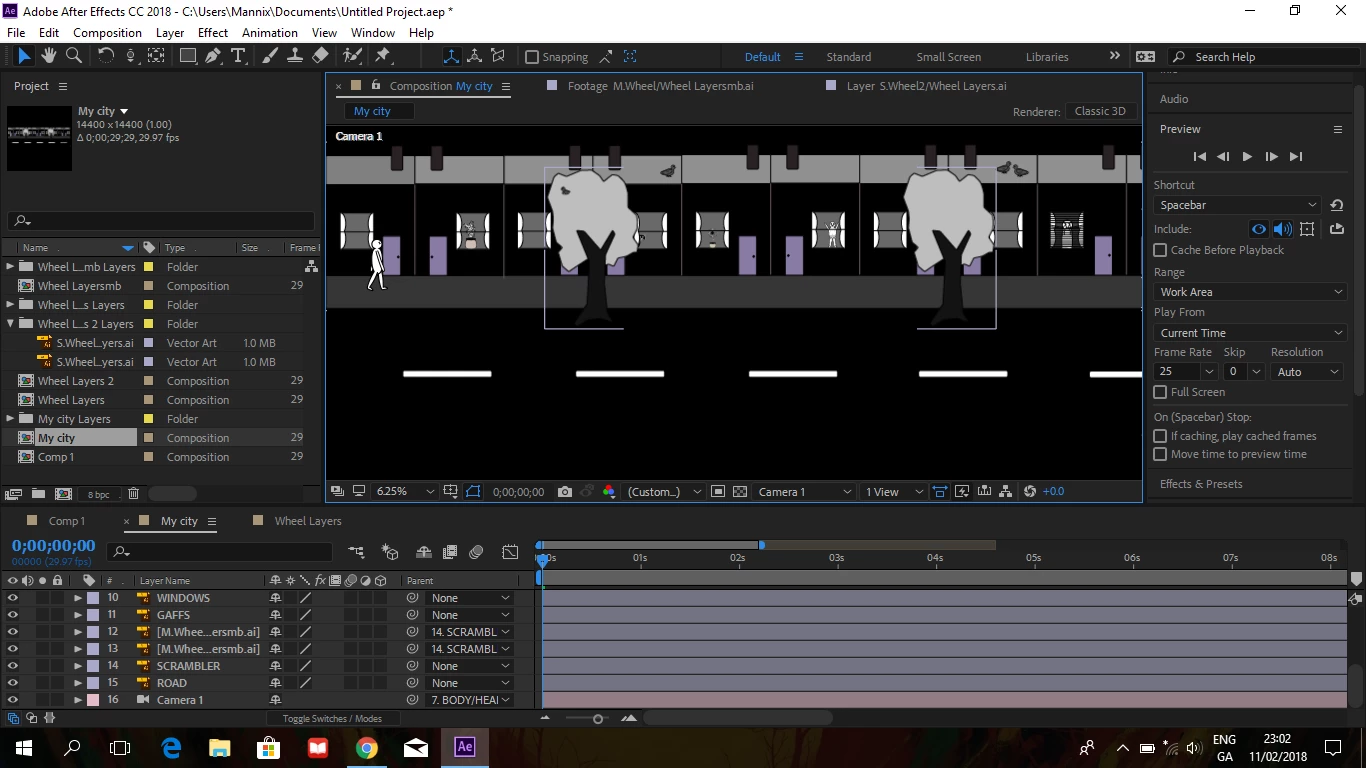
You want to use a camera but you do not have any 3D layers in your composition. If you want to keep everything 2D then you will want to add a null that is the parent of every layer in your project. Then you have to resize your composition to a standard frame size. To move the entire stage around the composition panel and simulate a camera move you would then animate the position of the null
The other option would be to start a new composition that is a standard frame size and nest your huge stage in the standard composition. Make sure collapse transformations is turned on (search help if you don't know what that is) and then animate the position of your stage, your My City composition to simulate your camera moves. You just set keyframes manually to get the moves you want. There is an option to write an expression that looks at the position of the actor you want to follow in the nested My City comp and keeps him in the center of the frame but that is going to be fairly complicated.
If you want to use an actual comp camera you are going to have to change every layer to 3D, make sure they are properly arranged on the stage, write a few expressions, nest the My City comp in a standard comp with collapse transformations turned on (easiest) or resize the comp and add a camera and animate the camera moves.
If you don't understand what I have said it is time to do some serious studying. From your question and what I see in your screenshot, it looks like you are very new to animation and video production and After Effects. The search help field at the top right corner of AE is a great help and you should be using it when you don't understand anything about the UI or a procedure.



 AdChoices