Zuca
New Participant
March 5, 2019
Answered

Why a stroke path are importing like a closed shape?

  • March 5, 2019
  • 1 reply
  • 5055 views

Hi

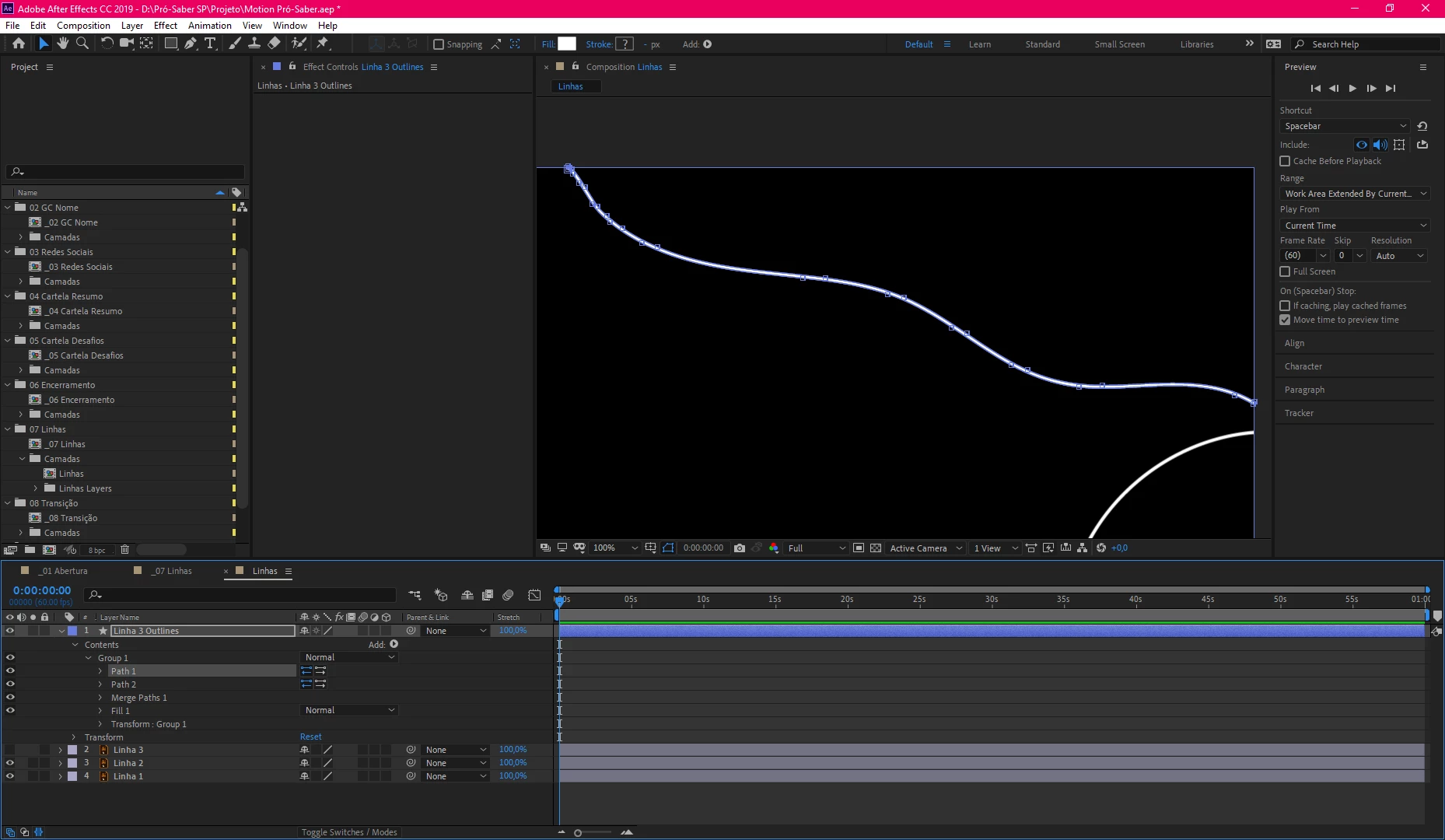
I'm trying to import my stroke paths from Illustrator to AfterEffects but when imported and converted to shapes they aren't strokes, they have Path 1 and 2, merge paths and fill. So obviously when I try to Trim Paths this doesn't work at all.

I can fix this easily creating a new document and making new stroke paths without any modification of course (I'll took these lines from other document I'm working), but I want to know why this is happening and WHY Adobe can't make Illustrator good and intuitive app to work.. I'm struggling with AI in past few months, sorry for the outburst

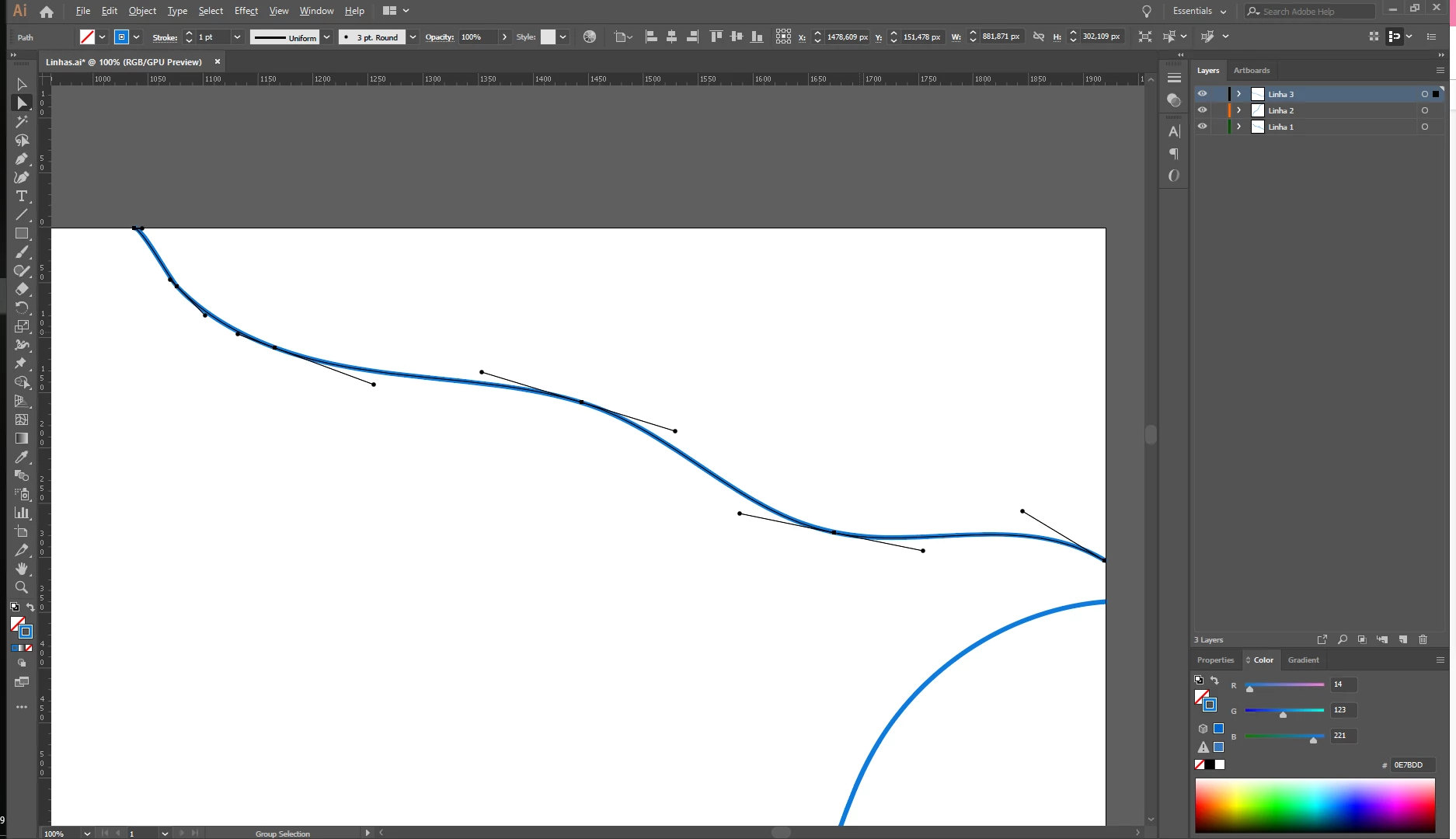
Illustrator Stroke Path
Imported document converted to shape AND NOT AS A SINGLE PATH (???)
This topic has been closed for replies.
Correct answer Rick Gerard

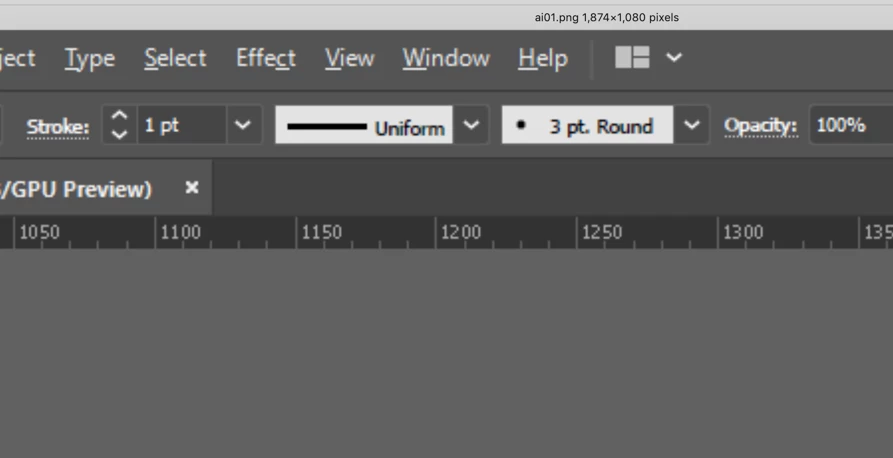
If you want to convert a vector path to a stroke and not a filled shape, the path in Illustrator cannot have a brush applied. Brushes can be any shape so this makes perfect sense. Here's your path in AI:

It is a single point stroke with a 3 point round brush applied. Just open up the AI file, change the stroke to basic (delete the brush) and change the stroke width to 3 points, save, then convert to a shape layer again.

I'm assuming you want to use shape layer animators. That, and actually animating the path are the only reasons to convert a vector layer to a shape layer.

This information is in the User Guide under Preparing Illustrator files for Video.

If you must use a brush then just duplicate the path you want to reveal with trim paths (I usually the pair on a separate layers) then change the stroke back to basic. When you import as a comp you'll have a separate layer that you can convert and use as a track matte to reveal the original brush stroke. You can edit the width in AI so that it just covers the brush.

1 reply

Rick GerardCorrect answer
Adobe Expert
March 5, 2019

If you want to convert a vector path to a stroke and not a filled shape, the path in Illustrator cannot have a brush applied. Brushes can be any shape so this makes perfect sense. Here's your path in AI:

It is a single point stroke with a 3 point round brush applied. Just open up the AI file, change the stroke to basic (delete the brush) and change the stroke width to 3 points, save, then convert to a shape layer again.

I'm assuming you want to use shape layer animators. That, and actually animating the path are the only reasons to convert a vector layer to a shape layer.

This information is in the User Guide under Preparing Illustrator files for Video.

If you must use a brush then just duplicate the path you want to reveal with trim paths (I usually the pair on a separate layers) then change the stroke back to basic. When you import as a comp you'll have a separate layer that you can convert and use as a track matte to reveal the original brush stroke. You can edit the width in AI so that it just covers the brush.

Zuca
ZucaAuthor
New Participant
March 5, 2019

Oh, so this is the problem... Thanks!

Why AI can't makes things easier? hahaha