


TaxReturnedPensions
Participant
December 7, 2022
Answered

Why can I see my 3D image layer in Default View and not Active Camera view

  • December 7, 2022
  • 1 reply
  • 730 views

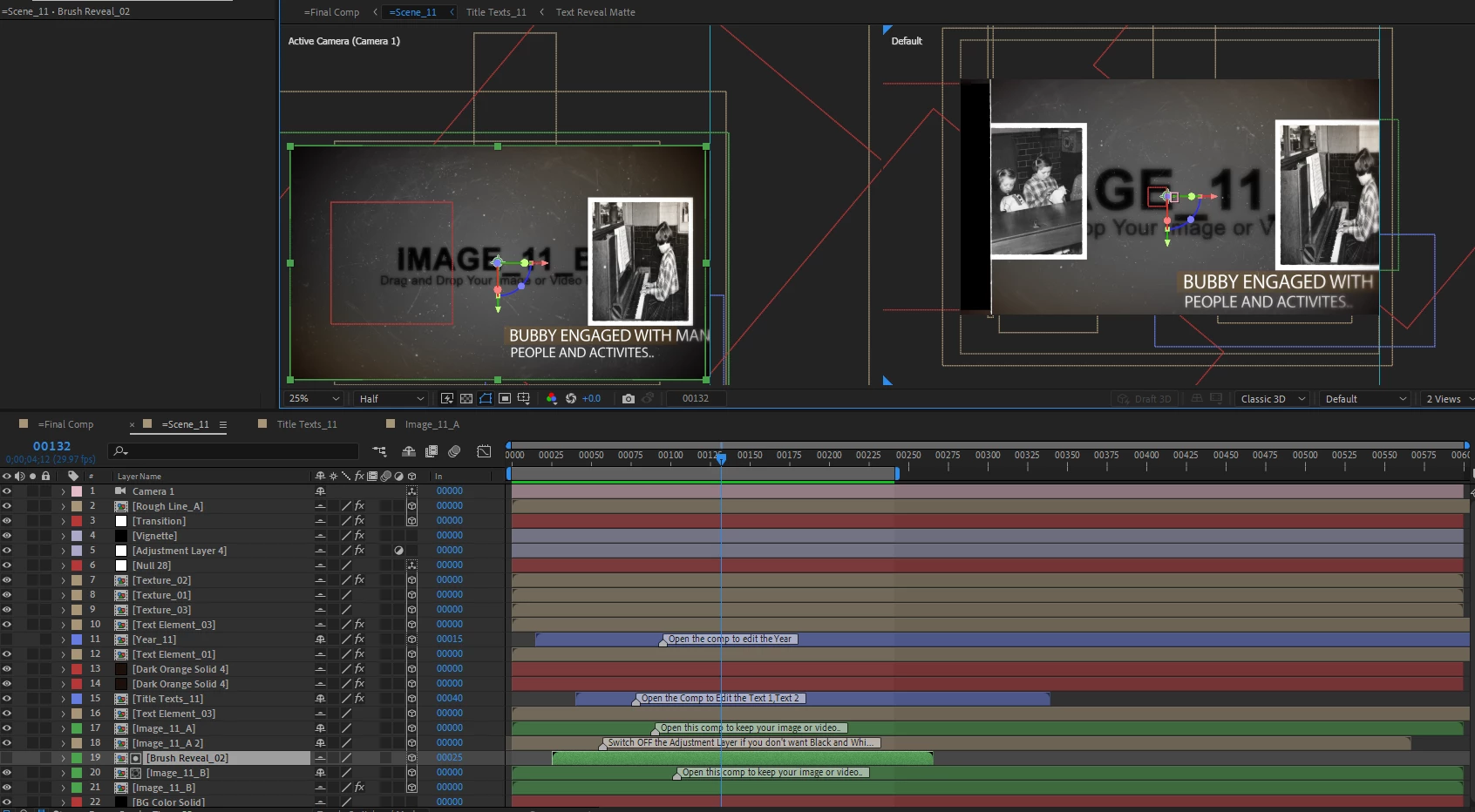
Please see screenshot.


I have managed to get the image layer on the right to show and I duplicated that layer but now the second image later is not showing in the Active Camera view.


Can you help?
 

This topic has been closed for replies.
Correct answer Mylenium

3D layers work strictly on their depth order and you may simply have mucked that up. Open the position property of the layer and check the values. Scrub the Z value until it pops in front of the other layers. For anything more we need more info. Since you haven't selected it we don't even know which one of the red layers you are talking about. Also perhaps consider reading the online help on some basics. Hacking your way through a downloaded template without understanding some fundamentals is not a good strategy...


Mylenium

1 reply

Mylenium
MyleniumCorrect answer
Legend
December 7, 2022

3D layers work strictly on their depth order and you may simply have mucked that up. Open the position property of the layer and check the values. Scrub the Z value until it pops in front of the other layers. For anything more we need more info. Since you haven't selected it we don't even know which one of the red layers you are talking about. Also perhaps consider reading the online help on some basics. Hacking your way through a downloaded template without understanding some fundamentals is not a good strategy...


Mylenium

TaxReturnedPensions
Participant
December 7, 2022

Thank you Mylenium.

Scrubbing the Z axis worked a treat!