



Jessariah67
Known Participant
November 16, 2018
Answered

Why doesn't shape gradient fill work properly?

  • November 16, 2018
  • 5 replies
  • 20610 views

Whether it is two colors or a color and transparency, what the gradient slider is showing seems to happen only between the middle of the shape and a bit to the right side. Is there some kind of range selection that I'm missing?
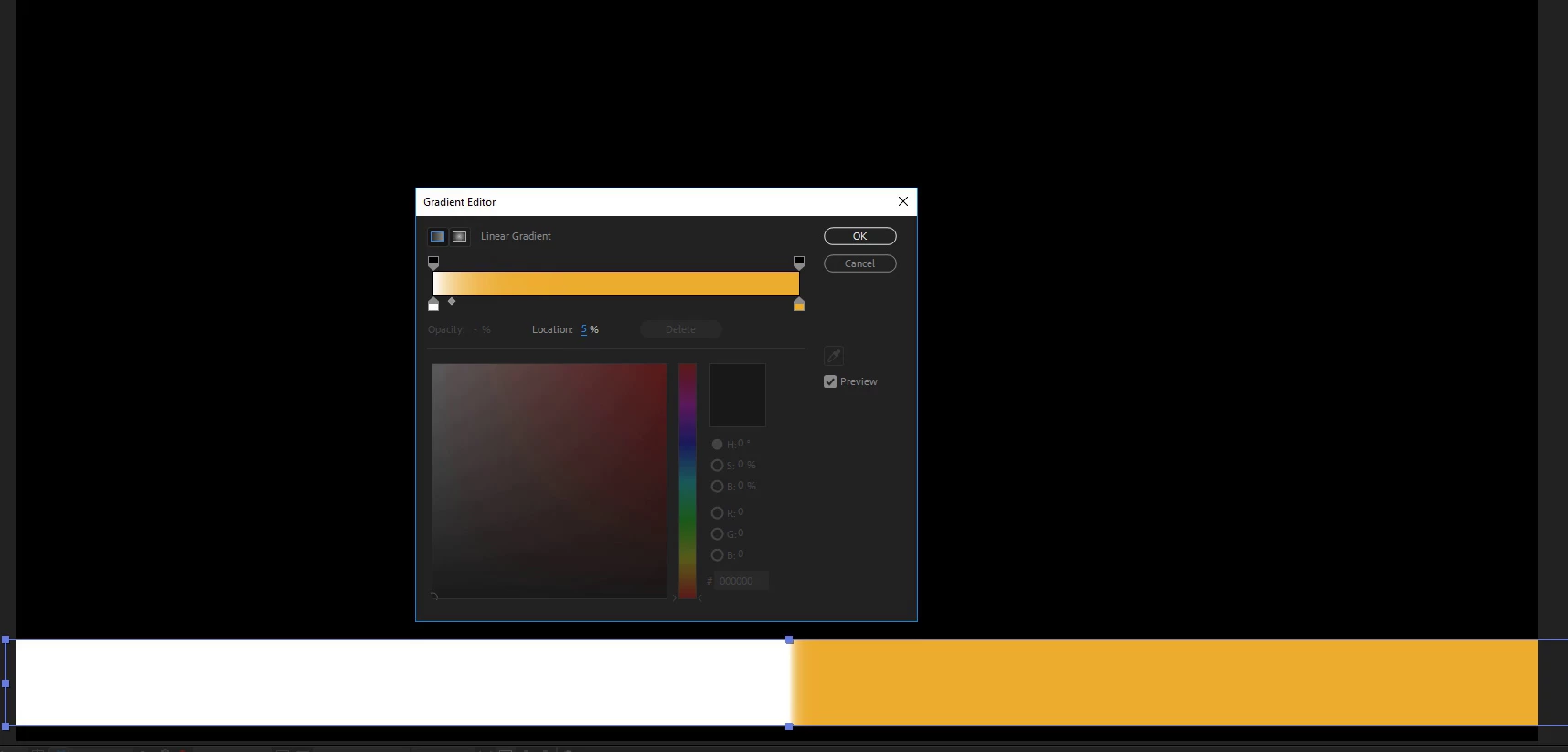
I would post other pics, but I get a "forbidden" error message.

Thanks for any help.

Correct answer fleshmanz

Hey man after hours of trying to find the handles on the gradient your solution wasn't that easy to find.

For anyone who CANNOT see the handles I managed to figure it out.

Solution: View > Show Layer Controls

I have no idea why that is even allowed to be turned off, just wasted an hour of my life trying to find one simple little option.

5 replies

Participant
January 24, 2023

If you click on the shape, you can toggle the handles to expand the area of the gradient 

fleshmanz
fleshmanzCorrect answer
Inspiring
July 8, 2025

Hey man after hours of trying to find the handles on the gradient your solution wasn't that easy to find.

For anyone who CANNOT see the handles I managed to figure it out.

Solution: View > Show Layer Controls

I have no idea why that is even allowed to be turned off, just wasted an hour of my life trying to find one simple little option.

fredsprinkle
Participating Frequently
December 3, 2020

I beleive this is an incomplete answer, as it is still often almost impossible to "rotate" the orientation of the gradient using the tools given. The expected "handles" would let a user rotate the gradient to whatever angle they would like. Other AE gradient tools have this, as does Ai.

Participant
October 30, 2020

Yeah I have start and stop point properly set... and yet, the gradient has a long start, long end, and little in the middle, I have gradients points at 0, 33, 66, 100% of the width and yet it looks like 0, 45, 55, 100... totally uneven distribution.

imeilfx
Inspiring
November 16, 2018

AE works little bit different than Ps or Ai so to properly edit gradients in AE shapes you have to use window that you used and also Start and End points of your gradient in your layer shape fill settings - shown on my screen on the left hand side.

Is that what you were looking for? If not please claryfy it for me and maby I will be able to help.

Jessariah67
Known Participant
November 16, 2018

Thanks! Appreciate it!

Jessariah67
Known Participant
November 16, 2018

Another example to the other end...