


chickoree studio
Participant
January 27, 2021
Answered

alternative to not supported effect of ae when exporting a json file.

  • January 27, 2021
  • 1 reply
  • 1258 views

hello everyone,

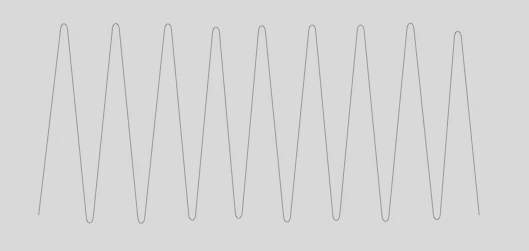
i did an animation which is a zigzag effect applied on a line, turning around a cylinder (cc cylinder).

it was an animation for the site so i needed to eport it in json file, and put it on the site, problem is a lot of effects are not supported bi json file for lottie animation. is there anyway to create a different kind of animation that gives me the same result ? zigzg line turning on a cylinder surface ? i guess yer but i don't know. any help would be great appreciated.
This topic has been closed for replies.
Correct answer Ivo Marinovic

thank you Ivo, could you show me some example? i think i don't understand the technic you are describing me, but it seems like a solution!


Move one to the left, second one to the right. Make it loop. Clip the excess so it looks like the ring. May help.

1 reply

Mylenium
Legend
January 27, 2021

Not meaning to be snarky, but to be honest that's one of those "Why even bother?" things. Unless there is a very specific reason to have this as a native SVG/ canvas animation, I cannot even see the point of why you would put up with this. Creating an animated vector of this type would mean that every frame would have a ton of keyframes for the shape path and the resulting file would be larger than your GIF and more resource consuming. This is one of those cases where some consideration has to be made whether it actually needs to be vector-based on whatever web site. It seems to me there is a general misunderstanding here about this. That aside, if you really need to do it, then do it in Animate/ Flash. Other than indeed manually animating a shape path in Ae there is no way that this will ever show up in Lottie otherwise without turning into a rasterized PNG sequence...


Mylenium

chickoree studio
Participant
January 27, 2021

first thing thanks Mylenium for the answer, it may help me.

I should have sayd that i'm pretty new to code as well as after effect, in fact, i'm preparing with this a school's projet. That sayd you will probably understand that everything could be new for me and i just look for some working solutions asking to experts like you any kind of help, so, there's probably no point as you sais, of doing this like i wanted (or imagined) to do it, but if i don't ask i don't learn and that's it... sorry for having not specified at the start.

Ivo Marinovic
Participating Frequently
January 27, 2021

It could be also just one zig-zagged line, a bit longer, straight. Animate the position to the left and mask out the middle portion. Then, reflect it and overlap. Make sure it loops. Then, reflect it and overlap. It wil look like zig zagged line in cylinder, but in fact, it will be two opposite moving zig zagged lines, and you can use only supported properties. Cheers.