


Can't get slider to read speedometer values without it graying out. (Slider control expression help)
Hello! I would like for a speedometer gauge I'm working on to be attached to a slider and for the slider values to read the values of the gauge instead of the degrees of rotation.
After creating the gauge I put in the following expression to make it start at the zero point on the gauge:
startPoint=thisComp.layer("Null 1").effect("Slider Control")("Slider")-140
This seemed to work. I was happy with it. I also limited the slider to 140 because this is the limit of the gauge itself.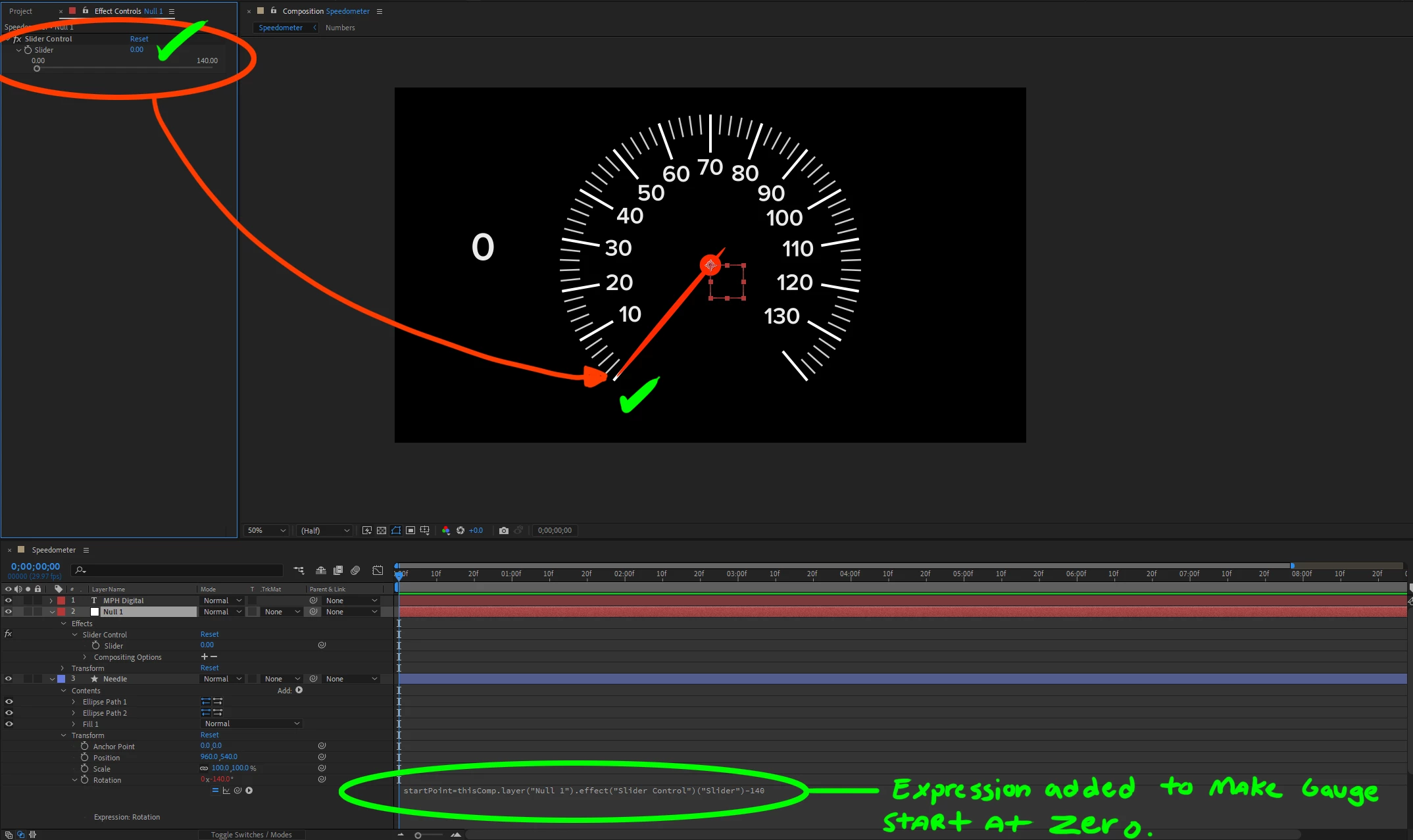
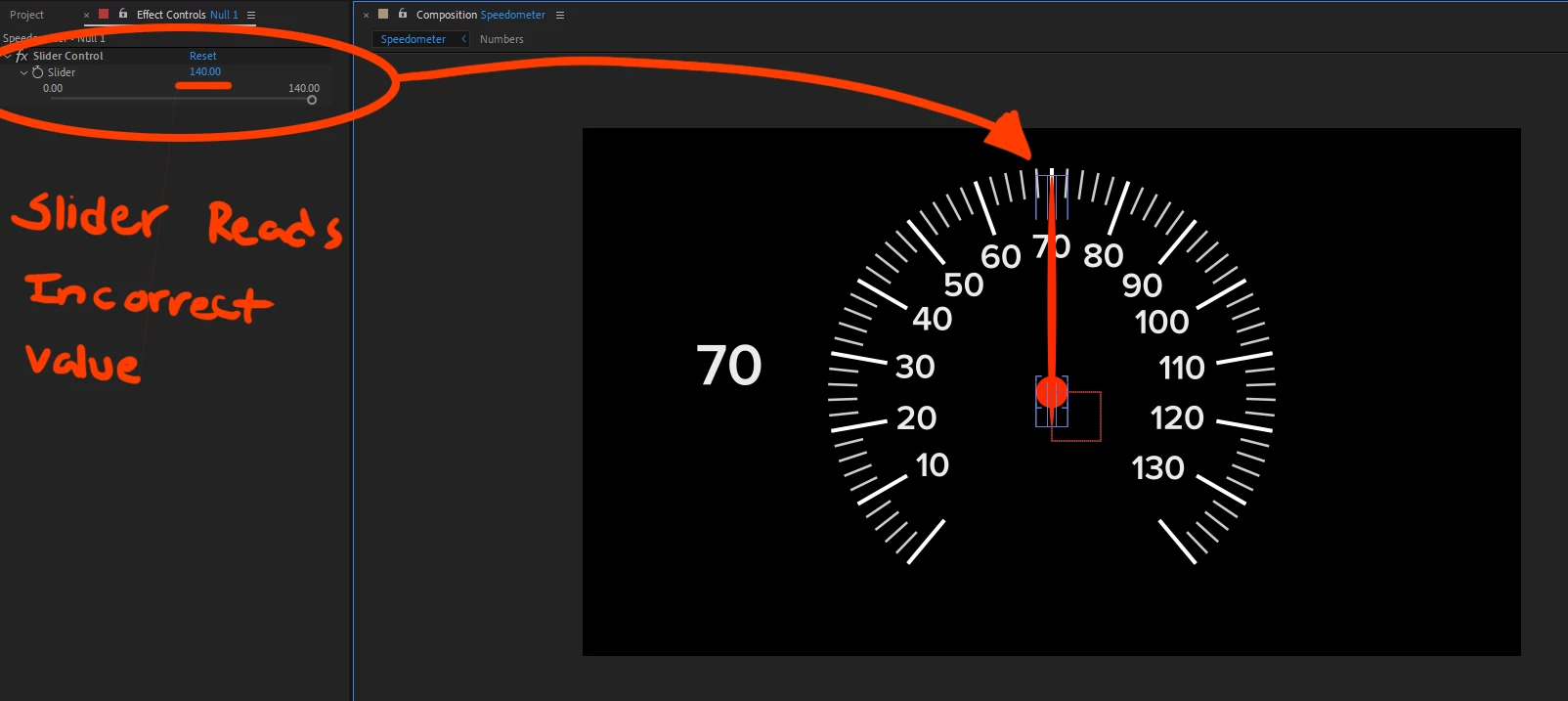
After this I pulled the slider up to full 140 value and found that it reaches half way through the gauge only reading 70.
I knew the rotation rate wouldn't match the gauge at first so I started looking for a solution to this problem. I came up with this expression to try and solve the issue. I pasted it in the "Slider" because I don't know how to make it work from the Needle layer.
I put the following:
sliderValueTransform=value/.5
This solved the issue of alignment. the gauge now lines up with the value I plug into the slider. But the slider is greyed out and cannot be used save for clicking the underlined value in the picture.
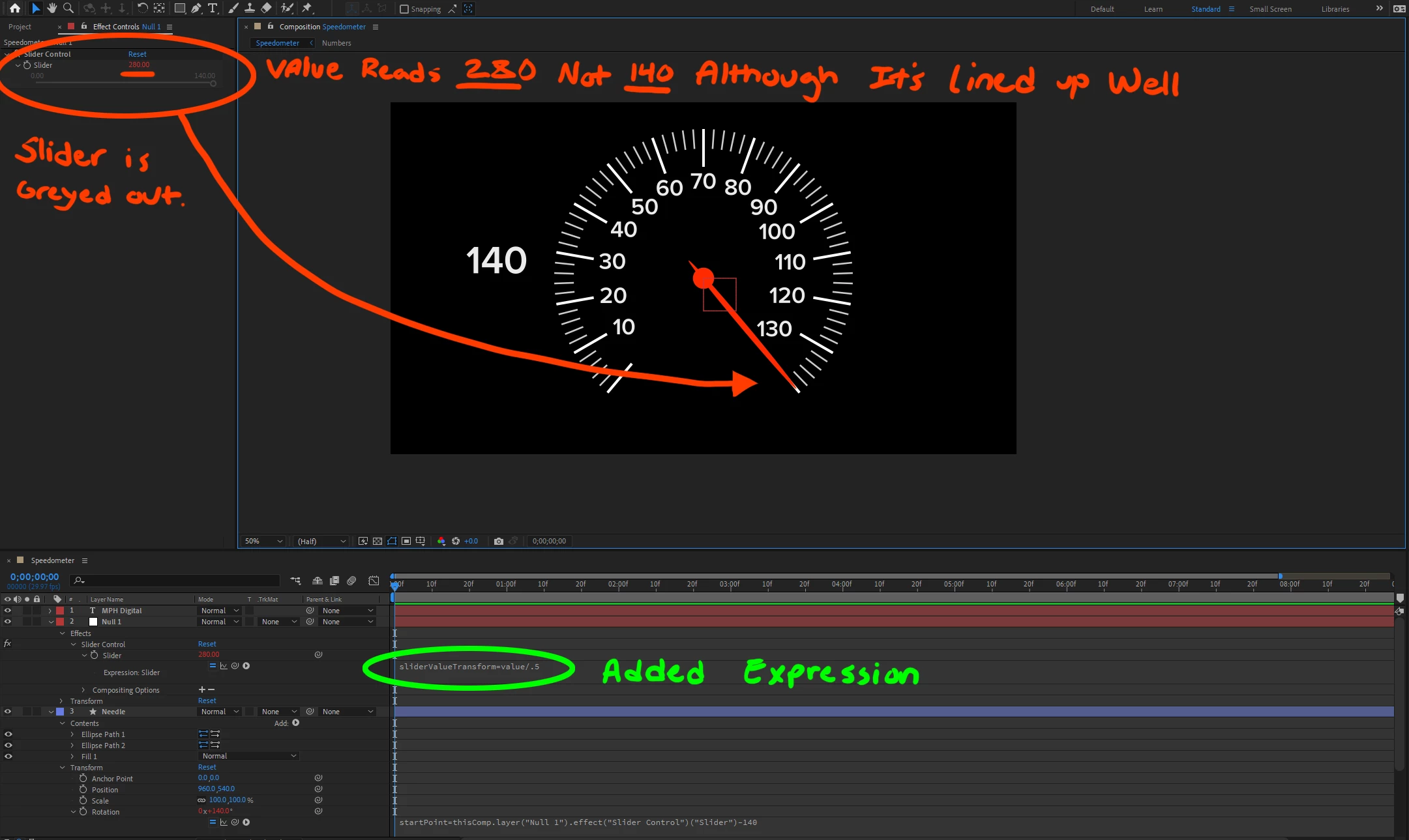
Although the value shows 280, when I click on the number it will show the correct value.
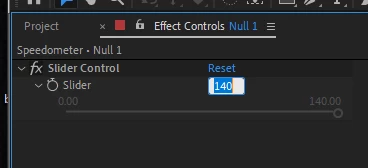
I'm in that place of almost solving my issue, but I can't seem to have my cake and eat it. I would like the slider to be not greyed out and still be lined up with the gauge. A bonus would be for the slider to read the correct value (140 istead of 280) but I'm more concerned with the slider being functional.
I have other questions like how to make the slider not go under 0 or over 140 but I think this is the more important issue. Any help I can get is appreciated.
 AdChoices