


Answered
Change Project Dimensions Without Distortion of Content
Hi there,
it's my first month with Adobe Effects, and I am already falling in love with this program deeply. 🙂
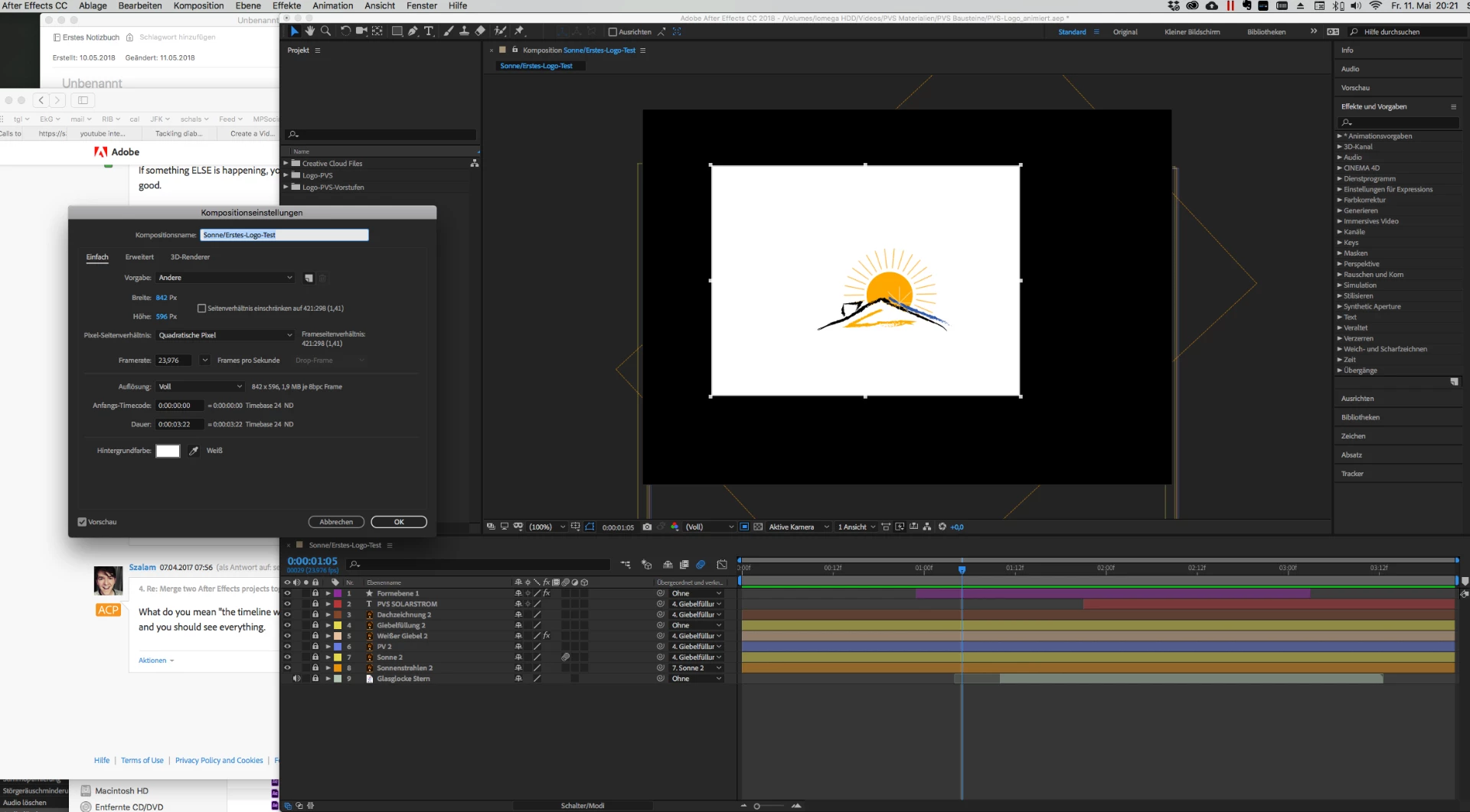
I made a first short video which I will merge with an other project. Unfortunately I set the wrong dimensions in the beginning. Please cf. screenshot. It's square brush 482:536, and I want to change it to 1920:1080 (Youtube's 9:16). But when I try, either the content becomes distorted, or everything gets awfully small. 🙂
How can I change the project dimensions, and then resize the whole project with its layers, without having to redo every relation between the layers?

 AdChoices