siknoidas
New Participant
March 5, 2019
Question

Don't rendering with GPU GTX 980

  • March 5, 2019
  • 1 reply
  • 1630 views

Hello,

My preview is very low and slowly. And rendering don't using GPU at all, just CPU.

Can you say, what i need to do, to fix it? Can't find any info on internet.

My couple settings:

Two files with name inside GeForce GTX 980

cuda_supported_cards.txt

raytracer_supported_cards.txt
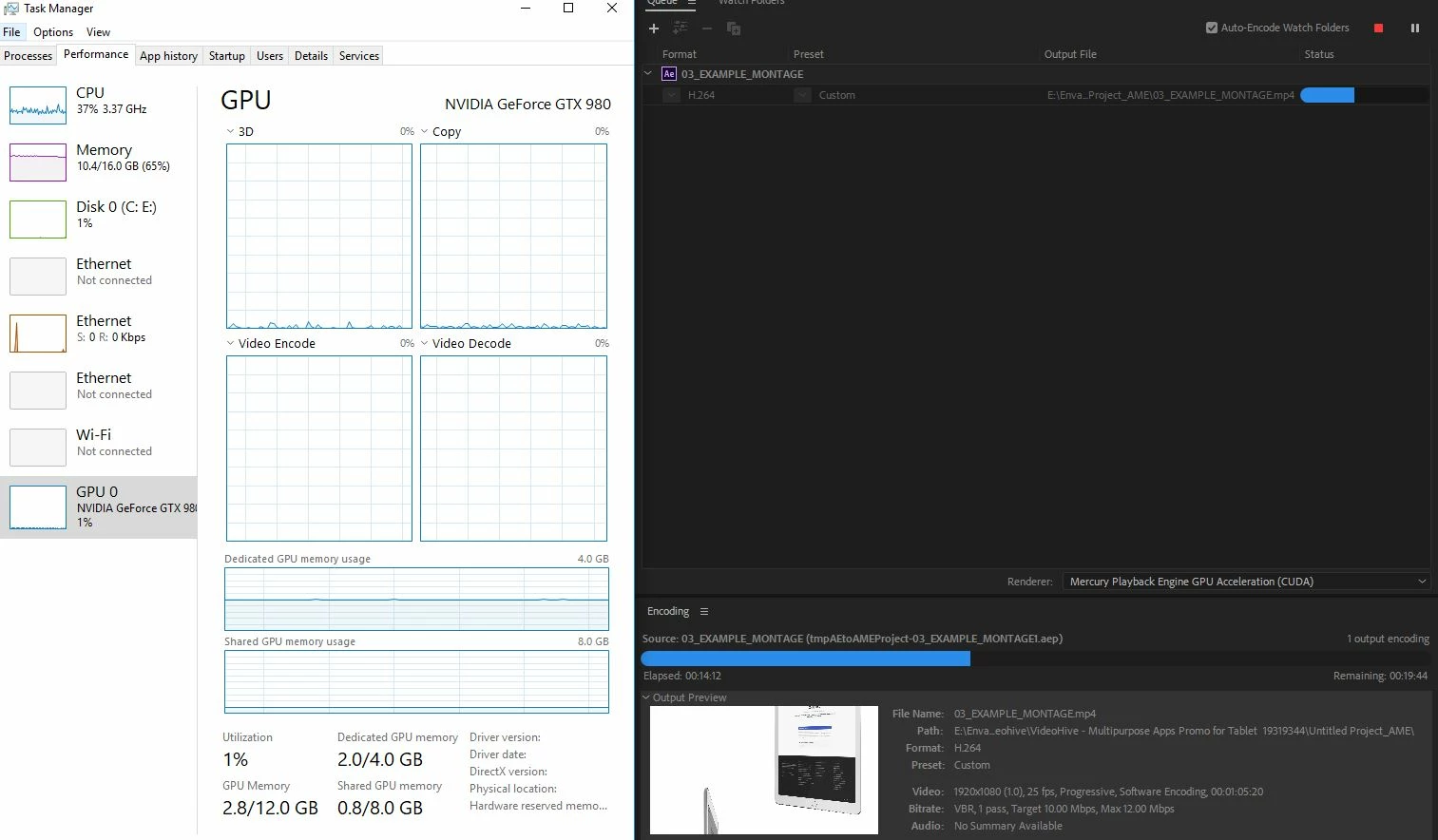
Thank you guys in advance, who can help me with it. Version CC 2018.

Regards.

This topic has been closed for replies.

1 reply

Mylenium
Braniac
March 5, 2019

Well, you could just be using a feature or effect that doesn't use GPU at all and then the whole shebang reverts to CPU-only rendering?!  It could be perfectly normal and logical. Impossible to say.You have not provided any actual info about the project.

Mylenium

siknoidas
siknoidasAuthor
New Participant
March 5, 2019

Thanks for respond. What actual info about the project you need?

I don't think CPU is best option for AE, because preview is slow and bad quality. In preview is 8fps.

imeilfx
Inspiring
March 5, 2019

To answer you we need more info about your project. What exactly you are doing:
- do you use a video footahe - if yes what resolution, what codec and format
- do you use graphics/images/photos - if yes - what resolution are they
- what are your workstation specification (ram, cpu, gpu, hdd/ssd)
- what is the resolution of your composition
That will hel pus determine if it is even possible for you to work faster in AE using what you have in the way that you using it.
Then we need to know what effects/plugins and or presets you are using on those leyers - that will tell us if they are being supported by GPU rendering or not.

But you have to remember that AE is not a realtime playback editing tool. So for better preview experience with AE you should read more about ram previewing etc. Preview without rendering in After Effects