Participant
December 27, 2020
Question

How to align direction of emitting particles using RG Particular

  • December 27, 2020
  • 2 replies
  • 2864 views

Using After effects 2020 with latest version of RG Trapcode particular (ie. no more Aux system) on M1 Mac. 

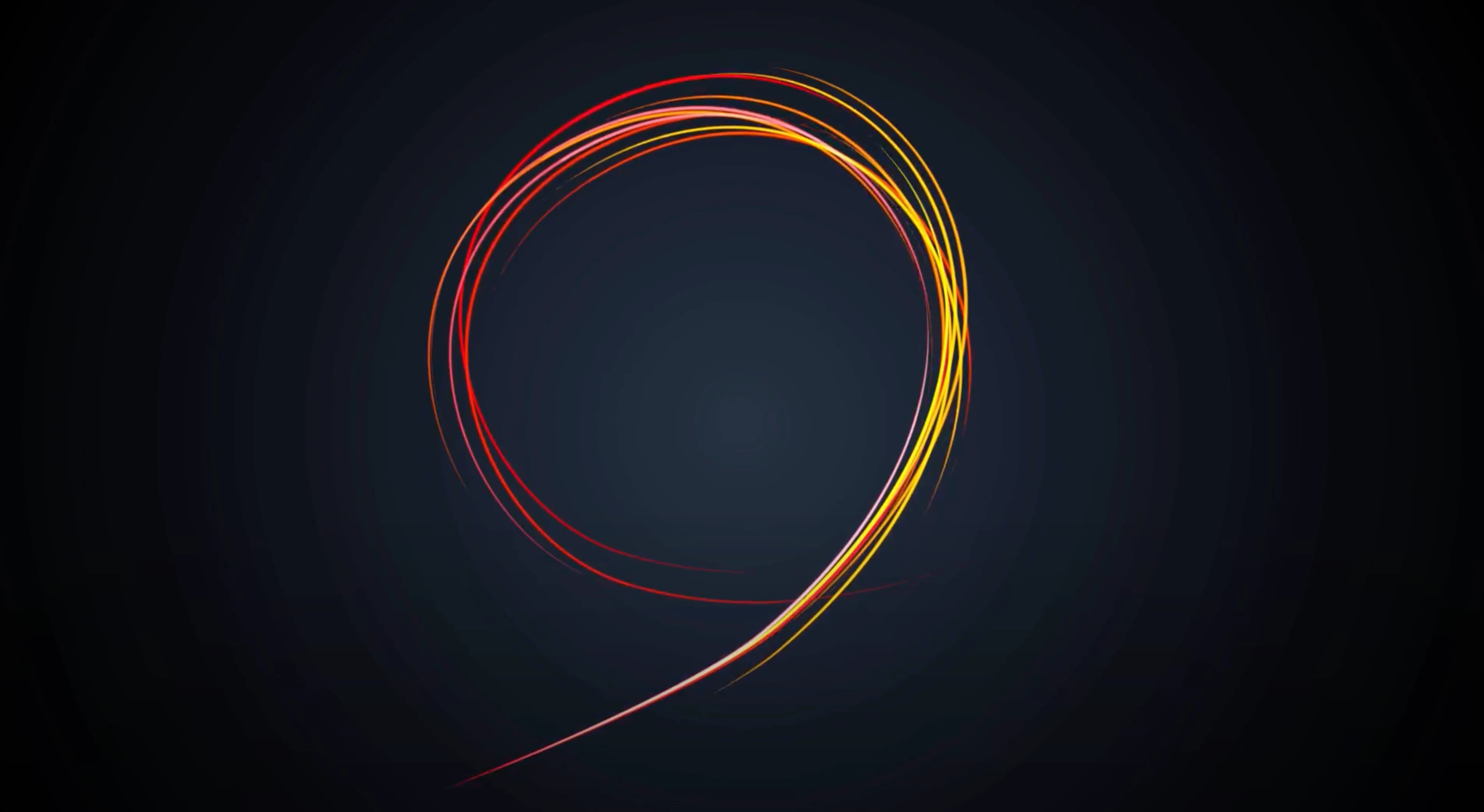
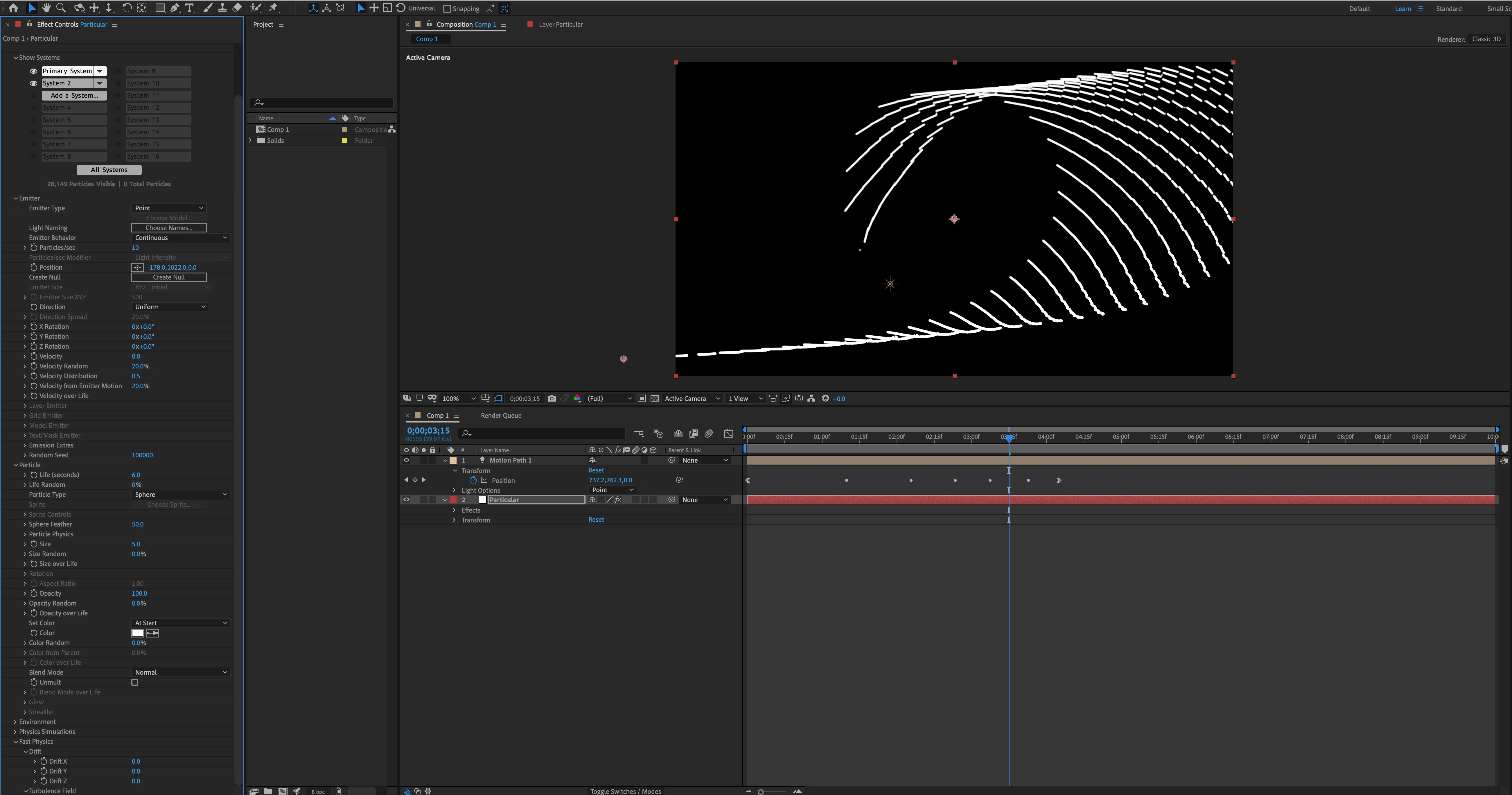
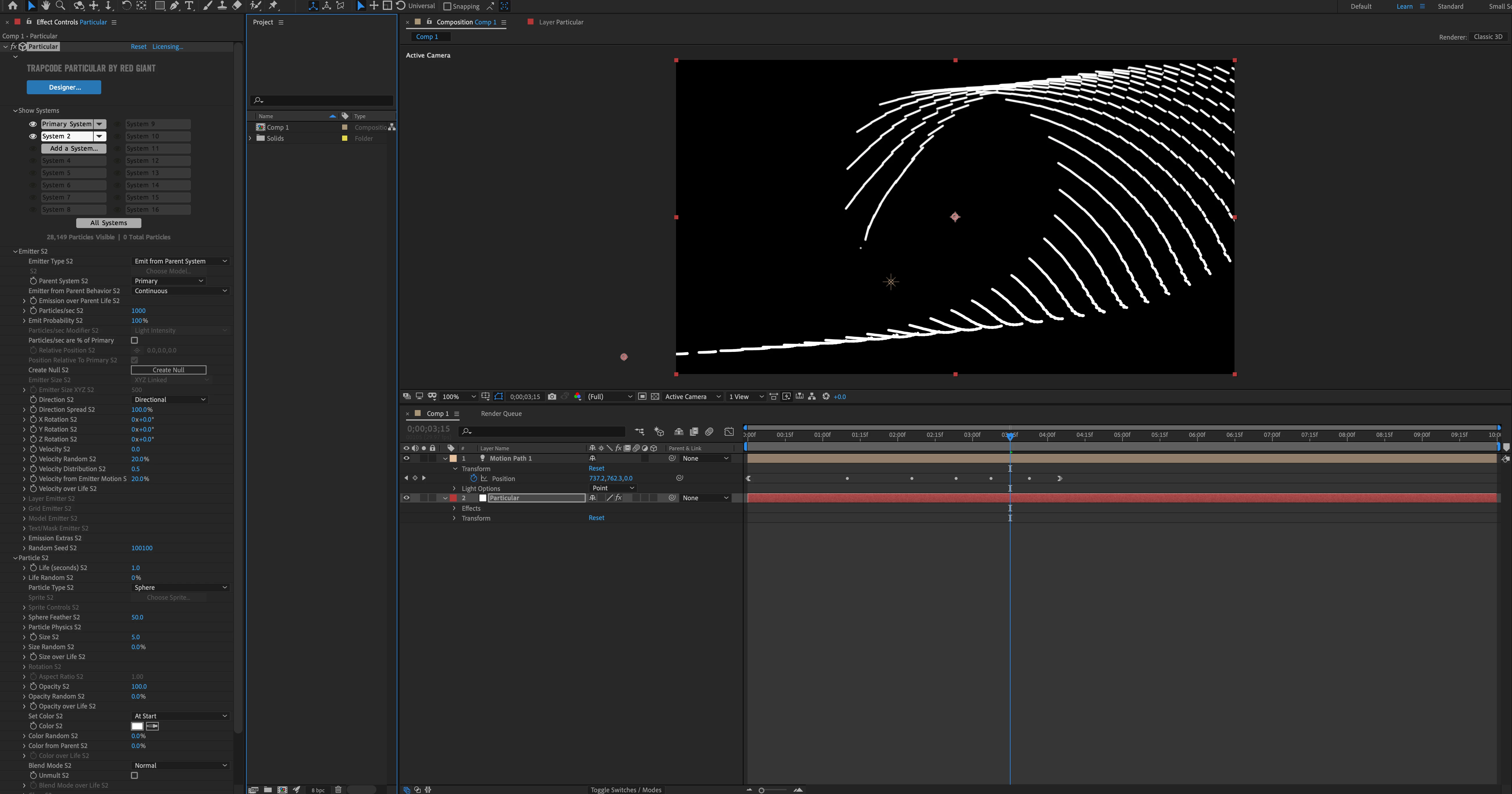
The image with red/yellow arrows is the aim (from this link: https://www.youtube.com/watch?v=MWSCHS2TCxU&t=299s) The two other image are my files with the settings of the primary system and system 2.

I have set up a motion path, a particular with two systems. The problem I have is with 'System 2' The emitter is set to 'Emit from parent system' The trails of the S2 particles are not following the circular path like the reference image, instead it is trailing off from its original direction.

How do I adjust the settings such that S2 particles are emitting and following the motion path?


Thanks
 

This topic has been closed for replies.

2 replies

Community Expert
December 28, 2020

That is almost one of the worst tutorials I have seen. The workflow, right from the start, is inefficient and cumbersome. The light was not properly set up as an emitter and nothing makes any sense.


If you want to learn Particular go to https://www.redgiant.com/tutorials/ and select Trapcode and then Particular from the options. There is very little to be gained by trying to follow that tutorial. 


This tutorial will show you how to attach an emitter to a light: https://www.redgiant.com/tutorial/episode-104-arrows-and-lines-with-trapcode-particular/


You might also want to look at https://www.redgiant.com/tutorial/red-giant-quicktip-62-variations-on-the-organic-lines-preset-trapcode-particular/


Make sure you vet your trainers. The person that created the tutorial you are following is just repeating a very poor recipe and it isn't helping you do anything.


Community Expert
December 27, 2020

It may work: in the emitter s2 try setting "Velocity from Emitter Motion" to 0, also set all velocity parameters to 0