


Answered
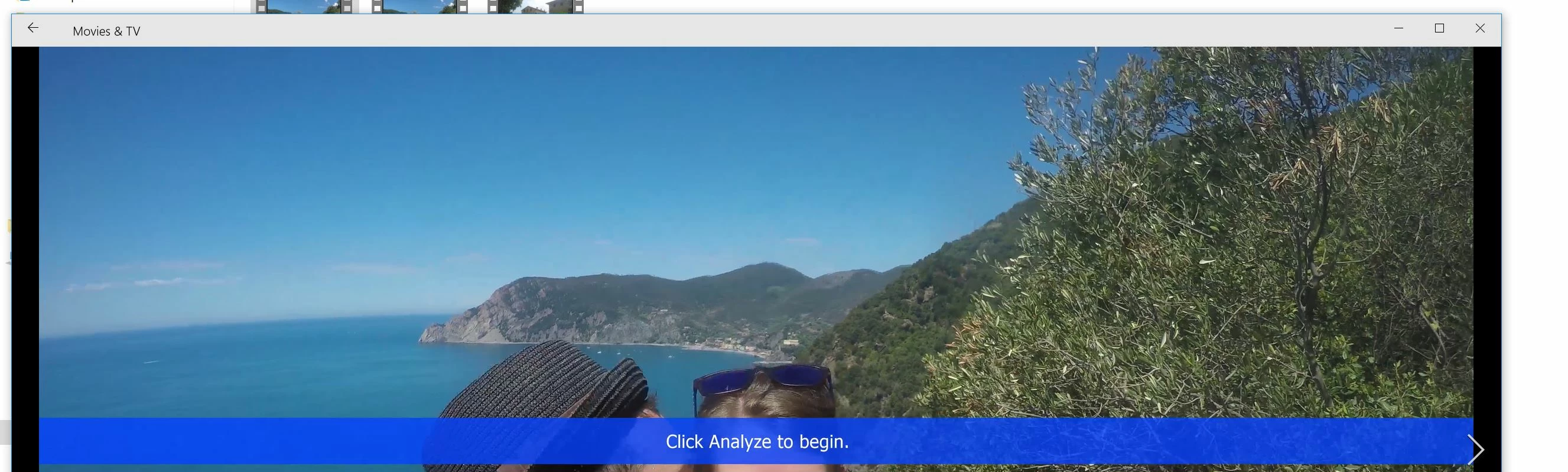
"Click Analyze to begin" appears in rendered output
Hello,
I'm using the latest AE, updated through Creative Cloud and latest AME on W10.
So I have this weird bug that my output file (after rendering by AME), includes the blue overlays from After Effects for Warp Stabilizer.
After rendering, and playing the video in Windows (native player) I see the blue overlays for every clip that had Warp Stabilizer enabled.
I cannot imagine this is not a bug..?
These blue overlays should not appear in the rendered video..
Thanks,
Brouns
 AdChoices