

Inspiring
February 6, 2018
Answered

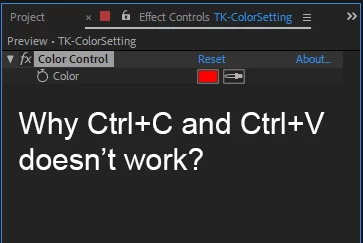
Why Ctrl+C and Ctrl+V doesn’t work?
  • February 6, 2018
  • 3 replies
  • 19186 views

    This topic has been closed for replies.
    Correct answer Jose Panadero

    The best way to do this is to use the Edit > Duplicate Command. Copy and Paste replaces the filters applied to a layer

    3 replies

    felipeb85432488
    Participant
    October 11, 2021

    this video solved ir for me.
    https://www.youtube.com/watch?v=gj0d5Si8FHE&ab_channel=YouWantPizzazz
    Try this>> instead of opening AE by double clicking the file, open the program first, and then open the file.


    Roei Tzoref
    Legend
    February 6, 2018

    Jose is right. furthermore, copy paste will always run over the current effect so it's of no use other than that purpose. this way you can copy an effect from one layer and paste it over another that has the same effect and it will run over it. very useful. in premiere for example copy pasting is always adding the effects which I find a nuisance.

    JupersAuthor
    Inspiring
    February 6, 2018

    Yes, it works. Thank you.

    By the way, do you know how to copy all attributes or remove all attributes in AE?

    Dave_LaRonde
    Inspiring
    February 6, 2018

    Will it work on position, scale, blending modes? I'm not just talking about effects.


    Hit Reset to set layer properties to defaults.  It's right at the top of all the layer properties.  You'll have to reset the blend mode yourself.

    So, no -- there is not one, single action you can take to reset EVERYTHING.

    Jose Panadero
    Community Expert
    Jose PanaderoCommunity ExpertCorrect answer
    Community Expert
    February 6, 2018

    The best way to do this is to use the Edit > Duplicate Command. Copy and Paste replaces the filters applied to a layer
