


New Participant
September 17, 2019
Answered

(x,y) not displaying in the transform section thing

  • September 17, 2019
  • 2 replies
  • 3703 views

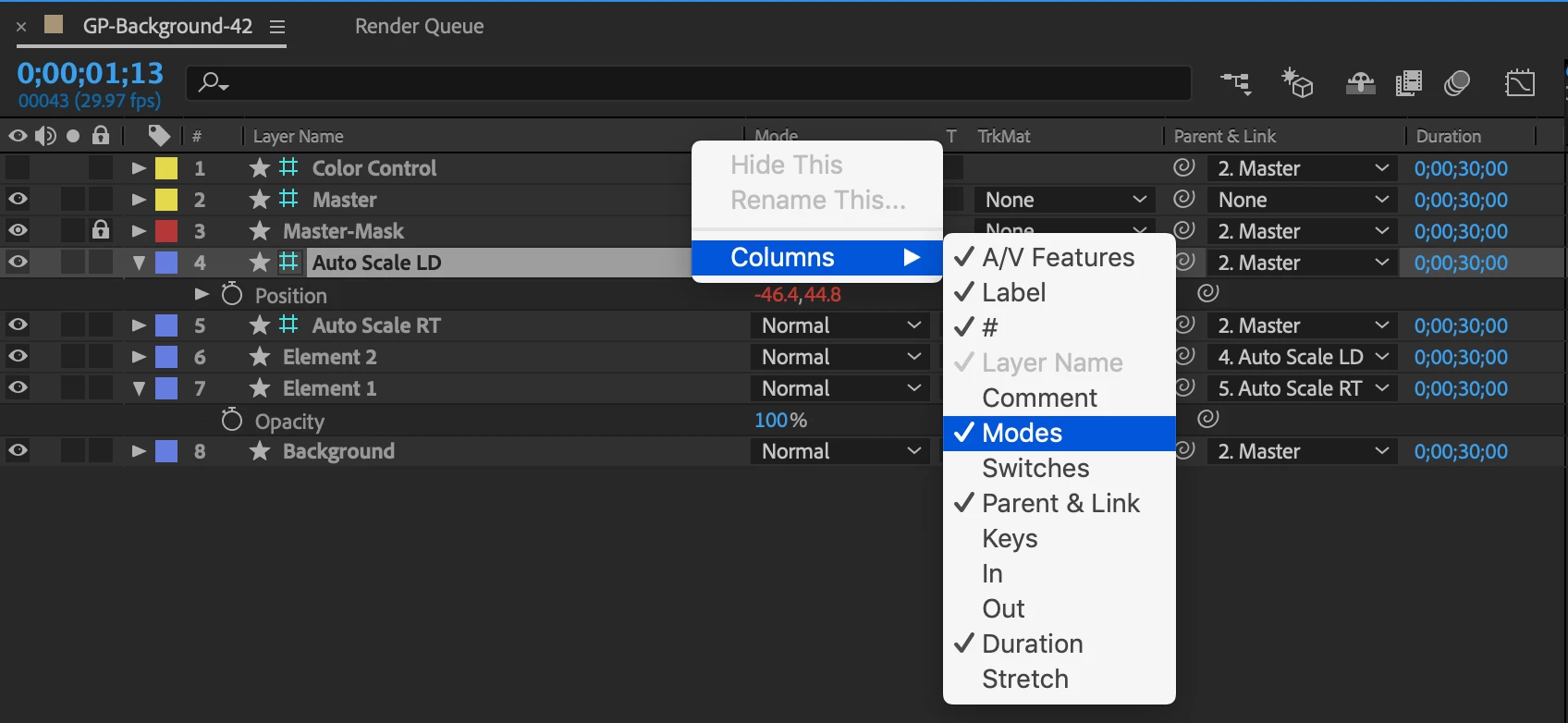
as in the title, i dont know if you understand but for example when i open position (press p or open it from layer > transform > position), it doesn't show the (x,y) values so im forced to move images and stuff w/ my cursor, and the same thing goes with the scale, rotation, etc.


the image shows the problem i'm having.

im using after effects cc 2018 by the way


thank you if you know a solution to this :-)<3
    Correct answer OussK

    you can customize your timeline and keep this information always on screen, simply right click on your timeline and select the modes column 

    2 replies

    OussK
    OussKCorrect answer
    Adobe Expert
    September 17, 2019

    you can customize your timeline and keep this information always on screen, simply right click on your timeline and select the modes column 

    dbDavideBoscolo
    Brainiac
    September 17, 2019

    Hi fishbreads,

    just press this icon here:

    or F4.

    Adobe Expert
    September 17, 2019
    You have just hidden columns. Please check the User Guide to learn how to manage the timeline.