
















Get help using Adobe Animate and creating animations.
Recently active
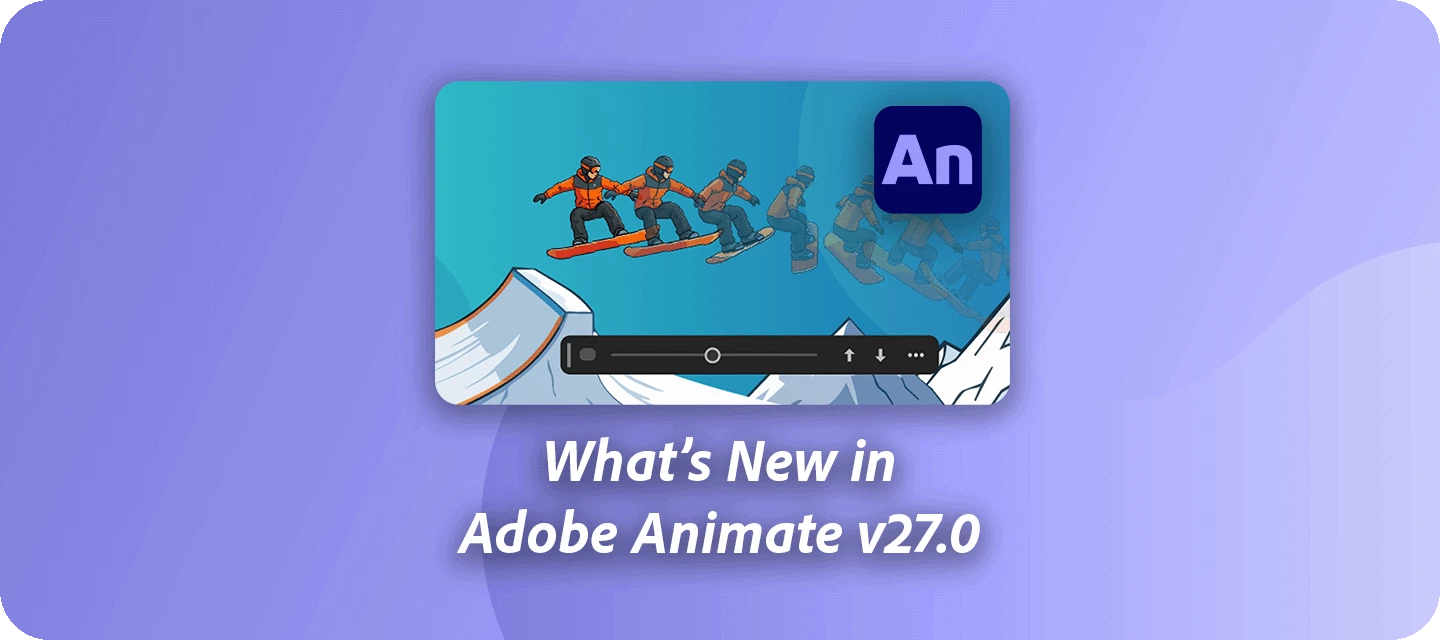
Hey all!The November 2026 release of Adobe Animate, version 27.0, brings new ways to explore your ideas while making the overall creative experience smoother and more transparent.For full details, check out the What's new in Animate. See your artwork from a new angle with Turntable. Give your artwork a fresh spin by exploring different views, refining designs, and bringing animations to life without spending hours redrawing your work. If you’ve ever wanted to quickly experiment with how a character or object looks from another perspective, Turntable can help you get there faster. Learn more about Turntable in Animate.Create with more transparency with Content Credentials.Assets containing generative AI content now include Content Credentials, helping keep AI-generated content identifiable as it moves through your creative workflow. Learn more in the Animate release notes.Keep your account details close at hand with Unified Account Management.Simply select your avatar from the applicati
Yesterday, Adobe shared an email with Adobe Animate customers on the future of Animate. What we shared did not meet our standards and caused a lot of confusion and angst within the community. On behalf of Adobe, I want to apologize. While an email to all Animate customers will go out shortly, we wanted to quickly share a few things: 1) our standard approach for applications in maintenance mode, 2) changes to our plans for Adobe Animate and its status, and 3) our commitments to ensuring that you always have access to your content, regardless of the state of development of an application. Standard Approach for Applications in Maintenance ModeIf we deprioritize active development of an application, our approach is to move that application into maintenance mode with continued support. Under maintenance mode, the application will continue to be available, will continue to receive security and bug fixes, but will not get new features. If we decide to go a step further and discontinue a produ
Hi all, Adobe Animate 21.0.1 is now available for download through your CC desktop application. Fixes in this update include: [macOS] Application crashes on launch if one or more corrupted font is installed on the system. Arrow keys to nudge the selection do not function as intended when in Edit Multiple Frames mode. Keyboard shortcut to increase or decrease classic brush size does not update it live. Dragging frames across layer folders does not work in Timeline panel. Copy pasting objects, frames, and layers take long time in complex projects. Animate crashes on using envelope transformation multiple times on a drawing object. Bitmap warped object disappear upon reopening the file if it is part of a classic tween span. For more info, see https://helpx.adobe.com/animate/kb/fixed-issues.html Thanks, Preran
Hello Team ADOBE,It would be great to improve the drawing tools in Animate, particularly the pencil tool, to make them smoother (smooth options etc...)Bring more functionality and drawing techniques closer to those of Illustrator. 😍 Simple Options in AnimateOptions in IllustratorAnd Improve Cut / Splitting Audio option ^^Thanks a LotRob
Hi everyone,I'm a beginner with Animate, and I'm posting this with AI assistance. All the technical data below was captured and analysed from my own machine, where this crash happens 100% of the time.Animate 2027 (27.0.0.33) crashes on every single launch, ~20 seconds after startup, with no user interaction at all. The workspace never finishes loading — the menu bar renders but Tools / Timeline / Properties stay blank, a "Introducing Turntable" promo card appears, then the process dies.Crash signature (identical every time):Faulting module : dvacore.dll, version 26.4.0.33 Exception code : 0xC0000005 Fault offset : 0x0000000000242fa2 Exit code : 0xC0000005Disassembly of the faulting path in dvacore.dll (PE32+, ImageBase 0x180000000, .text VA 0x1000 / raw 0x400; RVA 0x242FA2 -> file offset 0x2423A2):RVA 0x242F92 mov rcx, [rbx+0x38] ; member pointer RVA 0x242F9A mov rax, [rcx] ; rax = vtable -> reads NULL RVA 0x242F9F cmp rcx, rbx RVA 0x242FA2 call qword ptr [rax+0x20] ; <-- 0xC0
When you hover over the preview video of an example video in Animate 2027. The background disappears and is half-transparent.
after updating to animate cc 27 version there is one problem. each time I try to generate autolipsync it crashes each time. please anyone has solution for this othervise I will turn back to older version. @adobe if there is no solution for this please resolve it quickly.
Buenas, gente! Me encanta y celebro el hecho de que Adobe diera marcha atrás con Animate y lo actualice a la versión 2027. Sin embargo veo que hay muchas cosas que deberían arreglar y pasan de largo.En algún momento las voy a listar, pero hoy escribo esto para sacarme de encima una pequeña bronca: no entiendo cómo se activa el autoguardado omitiendo el hecho de que estoy dibujando con el lápiz.Especifico mejor: estoy haciendo un trazo largo y complejo, de pronto se activa el autoguardado y pierdo todo el trazo…¿Hay alguna forma de que esto no suceda? (no vale algo como “cambiá los minutos de autoguardado” porque sería lo mismo).Espero que lo arreglen en versiones siguientes y reitero: ¡me alegra que Animate siga vivo!¡Saludos!
Hello,Yes, I know that Flash has been discontinued, but I still use it for personal reasons.Until today, I was able to use Adobe Animate (v24) and export SWF files without any issues.However, today I installed the latest version, and this functionality no longer seems to work. Is this an intentional change, or could it be a bug?Thanks a lot for your help!
Environment- Adobe Animate 2027, version 27.0.0.33 (updated on 2026-11-11)- Windows 11 Pro (build 26300)- The same command worked in Animate 2024.Steps to reproduce1. Create a one-line JSFL command that calls the union method of the current document.2. Put it in the Commands folder and assign a keyboard shortcut to it.3. In a document, select a shape on the stage (merge-drawing shape).4. Run the command (via the shortcut or the Commands menu).Expected resultThe selected shape is combined into a drawing object, the same as the Union item in the Modify menu (Combine Objects submenu).Actual resultAn error dialog says that the union function is currently unavailable.With the same selection, the Union item in the Modify menu works correctly, so only the scripted call fails.WorkaroundAssigning the keyboard shortcut directly to the Union menu item (Modify menu, Combine Objects submenu) works.
What now?Like many others, I am stunned by Adobe's incredibly stupid decision to discontinue Animate. Like many animators, this software is the cornerstone of my business. I have been an animator for 20 years and now I will have to start from scratch with new software that I will have to pay for in addition to the Adobe suite.Because, contrary to what Adobe would have us believe, there is no equivalent Adobe software that will allow me to produce animations as quickly and easily as Animate. After Effects is simply not suited to animation, and anyone who has ever worked on Animate knows that a 2D vector project is incredibly easier and faster to work on in Animate than in After Effects. So forget that!So now what software should I choose?Toon Boom? $147 per month??? Seriously?? Twice the price of the entire Creative Suite???In short, I'm lost... I have a deep hatred for Adobe, I dream of being able to do without their products, I hope their company goes bankrupt as a result of bad decis
Hi everyone!When working on animation projects, collecting useful visual references can make the creative process much easier. I often find interesting short videos, movements, transitions, and visual effects that give me ideas for future creative projects.I also explore online media tools such as SanpTikk.io for saving TikTok videos to watch later. Having video references available offline can be useful when studying movements, scene transitions,character expressions, or different animation styles.For those working with Adobe Animate, I am curious about how you collect and organize your creative references before starting a project.Do you save reference videos in separate folders, use mood boards, or organize everything through dedicated creative apps?What tools do you find most useful for keeping visual inspiration organized and accessible?I would love to hear about your creative workflows and recommendations!
Apologies for the spelling error. In the question I meant to say, Corrupting. When I started college. Adobe animate would sometimes freeze up and lag, where some of the keyboard was stopped working and all I would have to do is just turn off the computer and reset it and nothing will corrupt. This will happen on the school computers and my own personal computer. Now recently it’s been doing a the same thing of but now it sometimes corrupts the file. It’ll be fine for several days or a week then out of the blue it corrupt a file and then I have to go back to a previous save which it undone a lot of work. I don’t know if it’s a bug or if I have to delete animate and reinstall it, but I shouldn’t have to create several files and saves cluttering up my computer and flash drive, just out of worry for something that should only happen every once in a while. I don’t know it’s because you guys have been stopped updating it, but I feel like it’s unfair for people to constantly pay a monthly fee
I'm trying to make my way through the Animate hands-on fireplace tutorial but it's not letting me progress beyond the first step (clicking the next button does nothing). I've tried restarting the tutorial and rebooting the application. Is there perhaps a way to force the tutorial to continue onto the next step? Thanks in advance.
might be a stupid question but i wasn’t able to upload my file to the creative cloud -- said some file types aren’t supported and I guess that includes .fla? really need to be able to work on this from multiple computers -- any help appreciated!
Hi,I am a project manager working on a children's book app using Adobe Animate 2024 (HTML5 Canvas / CreateJS). I am targeting for iPad/tablet performance.My Setup:* Main file: idby_danny_karta_.fla (Contains the main map with a button named btn_danny and a timeline layer named galleries which acts as the target container).* External module: idby_danny_galleri.fla (Published as idby_danny_galleri.js). Its main library symbol is a MovieClip named mc_danny_galleri.The Problem:Due to the strict memory isolation and Composition ID handling in Animate 2024, our Frame 1 runtime code loads the external .js file, but fails to instantiate and render the mc_danny_galleri symbol into the galleries container on the main timeline. Clicking the button registers, but the container remains empty on screen.What is the correct, standard way to achieve this modular loading in HTML5 Canvas without breaking library references or asset paths? Should this be handled purely via runtime code on Frame 1, or is t
Dit probleem van trage opstart doet zich pas sinds een week of 3 à 4 voor.
Hey everyone,I’m trying to reinstall Adobe Flash Professional CS6 from my original installation CD. When I went to Adobe’s support chat, the virtual assistant basically said my email isn’t linked to any active plan and told me to sign in with another account.After that, I couldn’t even find a way to reach a human agent. There was no “still need help” option or anything like that, and the chat just keeps looping back to the bot.I don’t have a Creative Cloud subscription or anything like that anymore—just the original CS6 disc and whatever serial info I have from back then.Has anyone else run into this with older Adobe software? Is there still a way to contact a real support agent for legacy installs, or am I basically stuck with the CD and no official help?Any advice would be appreciated.
Im doing the rocket launch tutorial and the “this.rocket.stop();” isnt working when it tells me to put that in the actions panel for the first frame on the rocket, I made sure the syntax is valid and I also tried just doing “this.stop();” but its not working. I also made sure the rockets instance name is “rocket”
https://www.adobe.com/products/animate/free-trial-download.html Is this offer still available? Will it be available in the future? What will be the price of an Adobe Animate subscription when the trial ends?
Okay, I’ve shown this code for years and it worked fine, and it works fine on Windows machines and older Macintoshes, but now when we run this code on a Mac OS on a M-chip the Cursor completely disappears from the computer, but just in the Stage.This is using ActionScript 3.0. We are making Custom Cursors, in this case the Cursor is named “Pumpkin_Cursor”. When we run the test the cursor shows up as the pumpkin image, but if you move the mouse outside of the stage you get no cursor. When you CLOSE the test SWF stage there is no cursor! You have to quit Adobe Animate and restart it. stage.addChild(Pumpkin_Cursor);Pumpkin_Cursor.mouseEnabled = false;Pumpkin_Cursor.addEventListener(Event.ENTER_FRAME, fl_CustomMouseCursor);function fl_CustomMouseCursor(event:Event){ Pumpkin_Cursor.x = stage.mouseX; Pumpkin_Cursor.y = stage.mouseY;}Mouse.hide(); Now, YES once we ADD additional code to Re-Show the mouse Cursor it does come back, but only Sometimes! But when testing just the cursor repl
Why did the welcome screen of my Adobe Animate change after I installed Adobe After Effects?
Everything works fine in Animate but when I publish it there is no music. When I publish as a .swf the sound is there. When I put it out as a .mp4 it doesn’t play the sound.I want it to be an .mp4. How do I do that?
`
Hi, guys. I'm struggling with my project in adobe animate, I need to make a stopwatch. And I need some point of the time to be noted or called or recorded. I have no clue how to make it. I just found several answers about countdown timers and don't understand it. I'm new to adobe animate canvas. would anyone please help me? Thank you.
Remix with Firefly Community Gallery
Thousands of free creations to fall in love with and remix in Firefly.
Already have an account? Login
Enter your E-mail address. We'll send you an e-mail with instructions to reset your password.