JohnnyTooGood
Inspiring
December 3, 2018
Answered

Adobe Bridge Creates Red Squares

  • December 3, 2018
  • 4 replies
  • 1137 views

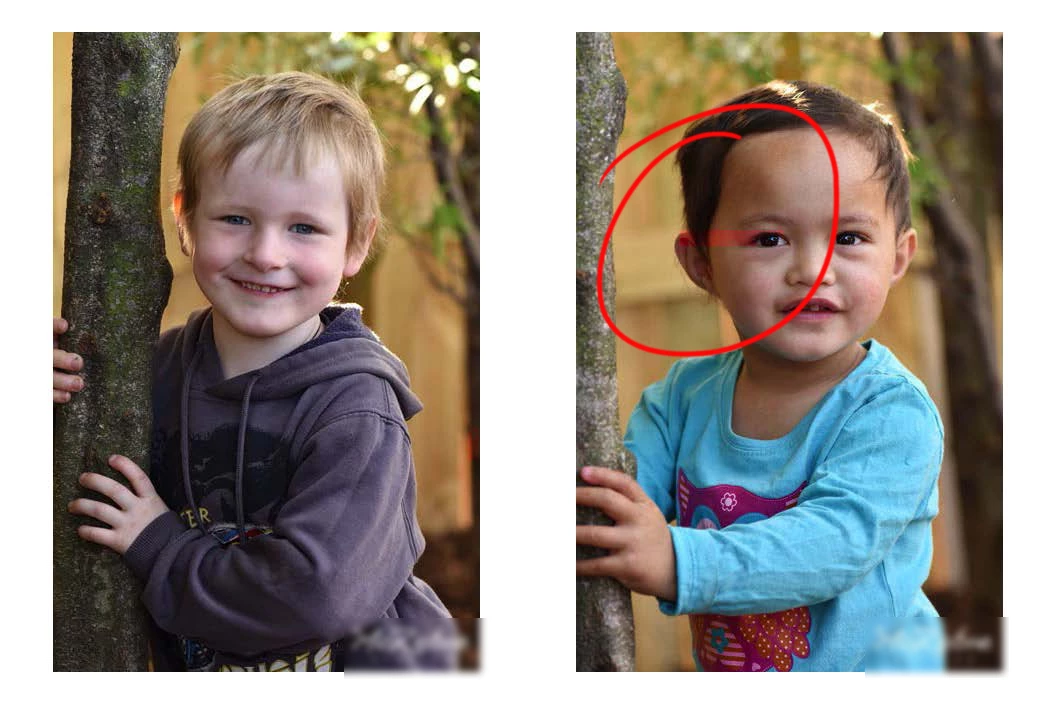
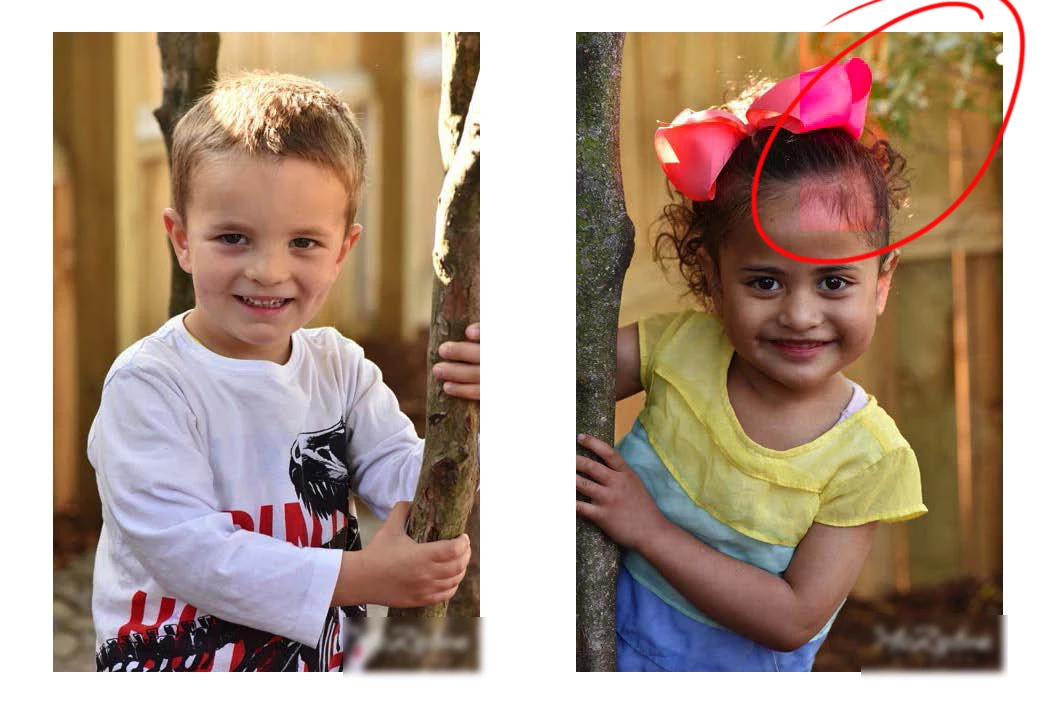
Having issues with adobe bridge CC19 creating red transparent squares with photos.

I get this issue when previewing images, did think much of it because it didn't affect workflow until now.

Output option and create contact sheets.

Did the usual troubleshooting techniques, still no good.

macOS Mojave V10.14.1

iMac (27-inch, Late 2013)

3.5 GHz Intel Core i7

24 GB 1600 MHz DDR3

NVIDIA GeForce GTX 780M 4096 MB

Hope someone can help?  Thanks for your time.

Cheers
    This topic has been closed for replies.
    Correct answer Abhishek.Seth

    Yes, I guess someone will need to roll out a patch to fix this. I've had so many problems ever since changing to CC, abode like every other company release stuff that is never complete and that has so many bugs. This is now the new standard!


    Dear users,

    Please upgrade to the latest version of Adobe Bridge CC (9.0.2.219) and let us know if it solves the problem.

    If the problem persists, please share some sample files with abseth@adobe.com for investigation.

    Regards,

    Abhishek Seth.

    4 replies

    Participating Frequently
    December 9, 2018

    I am having same problem as well as red tinges to some but not all photos so look forward to an answer from someone hopefully? Thanks!

    jbm007
    Adobe Expert
    December 10, 2018

    Not seeing it here on my MAC Pro with AMD video card.

    I have Mojave  10.14.1 as well

    Abhishek.SethCorrect answer
    Adobe Employee
    December 11, 2018

    Yes, I guess someone will need to roll out a patch to fix this. I've had so many problems ever since changing to CC, abode like every other company release stuff that is never complete and that has so many bugs. This is now the new standard!


    Dear users,

    Please upgrade to the latest version of Adobe Bridge CC (9.0.2.219) and let us know if it solves the problem.

    If the problem persists, please share some sample files with abseth@adobe.com for investigation.

    Regards,

    Abhishek Seth.

    einepersona
    New Participant
    December 9, 2018

    I've been having the same issue for about a month now.

    It's annoying as hell and affects jpeg images.

    Adobe Bridge CC 2018

    macOS Mojave

    Version 10.14.1

    New Participant
    December 4, 2018

    Ugh. I just updated Adobe Bridge yesterday. I'm using a PC. I have this same issue.

    melissapiccone
    Brainiac
    December 3, 2018

    Um... this just showed up for me, too. But just in one image. I exported mine from LR, and of course, the red square isn't really in my image, but it's annoying.

    I think it's a bug... I added the Bridge problem...

    Photoshop CC 2019: Red square on image + others | Photoshop Family Customer Community

    27" iMac late 2012

    Mojave

    Bridge 9.0.1.216

    Melissa Piccone | Adobe Trainer | Online Courses Author | Fine Artist