corinnas64902438
New Participant
October 9, 2017
Answered

Adobe Bridge CS6 - adding/showing Criteria on contact sheet.

  • October 9, 2017
  • 2 replies
  • 521 views

Hello to all experts, I added several different labels descriptions, like "Delete" "Approval" etc.  in Bridge CS6  to individual pictures in the view "Metadata", which I would now want to provide a customer as a PDF contact sheet showing not only picture and file name but as well "label descriptions" and picture measurement -  this or additional criteria from the metadata. I can not find a way to add the criteria to the PDF contact sheet. I would be very grateful for your help!

Thank you, br. Co.
This topic has been closed for replies.
Correct answer Stephen Marsh

You will need to be more specific on the exact metadata, I am not 100% sure from your text.

The default contact sheet is indeed somewhat lacking.

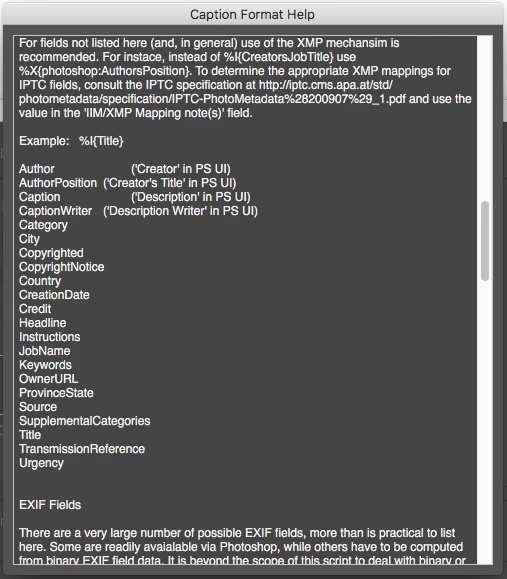
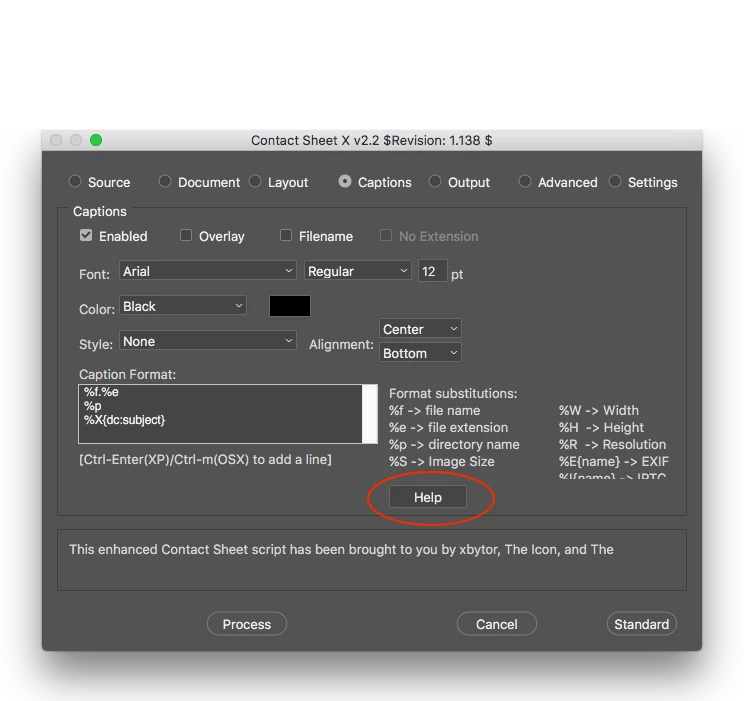
Contact Sheet X from xbytor has more options, however it may need some working out:

Then there is InDesign, which also has metadata support.

2 replies

Stephen Marsh
Community Expert
October 11, 2017

An example of adding a Bridge XMP Label to the output of Contact Sheet X:

Stephen Marsh
Stephen MarshCorrect answer
Community Expert
October 10, 2017

You will need to be more specific on the exact metadata, I am not 100% sure from your text.

The default contact sheet is indeed somewhat lacking.

Contact Sheet X from xbytor has more options, however it may need some working out:

Then there is InDesign, which also has metadata support.