



Answered
Adobe Bridge Does Not Have Sufficient Permissions to Move Folder
After doing an in-place re-install of Windows 10, Bridge CC no longer has permission to move folders in my auxiliary drive. I've found instructions on how to "seize control" of the drive, but the instructions are a bit dated and don't reflect the screens that I am being presented.
Full Adobe Bridge Error Message:
"The operation cannot be completed because you do not have sufficient permissions."
Attempted Fix:
> Navigate to the drive, right-click, and select Properties
> Currently, the Owner is shown as "System." Click on Change
At this point, I'm lost:
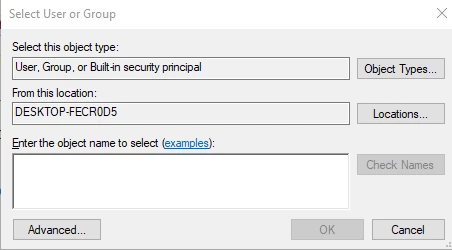
Thanks.
 AdChoices