


TheYeager
Inspiring
July 11, 2024
Answered

Adobe Bridge Quick Search Not Working

  • July 11, 2024
  • 2 replies
  • 1406 views

Anything I search for in the Adobe Bridge quick search (in the top right of the app) yeilds zero results. I'm trying to search terms in my Sound Effects library. No matter what I search, no items are found. If I search a term in the general File Explorer (outside of the Bridge app) I get results. 


I've unistalled and reinstalled Bridge. Still not working. I've downloaded the beta version of Bridge. Still not working. 
Correct answer CMass

Hi @TheYeager , 

Thank you for your patience and understanding. We have two troubleshooting steps for you to try. 

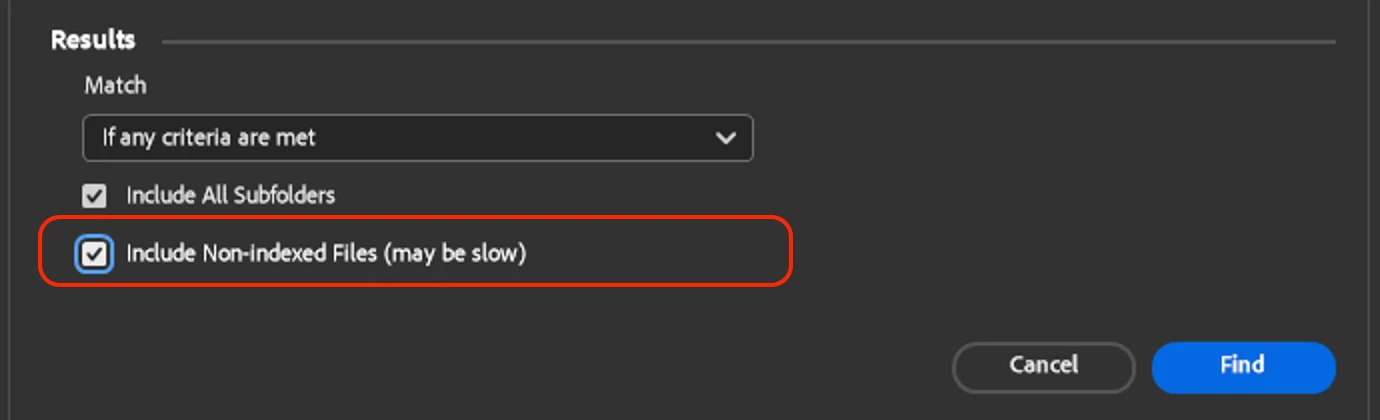
1. When you enter something into the search bar please click on the magnifying glass and make sure "include non-index files". Please give a little longer than usual to populate results because it will run a little slower. 


If that does not help, then we need to check the issue is not happening due to corrupt cache


2. Check for corrupt cache

  • Check the cache location at Preferences -> Cache Management -> Location
  • It should be at either of the following locations:


       MAC : /Users/<username>/Library/Caches/Adobe/Bridge/Cache/v36
       WIN : C:\Users\<username>\AppData\Roaming\Adobe\Bridge\Cache\v36


  • Navigate to the cache location and rename the folder "v36" to "v36_backup"

  • Relaunch Bridge


If this still continues to be an issues let us know.  @CMass 

2 replies

New Participant
November 18, 2025

Amazingly, this is STILL an issue. I posted about this exact thing months ago and have gotten ZERO interest or response. 
Including non-indexed files is a fine bandaid, except when you have hundeds of files to search through. Spending the hour or so needed to index everyting DOES help, until Bridge updates. Then it is back to "No items found" even though I know that item is indeed on the server I am searching. 
Maybe it is just me, but I have found very little use for Bridge. Easier to just work through the desktop.

TheYeager
TheYeagerAuthor
Inspiring
July 12, 2024

Video showing the error.


CMass
Community Manager
CMassCommunity ManagerCorrect answer
Community Manager
July 26, 2024

Hi @TheYeager , 

Thank you for your patience and understanding. We have two troubleshooting steps for you to try. 

1. When you enter something into the search bar please click on the magnifying glass and make sure "include non-index files". Please give a little longer than usual to populate results because it will run a little slower. 


If that does not help, then we need to check the issue is not happening due to corrupt cache


2. Check for corrupt cache

  • Check the cache location at Preferences -> Cache Management -> Location
  • It should be at either of the following locations:


       MAC : /Users/<username>/Library/Caches/Adobe/Bridge/Cache/v36
       WIN : C:\Users\<username>\AppData\Roaming\Adobe\Bridge\Cache\v36


  • Navigate to the cache location and rename the folder "v36" to "v36_backup"

  • Relaunch Bridge


If this still continues to be an issues let us know.  @CMass 

New Participant
May 20, 2025

Hi. I found this thread because I'm having trouble searching Bridge. It is extremely inconsistent, only finding some of the files and not others that I know for sure include the same word in the file name. I tried both "solutions" above (adding non-indexed files and renamed v36 to v36_backup) and neither fixed the problem. I really need this search function to work -- I have been naming my bird photos religiously with bird names since I started with Creative Cloud and Bridge a couple months agon. Now when I want to find all photos of a certain bird, only a handful come up.  


I'd like to add, the "search subfolders" option has never worked. That would also be helpful to be working.