



moshmosh007
Known Participant
July 23, 2018
Question

Adobe Output Module for Bridge CC 2018

  • July 23, 2018
  • 33 replies
  • 11618 views

hi! i am using the Adobe Output Module for Bridge CC 2018

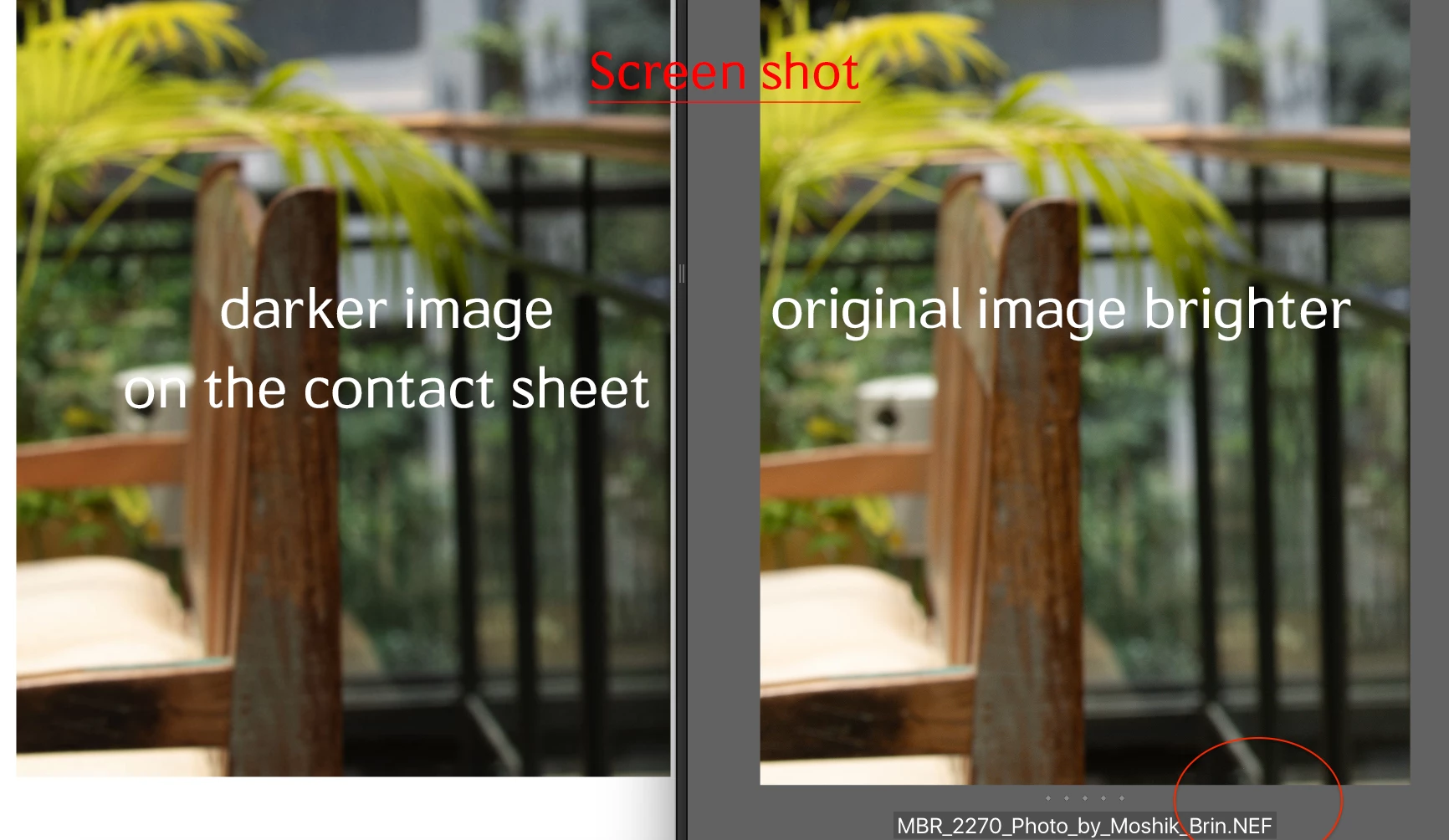
when i am creating the contact sheet, the pictures on the contact sheet are darker then the original image. that is the same issue with all formats (nef, dng, jpg, psd) all defined as sRGB color profile . any idea why the images are darker. and how can i fix it?
This topic has been closed for replies.

33 replies

Brainiac
August 15, 2018

Are you using RAW images? If so, remember that RAW files don't have a colorspace. They may work better if you export to a JPEG first.

Also note the settings in Bridge preferences->Output, you can preserve color profiles which you may want to try turning on and off to see if that helps as Abishek mentioned.

New Participant
August 15, 2018

Same exact problem here. Two different machines with MacOS High Sierra 10.13.6. We have made zero changes to our systems

Sheena Kaul
Community Manager
Community Manager
July 25, 2018

Hi there,

Couple of questions here:

1. Is the contact sheet that you've selected one of the templates mentioned or are you using a custom?

2. Could you please send us the screenshot of the document panel on the Output Module?

3. Are you viewing the images post exporting to pdf or in the Output preview window?

Also, please make sure that your monitor is calibrated.

Regards,

Sheena

moshmosh007
Known Participant
July 25, 2018

hi

1 - yes , it happens both on templates and in custom contact sheets

2 - see the attached screenshot of the document settings

3 - my monitor is not an issue, it looks darker document on any screen

4 - surprisingly it doesnt happen on the Bridge 2017 that is installed parllel on the same mac

Sheena Kaul
Community Manager
Community Manager
July 25, 2018

Are you viewing the images post exporting to pdf or in the Output preview window?