lorik56841536
Participant
December 13, 2017
Answered

Batch re-name change file extension to unreadable

  • December 13, 2017
  • 1 reply
  • 4828 views

I recently tried to do a batch rename in bridge, but in doing so I can no longer open my files using any application on my computer.  The images were a .cr2 file, now they are undreadable.  I'm not even sure how to find out what the file extension is.  Any ideas how to change them back??? thanks!

    This topic has been closed for replies.
    Correct answer Stephen Marsh

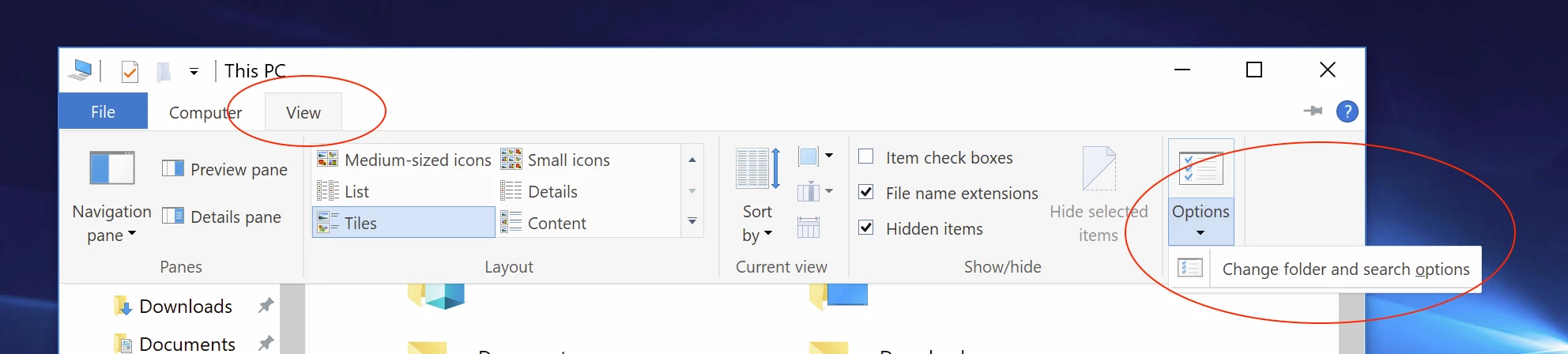
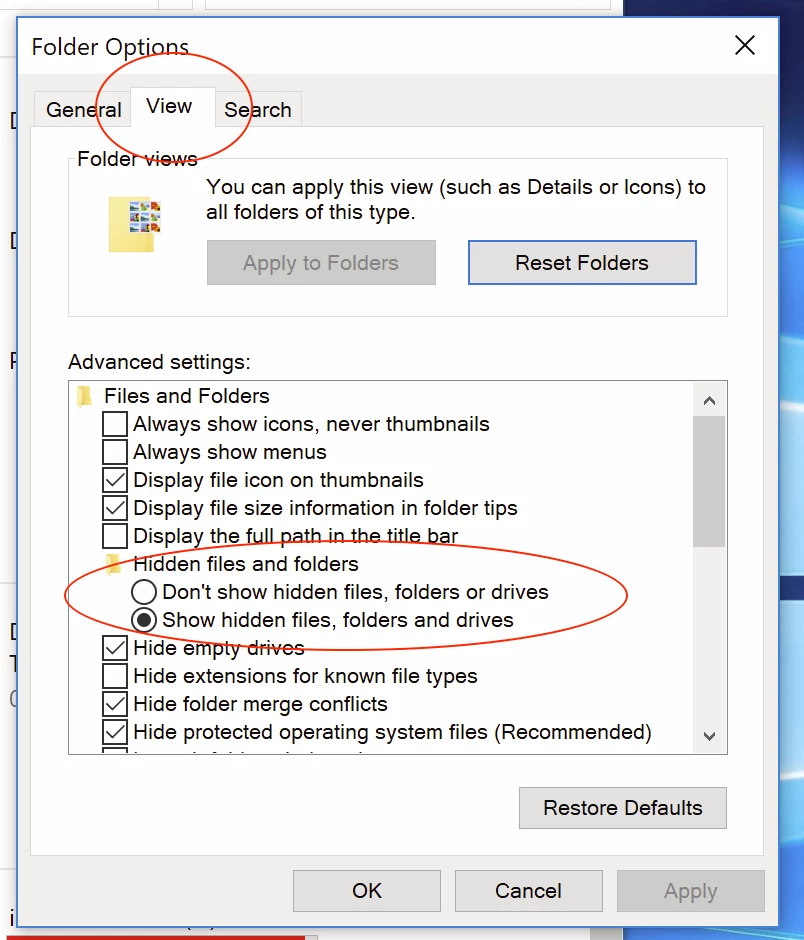
    In Windows 10:


    Sorry, wrong option highlighted in my previous screenshot, untick this setting:
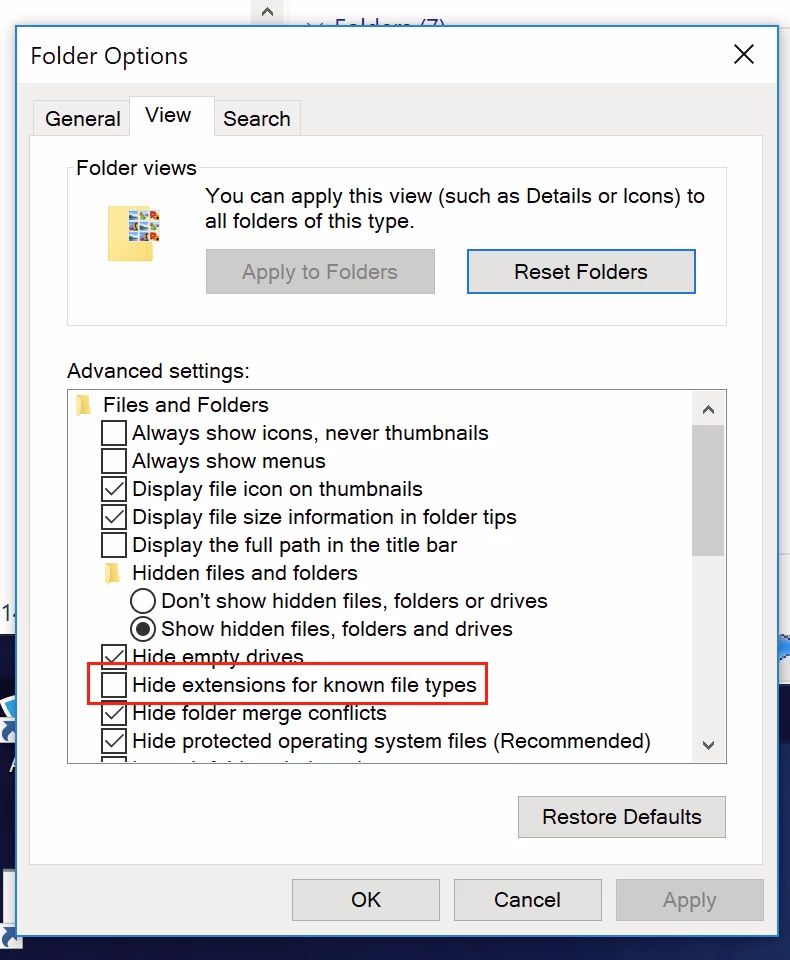
    So please forget Bridge for now, just make the files workable in your normal Windows file browser… Then it may all make more sense when viewed in Bridge.

    You can select one file in Bridge, then use Batch Rename with settings similar to the following, obviously changing .PNG to your .CR2 raw format extension:
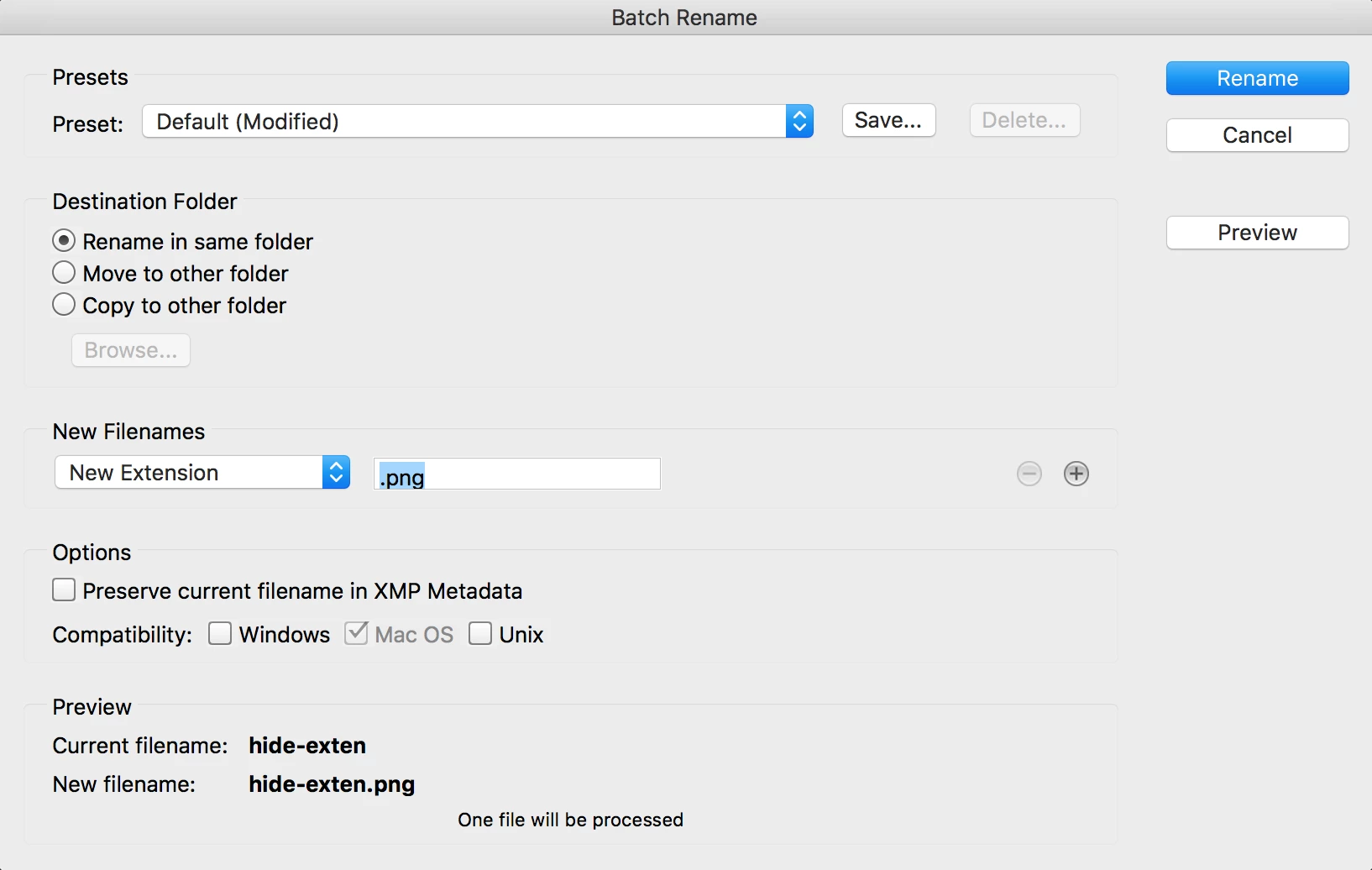
    Test that it opens OK into Camera Raw. If it works for one file, then select all of the rest of them and update the filename extension.

    The above demo was with the filename extension totally removed, however it you have accidentally renamed the filename extension to be something else then at least you will know what the invalid extension is if you show the filename extensions in Windows.

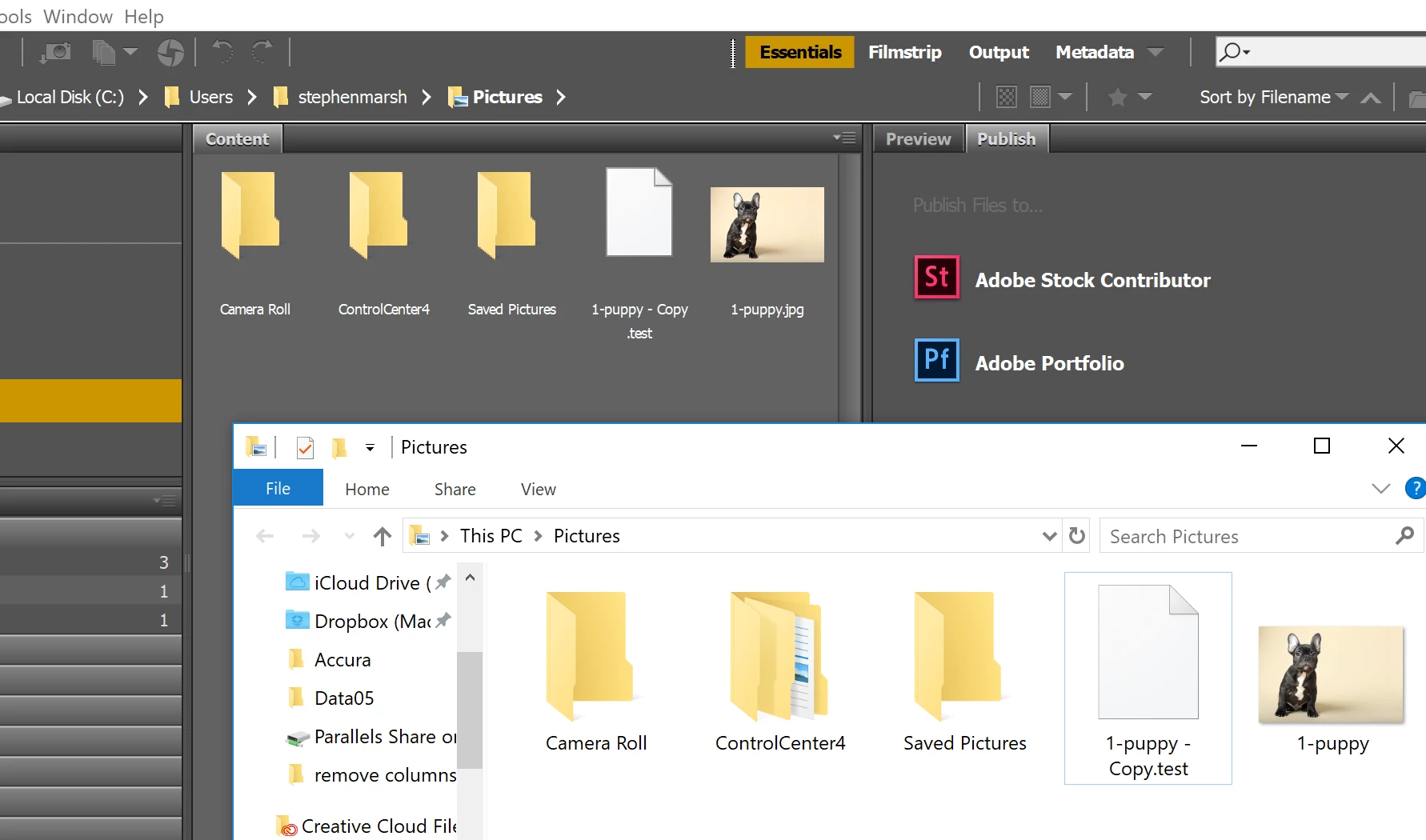
    EDIT: It appears that showing/hiding filename extensions has no effect in MS Windows. Bridge still shows the extension, when Explorer does not:

    1 reply

    Stephen Marsh
    Community Expert
    Community Expert
    December 13, 2017

    File extensions are often hidden in an attempt to prevent such problems. What OS, Mac or Win?

    lorik56841536
    Participant
    December 13, 2017

    Windows

    Sent from my iPhone

    Stephen Marsh
    Community Expert
    Community Expert
    December 14, 2017

    That's the strange thing - there are literally no file extensions on the renamed images.  I clicked all different views, I've opened properties - it still shows me all my camera settings, but it's like the rename changed it to an unknown file type.  (not sure if this is any better of a screenshot or not)


    Sadly that screenshot is no better. If you click on my screenshots, you will see that the text is legible. If you click on your screenshots, you will see that they are small, blurry and illegible… Would there happen to be period . (dot) characters in the middle of your filename in one or more places?

    Can you copy the filename to the clipboard and paste it into your reply so that I can see the full name? Please do this for three random files so that I can check for consistency in the file name pattern.

    If you have changed your Windows settings to show hidden filename extensions and there is still no filename, then perhaps you did indeed remove it when batch renaming. You can try adding a valid filename extension in Windows File Explorer and or Adobe Bridge, as in my post #5.

