



Answered
Batch Rename - File Destination issue
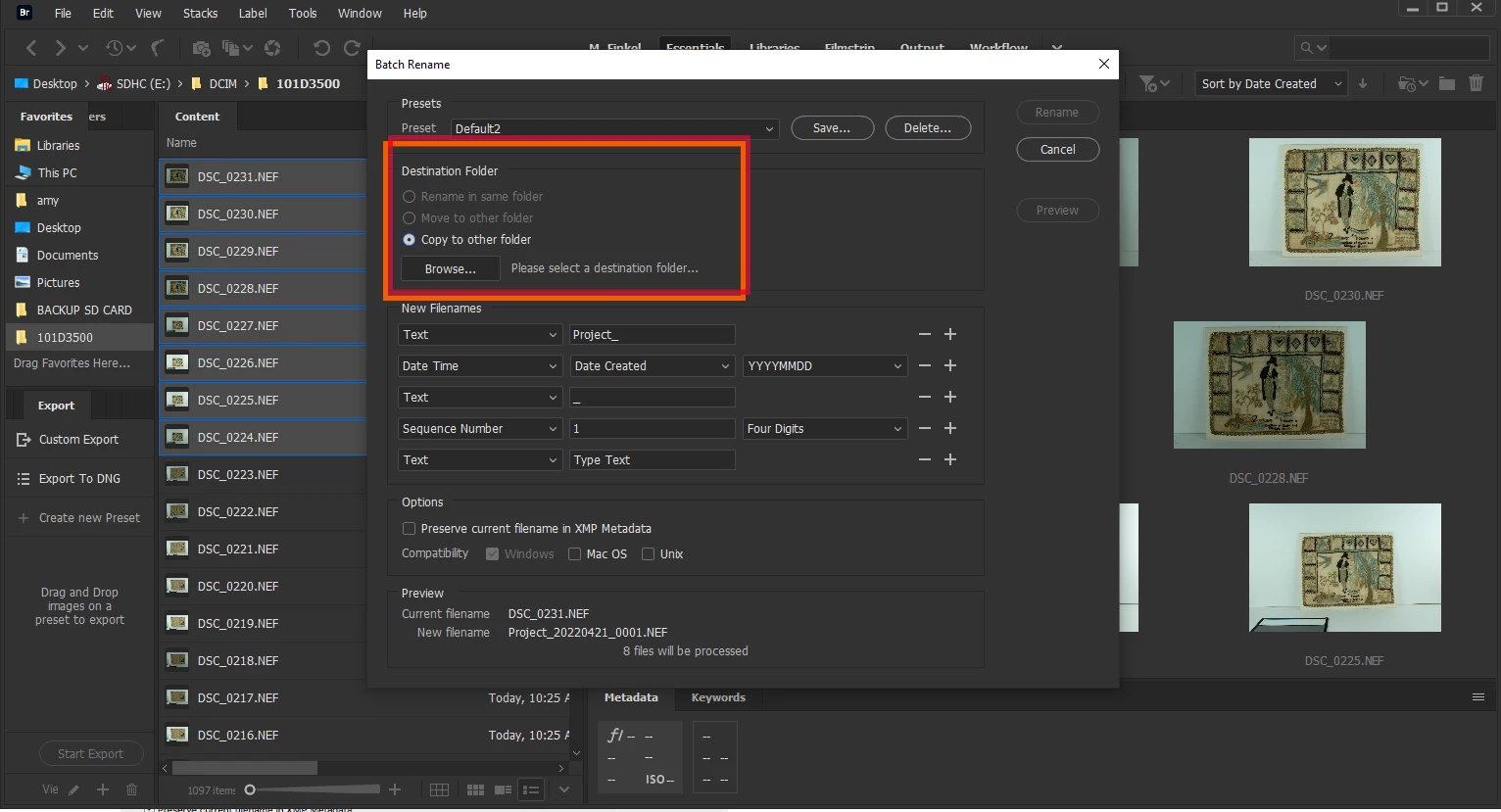
I have run into a problem which I can't explain. I haven't changed anything I am aware of but suddenly I cannot Batch Rename in Bridge unless I save a copy to another folder elsewhere. This wouldn't be an issue, but then I have to add this new folder with the rename to Bridge, and the old files on my SD card remain unnamed -- just adding a lot of extra work on my end that I have never had to do. Please see screenshot below to see what my Batch Rename window looks like (Windows 10), Adobe CC. I have uninstalled, deleted all preferences etc as well as cleared my cache.
 AdChoices