


Bridge 2024 color profile wrong
Hi,
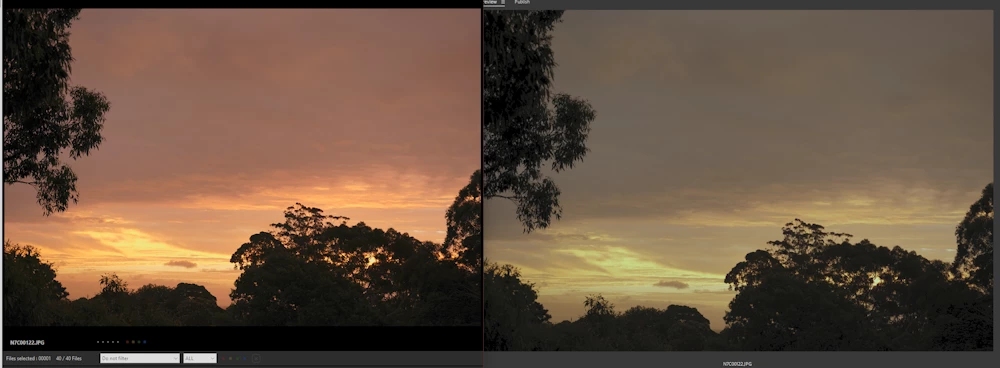
I have installed Bridge 2024 as a standalone app (wanted to try out its management capablities) and I have noticed the color profile is totally off. There is no other Adobe image manipulation app installed. As you can see in the below pic, the colors are really off. Left is Sony IED Viewer (and all other image display apps display the same colors), right is Adobe Bridge (JPGs as well). I have gone into Adobe Bridge Edit->Color Settings... to select a color profile as many helps seem to say, but there is absolutely no settings listed at all, says "not synchronized", and if I press the Apply button Bridge crashes. Ticking "Show Expanded List of Color Setting Files" does nothing. Tried uninstalling and reinstalling it throught the Creative Cloud app, still no settings files. Anyone have ideas that does not require installing any of the other apps? (Lr,PS, etc)
 AdChoices