


Known Participant
November 11, 2021
Answered

Bridge automatically creates fisheye effect

  • November 11, 2021
  • 2 replies
  • 1598 views

Hello everyone,


I'm using Camera Raw 13.0 in Photoshop Elements 2021 to apply camera profiles (created with ColorChecker) to a bunch of RAF images (and also crop/rotate them, if necessary), then save the changes in the xmp files and export them as TIFF in Bridge 2022. This has been working great the last couple of days but now I've got another batch of images that were taken with a different camera model and there's a weird problem:


The images look fine in ACR but in Bridge a fisheye effect is applied to all of them automatically, to both the preview image and the exported one! If I double-click an image, it opens in ACR and there it's looking fine again.


I found a suggestion in another thread:

In Camera Raw, under "Optics", uncheck "Use profile corrections".

"Optics" doesn't exist in my ACR, I've only got "Basic", "Detail" and "Calibration".


How do I disable this (and whatever other "corrections" Bridge applies automatically)?
This topic has been closed for replies.
Correct answer Jeff Arola

Yes the suggestion you found about optics may be correct, since Bridge uses the full ACR version that includes the Optics panel that has the on/off for using lens profile corrections. Unfortunately, because photoshop elements is not a qualifying creative cloud application you won't be able to access the bridge acr version.


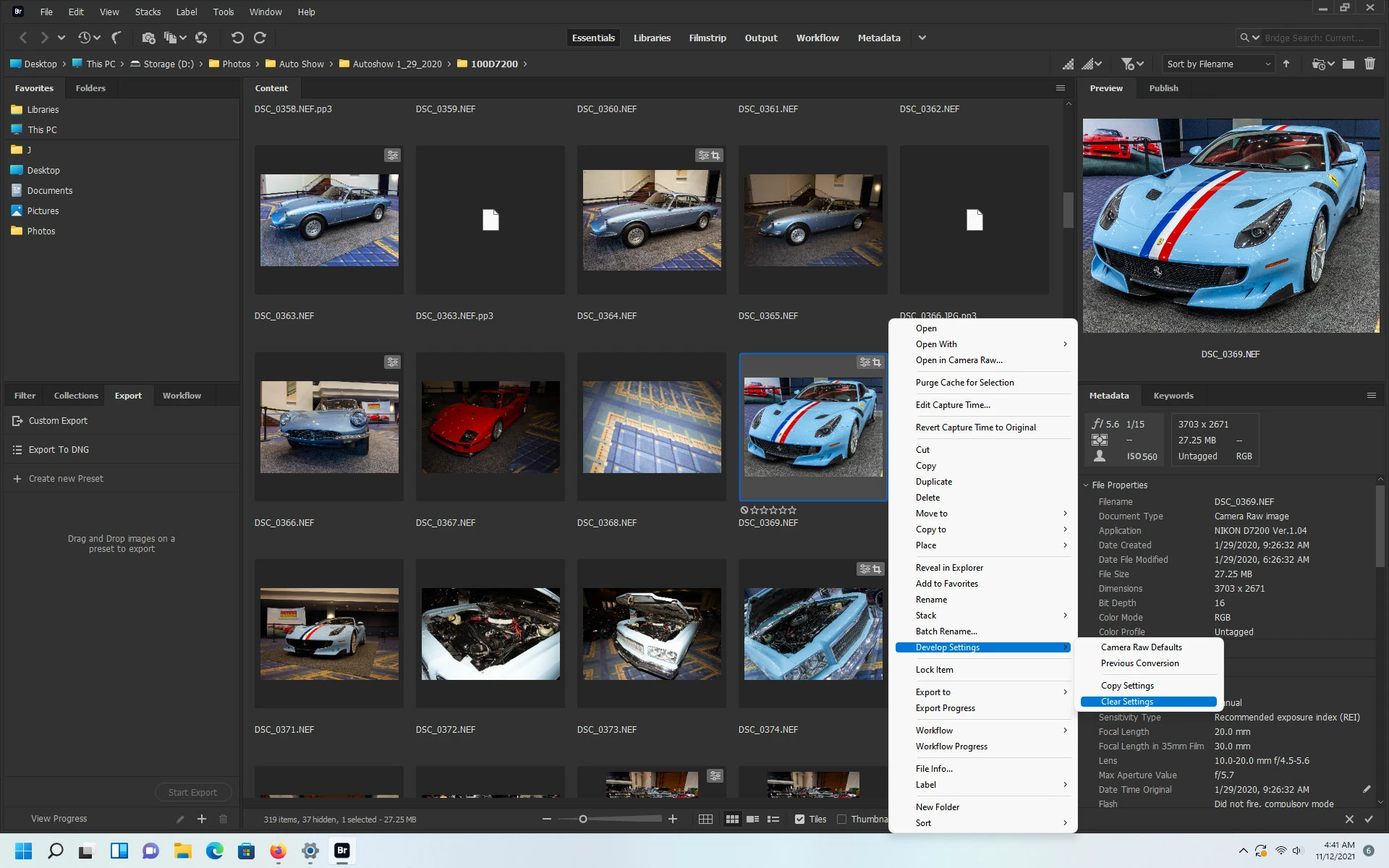
If in Bridge you right click on one of the affected thumbnails, click Develop Settings and then click Clear Settings, does that make a difference?


2 replies

Brainiac
November 12, 2021

Is your camera supported in ACR 13? If not, what you are seeing is the RAW file before any corrections.

JJ5C39Author
Known Participant
November 15, 2021

Not sure why it wouldn't be. There aren't any camera settings in PSE's ACR 13.0, I only noticed them in the "full" PS 14.xx version. How do I check that?

Images of both cameras look fine in PSE's ACR, as long as the xmp file was created by the 13.0 ACR and then they've only got the fisheye effect in Bridge/the images that were exported with Bridge. If the xmp file was created with PS's 14.xx version, then the fisheye effect shows up in ACR 13.0 - so far I've only tested it with the images that were taken with the second camera (Fujifilm X-S10).

Jeff Arola
Jeff ArolaCorrect answer
Community Expert
November 12, 2021

Yes the suggestion you found about optics may be correct, since Bridge uses the full ACR version that includes the Optics panel that has the on/off for using lens profile corrections. Unfortunately, because photoshop elements is not a qualifying creative cloud application you won't be able to access the bridge acr version.


If in Bridge you right click on one of the affected thumbnails, click Develop Settings and then click Clear Settings, does that make a difference?


JJ5C39Author
Known Participant
November 12, 2021

I get a pop-up:

Camera Raw editing is not enabled.

Camera Raw editing requires that a qualifying product has been launched at least once to enable this feature.

Same thing if I go through "Edit -> Developer Settings".

Here are two images of the problem: Original in ACR:

Exported image in PSE:

Bridge is an image editing software and image editing softwares must NOT automatically and secretly tamper with images! There has to be a proper way to turn this off!

Jeff Arola
Community Expert
November 12, 2021

Offending images?

Both batches of images were shot with Fujifilm cameras (one for each batch), not sure what lense and I'd have to look up the model. Does it matter?

Win 10.


Yes it might matter.


Another issue is pse 13 uses a rather old acr version that may not understand the settings that bridge acr is applying to your images and that's why when you open the images in the pse acr version they look normal.


Unfortunately, Bridge is not setup to use with photoshop elements, so conflicts can arise, as you've seen one cannot even access any bridge acr settings or the actual acr dialog.


Are you able to share one of the images, so we can look in the full version of acr and see what settings are being applied?