


Parafox2000
Known Participant
February 3, 2019
Answered

Can I backup the manual sorting order of a folder in Bridge?

  • February 3, 2019
  • 1 reply
  • 1699 views

Hello,

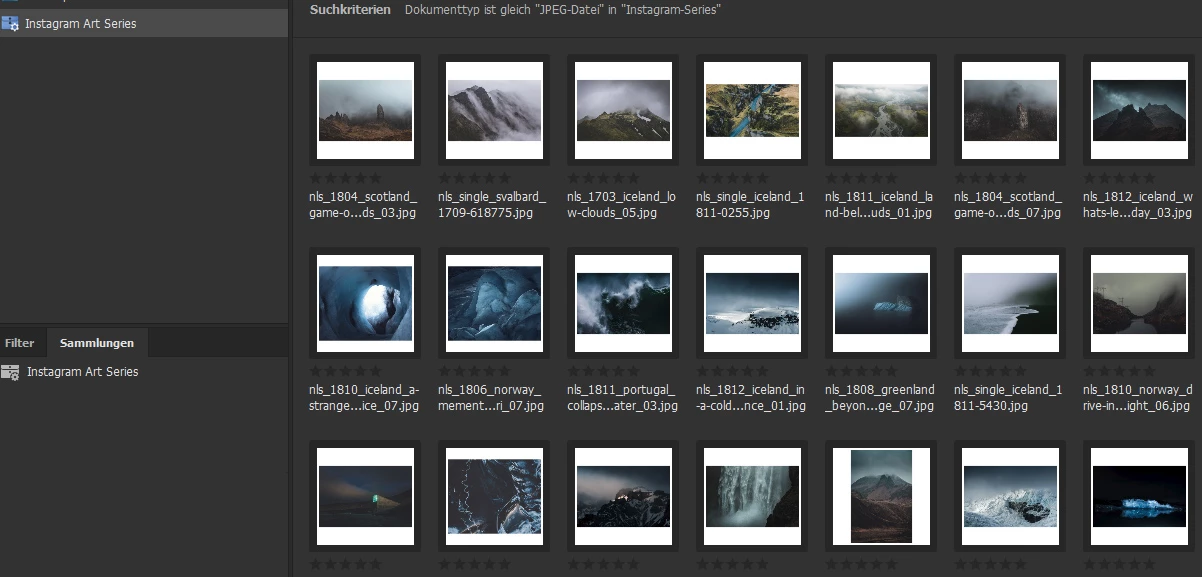
I use the latest version of Adobe Bridge CC 2019 (Win10 Pro) and plan my Instagram feed using the manual sorting order of thumbnails. It works perfectly until one day everything was thrown around and I had to rearrange it again and I did not know what happened and Bridge did not crash... I acutally use a smart collection for this purpose and that smart collection collects all JPEG images within the specified folder (like on the screenshot)

I'm now looking for a solution to backup/save the current sorting order in case it shuffles everything again... Don't want to use another software for that, but also don't want to experience that again. Is there a way (also maybe via Windows registry) to achieve that?

Thx

Jan
This topic has been closed for replies.
Correct answer SuperMerlin

The information is held in a file called .BridgeSort within the current folder so all you need to do is backup this file.

N.B. not the file has a dot at the beggining of the file name which makes it a hidden file.

1 reply

SuperMerlin
SuperMerlinCorrect answer
Inspiring
February 3, 2019

The information is held in a file called .BridgeSort within the current folder so all you need to do is backup this file.

N.B. not the file has a dot at the beggining of the file name which makes it a hidden file.

Parafox2000
Known Participant
February 21, 2019

In my case, there is a ".BridgeSort" file, but it has not been changed for a couple of weeks and the content does not reflect the current files. I'm using a smart collection in which I am sorting the images; it's not directly within the folder itself.

SuperMerlin
Inspiring
February 21, 2019

Sorry I didn't read "Smart Collection"

Smart collections usersort I think are kept in a folder called "usersort"

On windows it would be:

C:\Users\User Name\AppData\Roaming\Adobe\Bridge CC 2019\UserSort

You would need to back up one of these files, best bet would be to alter the sort order and see which file has the time according to the time you changed the order.