


Known Participant
November 16, 2019
Question

Can't delete files in Bridge 2020

  • November 16, 2019
  • 5 replies
  • 2671 views

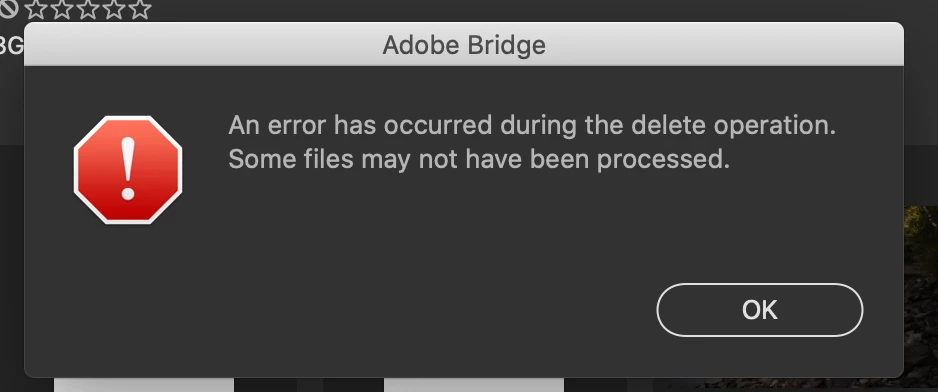
I was having major trouble with Bridge 2019 because I couldn't view any files in full preview mode, they were entirely pixelated and obscured. I was told to update to Bridge 2020, but now when I'm culling and trying to delete files, this error message pops up. After I click "okay" the file disappears, but it's still in the folder, Bridge just hid it. Another problem is all of the photos in Bridge look super desaturated and less contrasy and muddy then what they actually are. 
This topic has been closed for replies.

5 replies

Participant
November 24, 2019

I have exactly the same problem. I can't move file to the trash, I can't delete them at all. After I get the same message as above it looks like the files are deleted but if I leave the folder and come back to it, the deleted file is still there. 

Participant
November 25, 2019

Managed to get to the bottom of my issue.


My files are all stored on an external drive. Looking at that drives permissions (Get Info in the Finder) Shows that '(Me)' and 'staff' had read & Write access but 'everyone' was set to read only. 


Changing 'Everyone' to Read & Write has allowed Bridge to now delete my files correctly. 


Not sure if this will fix everyone else's issue or why this happens in Bridge 2020 as my old version of Bridge (still on the system) could delete the same files before changing permissions.

photo622
Participant
November 25, 2019

I just read your post and was so hoping it would work for me as I too keep external drives.   I changed those settings but no luck still same issue.  Thank you for the posting - sometime somthing has got to work tho.

Participant
November 19, 2019

I'm having this issue too, only work around is using mac's OS to delete files and then return to Bridge, annoying as I use bridge for all of my image file management. Any solutions yet? I've never had more issues with new versions of Photoshop/Bridge as this latest incarnation. 

photo622
Participant
November 19, 2019

I also have an issure the "cut" it will only copy and paste but I cannot cut a file

jbm007
Community Expert
Community Expert
November 17, 2019

Is this a laptop?

Which OS

Do you have the latest video driver installed?

Known Participant
November 18, 2019

It's happening on both my MacBook laptop and my iMac desktop. Both are using the latest OS. Everything is up to date.

jbm007
Community Expert
Community Expert
November 17, 2019

Delete Bridge, reboot and reinstall.

Known Participant
November 18, 2019

I have, more than once. It does not fix it.

photo622
Participant
November 16, 2019

I am having the same issue, I tried to reset Bridge but it did not help