


Participant
February 23, 2024
Question

Can't open Scrivener files from Bridge with a double click

  • February 23, 2024
  • 2 replies
  • 383 views

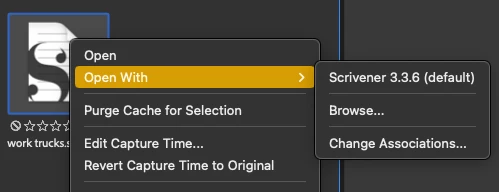
When I double click on a Scrivener file it won't open. I need to right-click and choose Scrivener, which IS set to be the system default for opening .scriv files.


All other third-party programs I use will open from Bridge via a double click, which is convenient as I have Bridge open all day on its own monitor.

A small glitch, to be sure, but it would be nice to see it fixed.
 

This topic has been closed for replies.

2 replies

Adobe Employee
March 4, 2024

Hi @multitalented_painter15D5 ,


Thanks for your feedback.
Could you share the following details about the issue:

  • Bridge version
  • System configuration

Please share the sample file/files on which you are observing the issue at sharewithbr@adobe.com and mention this thread.


Thanks,
Bridge Team

Legend
February 23, 2024

Works fine here on the Mac. Just downloaded and tested without making any changes or settings.

Participant
March 2, 2024

Glad it works for you. Doesn't work on either of my iMacs (2015 or 2020).