New Participant
November 10, 2023
Answered

How to remove characters in file name using batch rename in Bridge

  • November 10, 2023
  • 2 replies
  • 3734 views


I have a series of files that are like: 230167 firstname lastname.jpg
I would like to remove everything but the first 6 digits of the file name so that I'm left with 230167.jpg

Thanks

Enid
 

This topic has been closed for replies.
Correct answer Stephen Marsh

A copy/paste from my reply to your PM...


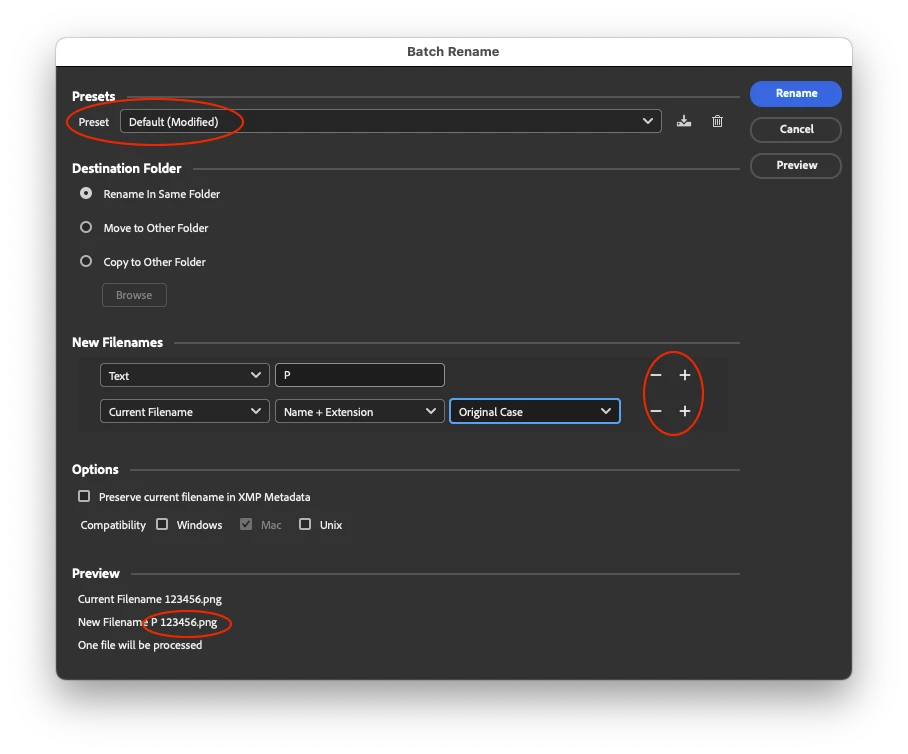
You can add a prefix the "default" way:


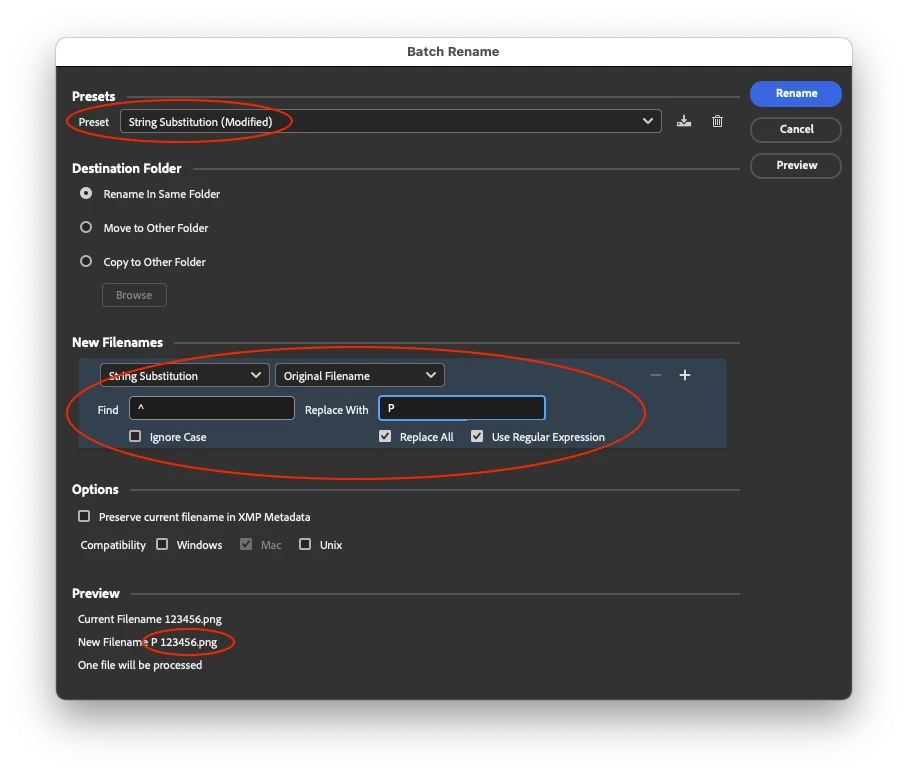
Or the alternative is what Adobe call "String Substitution" (find/replace with a regular expression option):

Find (start/far left of the text string):
^
Replace (P + space):
P


2 replies

New Participant
November 16, 2023

Another question! I would like to add P to a file name. Example:

230167.jpg

Thanks for 

Stephen Marsh
Stephen MarshCorrect answer
Community Expert
November 16, 2023

A copy/paste from my reply to your PM...


You can add a prefix the "default" way:


Or the alternative is what Adobe call "String Substitution" (find/replace with a regular expression option):

Find (start/far left of the text string):
^
Replace (P + space):
P


New Participant
November 17, 2023

Thanks so much!

Stephen Marsh
Community Expert
November 11, 2023

@Enid26229849jlhv – try the following:


Find using Regular Expression capture groups – starting with only 6 digits from the left + extension:

(^\d{6})(.+)(\.[^\.]+$)

Replace (using back-references to the capture groups):

$1$3


or


Find using Regular Expression capture groups – first 6 digits or characters from the left + extension:

(^.{6})(.+)(\.[^\.]+$)

Replace (using back-references to the capture groups):

$1$3


or


Find using Regular Expression capture groups – first word from the left + extension:

(^.+?\b)(.+)(\.[^\.]+$)

Replace (using back-references to the capture groups):

$1$3


New Participant
November 13, 2023

Thanks, that worked!

Stephen Marsh
Community Expert
November 14, 2023
quote

Thanks, that worked!


By @Enid26229849jlhv


You're welcome!