


New Participant
September 19, 2018
Question

Massive slow down and 100% CPU usage when writing metadata

  • September 19, 2018
  • 3 replies
  • 2295 views

Hello Support Forum,

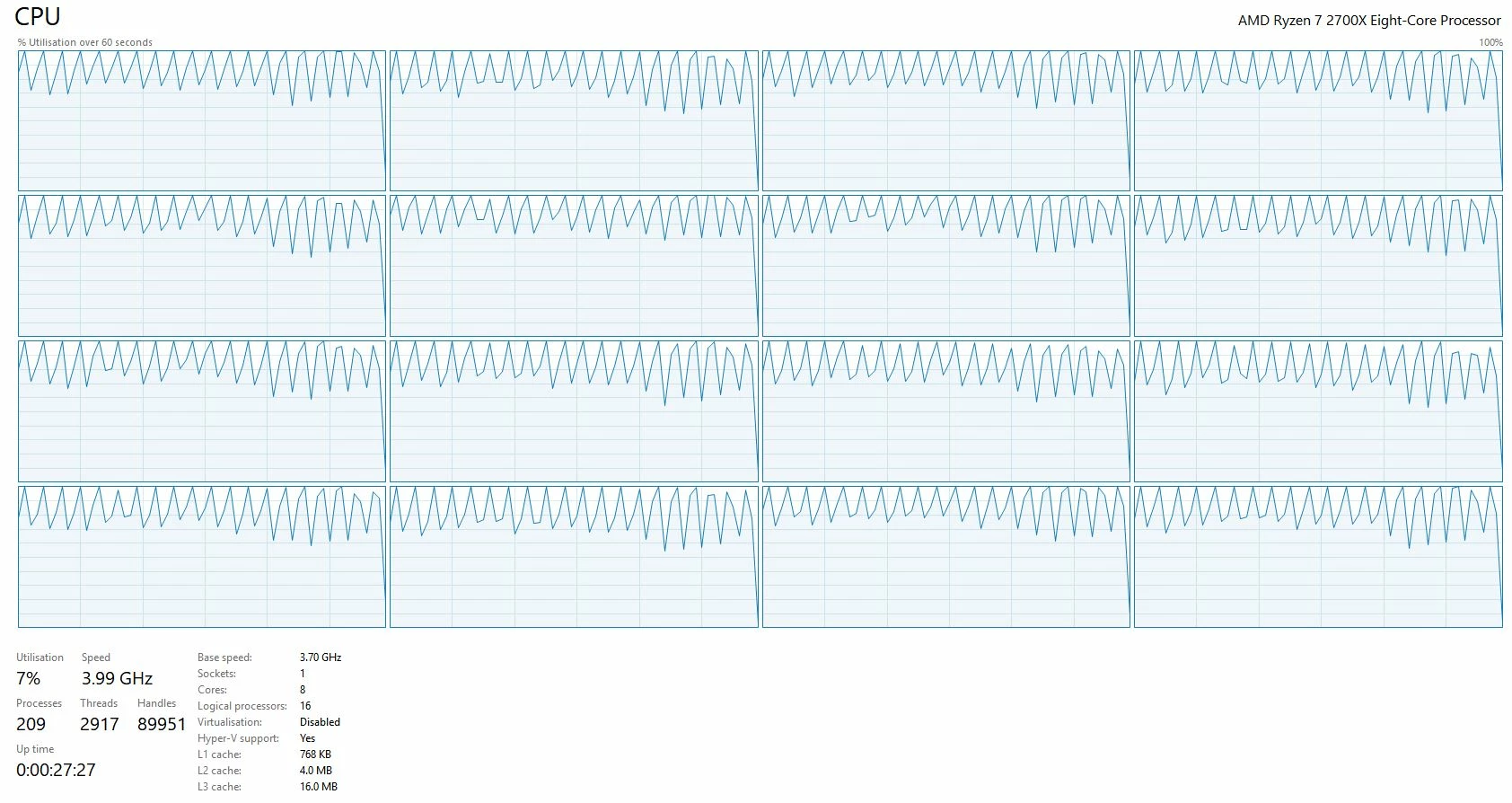
Recently when using Adobe Bridge I have found it to become unusably slow when it is trying to write any sort of metadata, i.e. tags, labels, star rating or changes made in ACR and my CPU usage jumps straight to 100%. To be clear, actually working on files within ACR is fine but when I attempt to save the changes is when the slow down occurs.

At this stage I have:

Reinstalled Adobe Bridge

Updated all drivers and software

Disabled all startup scripts

Compacted the cache

Closed all other unnecessary programs to isolate Adobe Bridge

However the problem still persists.

Any thoughts or help to fix this problem would be greatly appreciated.

Computer Specs:

Operating System: Windows 10 Home 64-bit (10.0, Build 17134) (17134.rs4_release.180410-1804)

Processor: AMD Ryzen 7 2700X Eight-Core Processor

Memory: 16384MB RAM

Card name: NVIDIA GeForce GTX 1080 Ti

The RAW files I am working from a Nikon D810 converted to DNG

Below is a screenshot of the CPU usage when trying to tag 20 images with one tag. This process took about 30 seconds to complete.
This topic has been closed for replies.

3 replies

New Participant
August 8, 2019

I am having this same issue- I don't know why ACR is overheating my computer! The CPU usage is at or near 100%. It's happening when I work on the files. It's been happening for a long time and I can't seem to find a solution.

jbm007
Community Expert
August 8, 2019

Need more info then that.

Which OS? Laptop or desktop?

Can you post a screen shot showing CPU usage, memory consumption, from process manager?

New Participant
June 29, 2019

same issue, please let me know if you solved....thank you very much!

Varun Varshney
Adobe Employee
Adobe Employee
September 19, 2018

Hi Alexander,

Thank you for reporting this issue.

To help us investigate further, we request you to please share the Adobe Bridge version which you are using .

You can get this information from "About Bridge..." screen from the Help menu.

Besides, are you facing the slow down when you save the images after editing them in ACR

OR

While adding metadata/keyword-tags from the Metadata/Keywords panel in Bridge.

Could you share the steps so we can reproduce this issue at our end for investigation?

Please suggest.

Thanks,

Varun Varshney

New Participant
September 19, 2018

Hi Varun,


I'm running version 8.1.0.383 x64.

Besides, are you facing the slow down when you save the images after editing them in ACR

OR

While adding metadata/keyword-tags from the Metadata/Keywords panel in Bridge.

I'm actually experiencing the slowdown in both scenarios. My apologies I realise my initial post wasn't that clear.

The steps taken are as you said. When adding metadata/keyword-tags from the metadata or keyword panels and after saving images from ACR.

jbm007
Community Expert
September 20, 2018

You don't indicate what type of drive its being written to.

Internal, external

SSD or conventional

windows indexing enabled or not

You have a very fast machine, but I think you are i/o handicapped

Bridge is notoriously slow doing many things, but read/write functions usually can be caused by other issues.

You have caching enabled to be in folders associated with the files?