



Dexter Golden
Inspiring
January 16, 2017
Question

Missing Bridge Filters....

  • January 16, 2017
  • 3 replies
  • 1966 views

Hey Folks..

I am current on Adobe Bridge CC but I have an problem

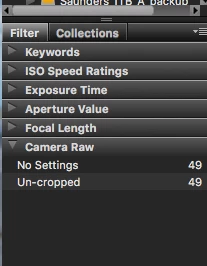
This is all I see for filters right now.... and everything is checked
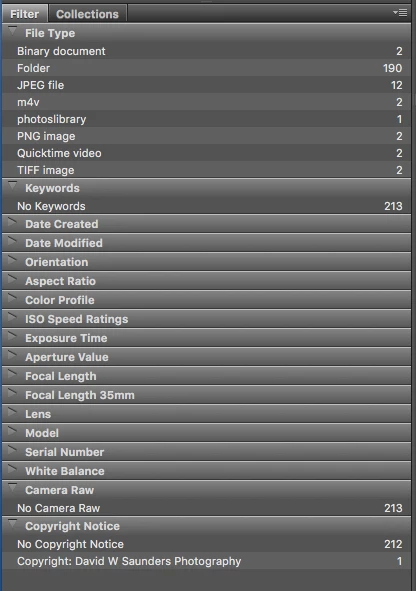
When I restart the program with shift option I see everything again
But if I go into a folder I go back to this
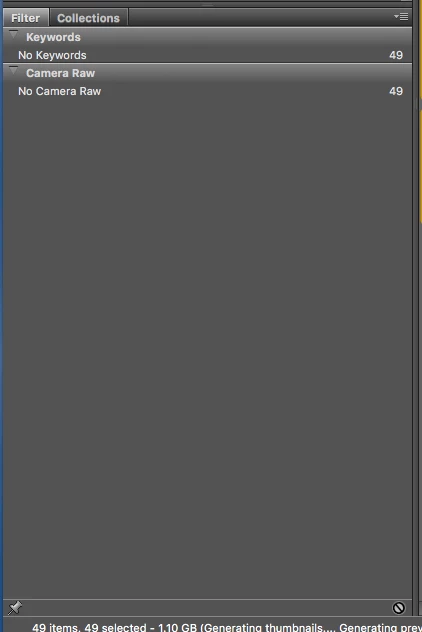
What the heck is going on ?

FYI I have also removed and re added the programs... No luck same thing happens.

    This topic has been closed for replies.

    3 replies

    Sahil.Chawla
    Community Manager
    Community Manager
    February 8, 2017

    Hi David,

    Please refer to this post and see if it helps

    Regards,

    Sahil

    Yammer
    Inspiring
    January 20, 2017

    The only thing I could add, besides restating that only relevant filters are displayed (when there are two or more options to choose from), is that you can switch filters on and off by right-clicking inside the Filter panel and selecting the ones you want.

    Braniac
    January 16, 2017

    The number of filters depend on the content of the folder.

    Are there relevant files in that folder?

    Dexter Golden
    Inspiring
    January 16, 2017

    Yes there is

    attached

    Shot with 2 different cameras

    Braniac
    January 16, 2017

    David,

    Then clearly there is something wrong. You could try deleting the preferences ( a corrupt preferences file can cause problems in Adobe applications and a reinstall will not cure this as this file is not touched). Make a note of your preferences if you changed some before doing this as you will have to change them again afterwards).

    To delete the preferences close Bridge. Restart it while holding Ctlr + Alt + Shift. Bridge will ask for confirmation. If you did not get a confirmation dialog you weren't quick enough.

    Hope this helps.