Participating Frequently
August 21, 2023
Question

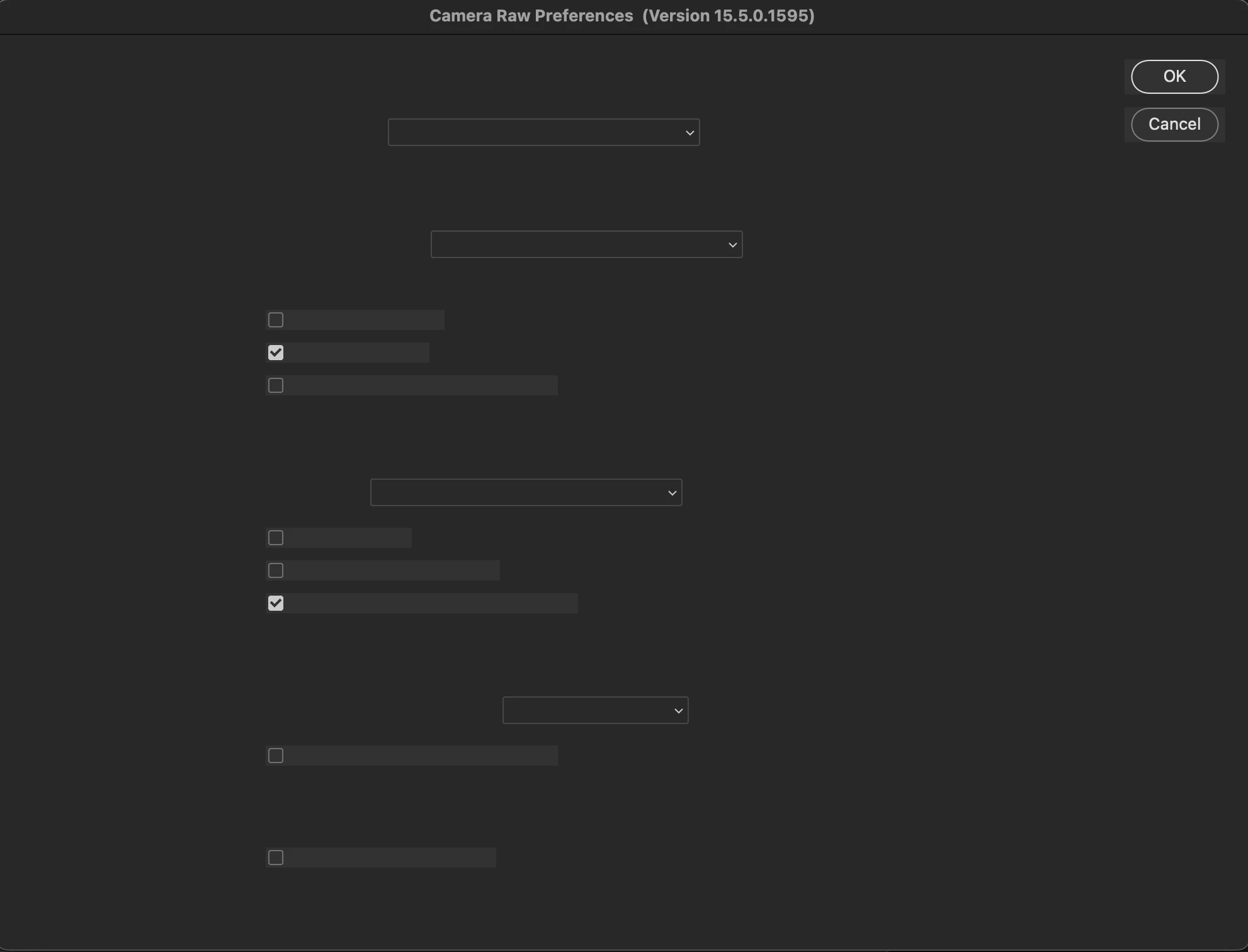
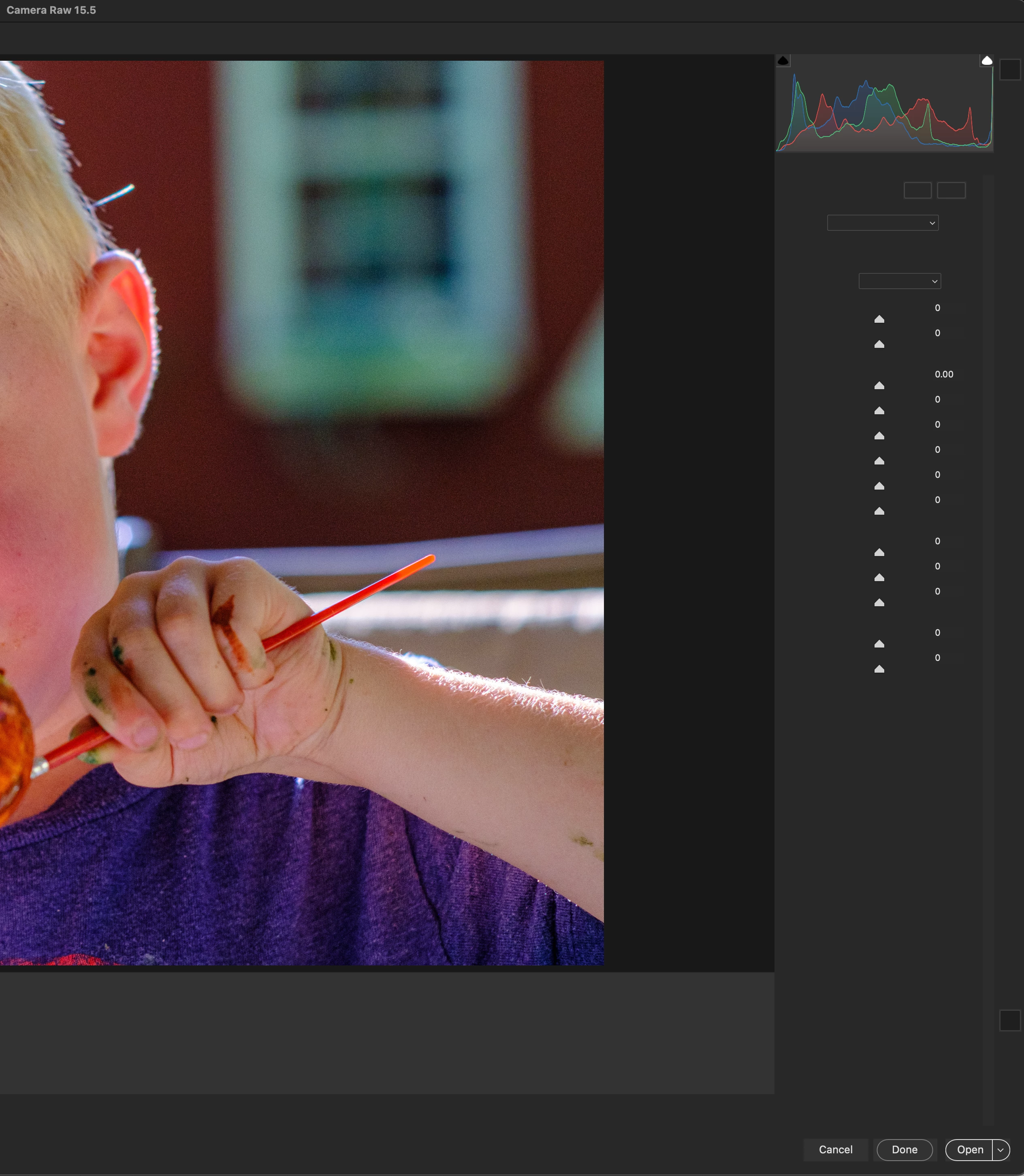
No text in Bridge CameraRaw
  • August 21, 2023
  • 1 reply
  • 843 views

Since updating to the latest bridge beta, Ive lost the text and icons in CameraRaw adjustment menu. Its also gone in the CameraRaw setting menu. I tried Light mode too, but no change. I turned off GPU as well, but again, no change. 

This does not happen to Photoshop for some reason. 

I tried reinstalling and disabling all start up scripts but no dice. 

Apple M1 Pro. 

This topic has been closed for replies.

1 reply

gary_sc
Community Expert
Community Expert
August 22, 2023

Hi, @Slvrscoobie02 OK, that is a strange one. It's not as if you do not have text, it's that ACR is not properly adjusting the contrast of its text to the background.


Please try and reset the Preferences for ACR; here's how:


Open Photoshop (if not already open), and hold down the Command key and select Photoshop > Preferences > Camera Raw (macOS*) or hold down the Ctrl key and select Edit > Preferences > Camera Raw (Windows).
Click Yes in the dialog that asks, "Delete the Camera Raw Preferences?"

*On Ventura, it is now called "Settings.”


Let us know if that works, Good luck!

Participating Frequently
August 22, 2023

Hi thanks. 

well and its doubly weird because its FINE in Photoshop. but if ACR is opened from bridge, i get the above. 

I tried your delete prefrences from both photoshop and bridge, but the Bridge ACR still opens without proper text display. 

Participating Frequently
August 22, 2023

Hi, @Slvrscoobie02  can you please take a screenshot (Command-Option-4) of the Interface settings of Bridge, Photoshop, AND ACR?


Thank you


but of course! I have changed Bridge and ACR to "Light" setting too to see if it would fix it, but it doesnt seem to change the ACR settings. 

this does change the ACR color, but the text is still invisible.