

Problems with Metadata fields in Bridge
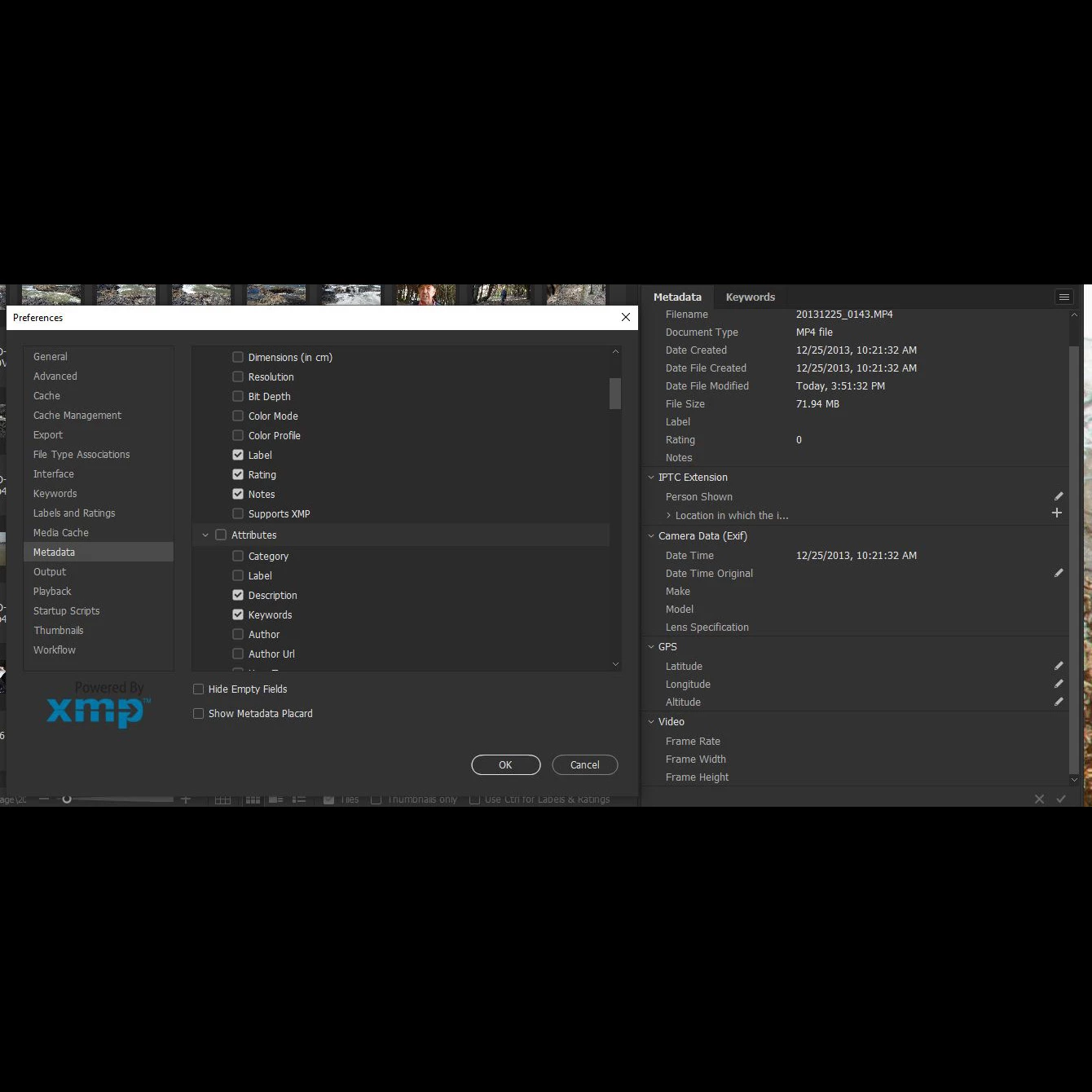
When I first started looking at the Metadata it included way more information that I wanted to scroll through and so I went in to preferences and unchecked many of them. But two that were really important to me were "Description" and "Keywords" under Attributes. After unchecking the ones I didn't want but leaving those two and several others checked I get the Metadata panel you see on the right of the image above. You will see that neither "Description" nor "Keywords" is there. You will see in the image that the Attributes section is not there at all.
Incidentally, the Description and Keywords was there in the original panel before I adjusted the preferences.
What did I do to mess this up? How can I get those fields to show up?
I am on a PC with Windows 10.
Thanks so much for any help.
 AdChoices