


Known Participant
May 20, 2021
Question

Trying to edit the 'Date Created' metadata but getting an error message

  • May 20, 2021
  • 2 replies
  • 2452 views

Hi, the 'Date created' metadata is wrong on some of my photos but when I try to edit them in Bridge I'm getting a message saying "This property cannot be modified":
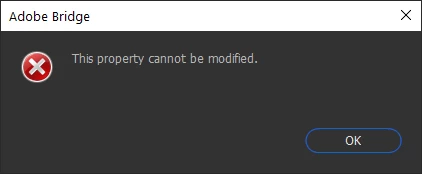
 

Any ideas on how to fix this please? I can actually edit some other metadata (it has a pencil next to it) - just not this. Thank you 🙂 

This topic has been closed for replies.

2 replies

Erik Bloodaxe
Brainiac
June 25, 2021

Look in the Edit Menu (Top left) and there is an option to "Edit Capture Time" which works in various ways to achieve what you want.

New Participant
November 14, 2023

How can you edit just the date and not the time? When you change multiple photos it gives all of the photos that same set time instead of aggregating the time.

Erik Bloodaxe
Brainiac
November 17, 2023

I found this free software does the trick:

Attribute Changer

Adobe Employee
June 25, 2021

Hi,


You can not edit the "Date Created" directly from the "File Propertied" time as it is only a readable property.

You can edit the "Edit Capture Time" by going to the "Camera Data (Exif)" and editing the "Date Time Original".

Changing here will reflect in the "Date Created" section.


Let us on know if this helps.


Regards,

Deepak