As you probably know, you cannot make a change to a raw image. Rather, any changes are saved to an xmp file that is saved in the same folder as the image. (If you move either the image or the xmp file out of that folder, any changes will be gone. Rejoining them into the same folder will allow the changes to again show up.)
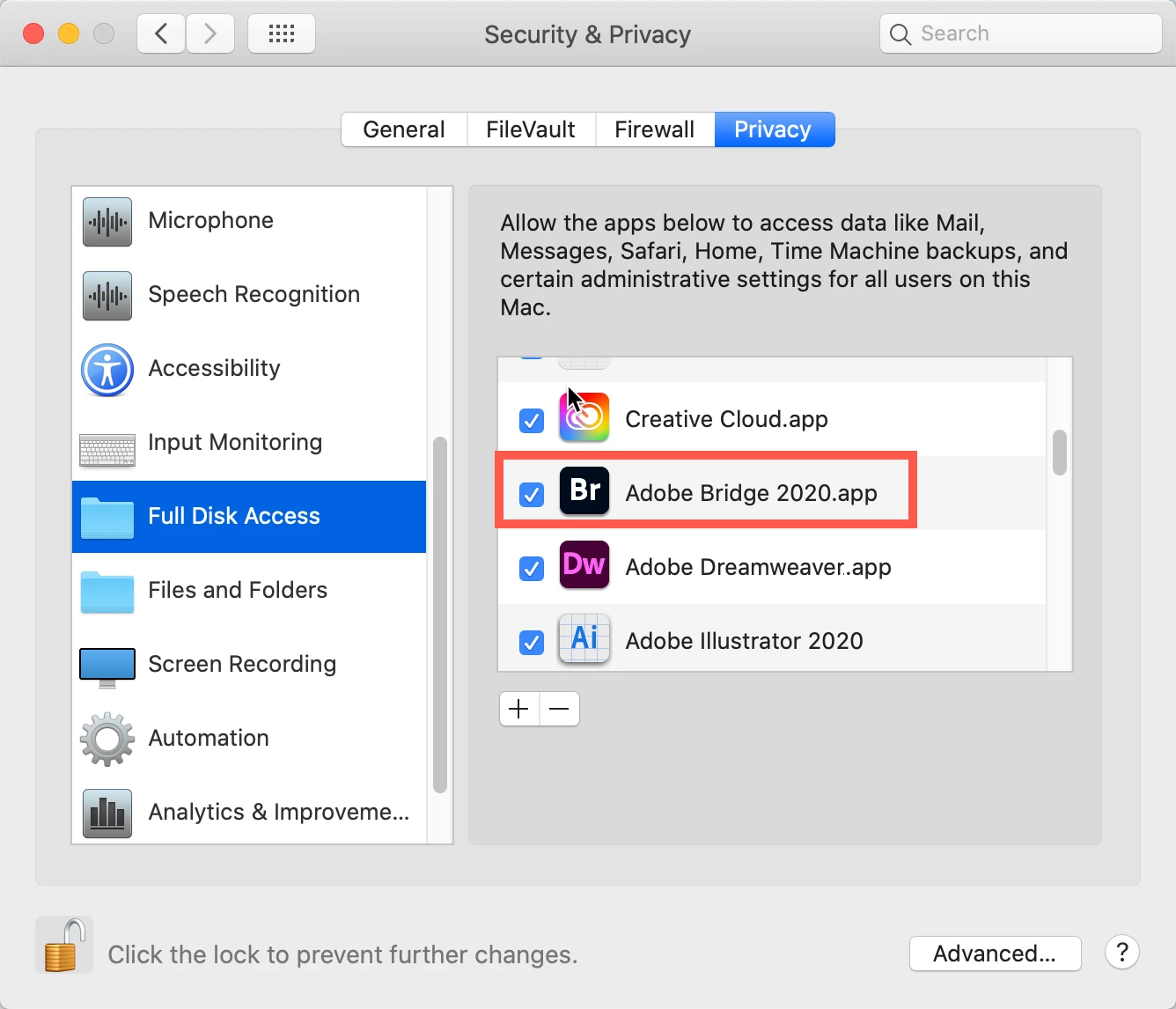
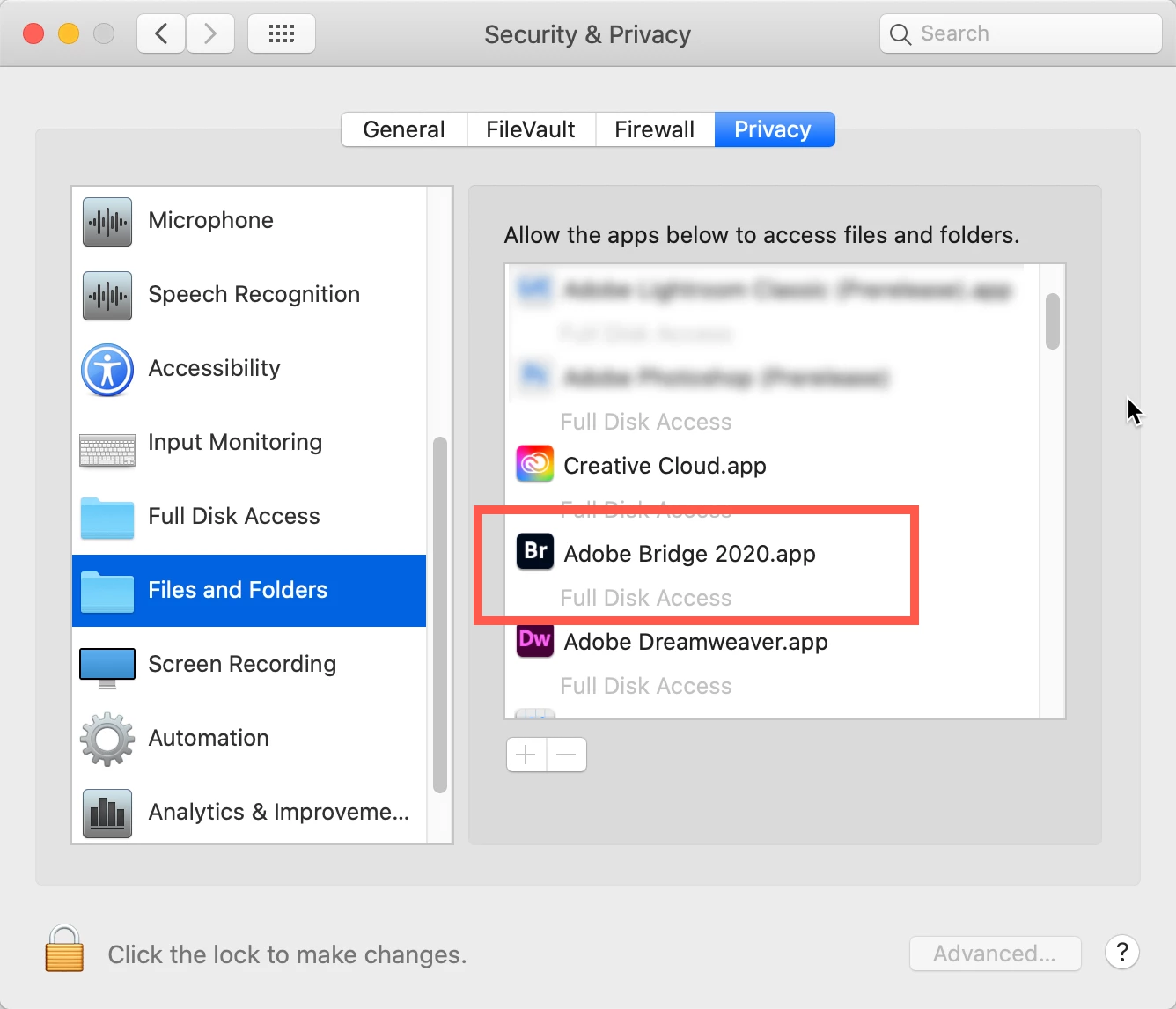
Now, why you cannot save the xmp file from landing in the image's folder, I have a thought: have you redone your Security & Privacy settings for your applications? Below, I'm showing how you do that for Bridge, but essentially the same process is done for other applications.
Go to your System Preferences and select Security and Privacy (found in the top section). Now click on the Privacy setting (last tab). Now click on the lock on the bottom left and provide your Administrator code. Now select the Full Disk Access option and click on the "+" symbol. This will bring up the standard Mac Open window and let you add any application you want or need to have full access. Look for Bridge, select it, it will now appear in that window and make sure it's checked. Next, go to the Files and Folders option and do the same thing as above (although there's nothing to check, just add. Close everything down and see if that makes it all work.
Please let me know
[Note: these images are from an older OS, the process is the same.]
Let me know what happens,
Good luck!



 AdChoices