


Inspiring
November 10, 2017
Answered

Launch Photoshop action on images selected in Bridge

  • November 10, 2017
  • 2 replies
  • 1842 views

In all my previous PS versions, I could highlight a grooup of images in Bridge, click Tools, Photoshop, Batch, which would open PS so I could click the desired Action.  It would run without complaint, just so.

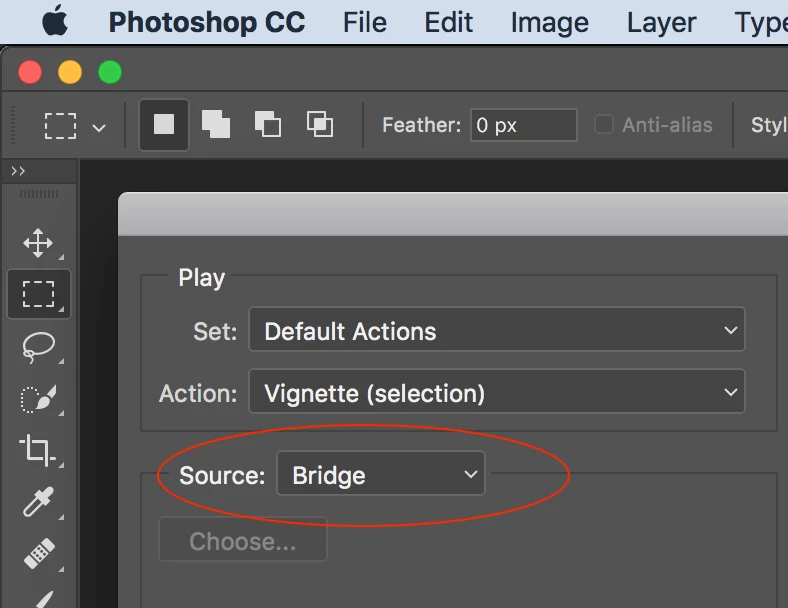
Since I now have to deal with this dratted Cloud version, this system does not seem to work.  Click Batch, PS opens, but clicking the desired Action does nothing.  Zip.

No help or Faq files are relevant.

Who has the answer to this question?  Please?  THank you in advance.
This topic has been closed for replies.
Correct answer Stephen Marsh

Reset preferences, not cache (perhaps reset prefs in both Bridge and Photoshop).

Hmm, it works for me – files selected in Bridge CC 2018, Tools > Photoshop > Batch…

The action does not contain an open in Bridge step, this is coming from paired versions of Bridge and Photoshop.

2 replies

Inspiring
November 10, 2017

Thanks.  Emptied cache.  However I still do not find an actgion step for "open in Bridge" which used to be shown in the Batch dialog.  How do I write an action which includes an open step NOT for a specific image, but for whatever is highlighted in Bridge?  Appreciate guidance here. 

Jeanne TifftJLD Tifft Images1-703-960-3873
Stephen Marsh
Community Expert
Stephen MarshCommunity ExpertCorrect answer
Community Expert
November 10, 2017

Reset preferences, not cache (perhaps reset prefs in both Bridge and Photoshop).

Hmm, it works for me – files selected in Bridge CC 2018, Tools > Photoshop > Batch…

The action does not contain an open in Bridge step, this is coming from paired versions of Bridge and Photoshop.

kglad
Community Expert
Community Expert
November 10, 2017