Inspiring
November 16, 2021
Answered

Adding a dangle effect to the eyes. Is this possible?

  • November 16, 2021
  • 1 reply
  • 807 views

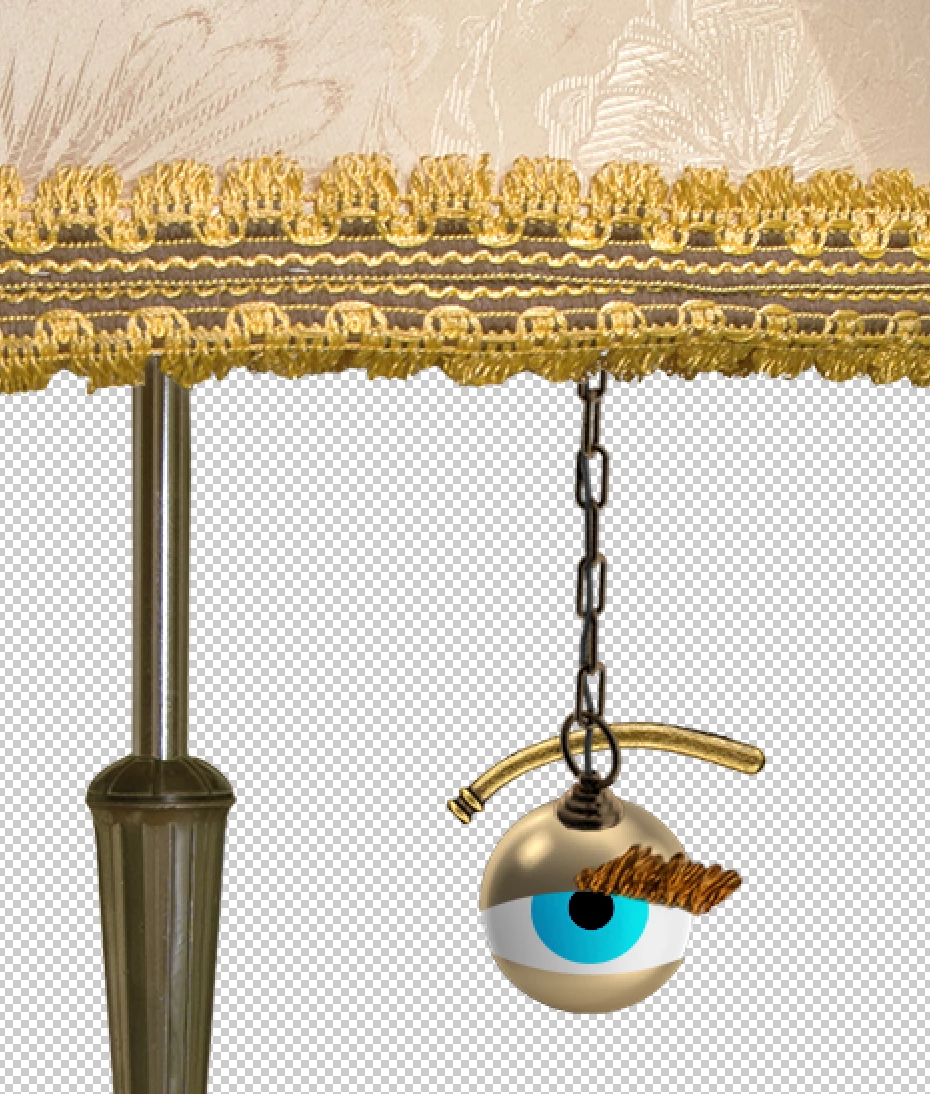
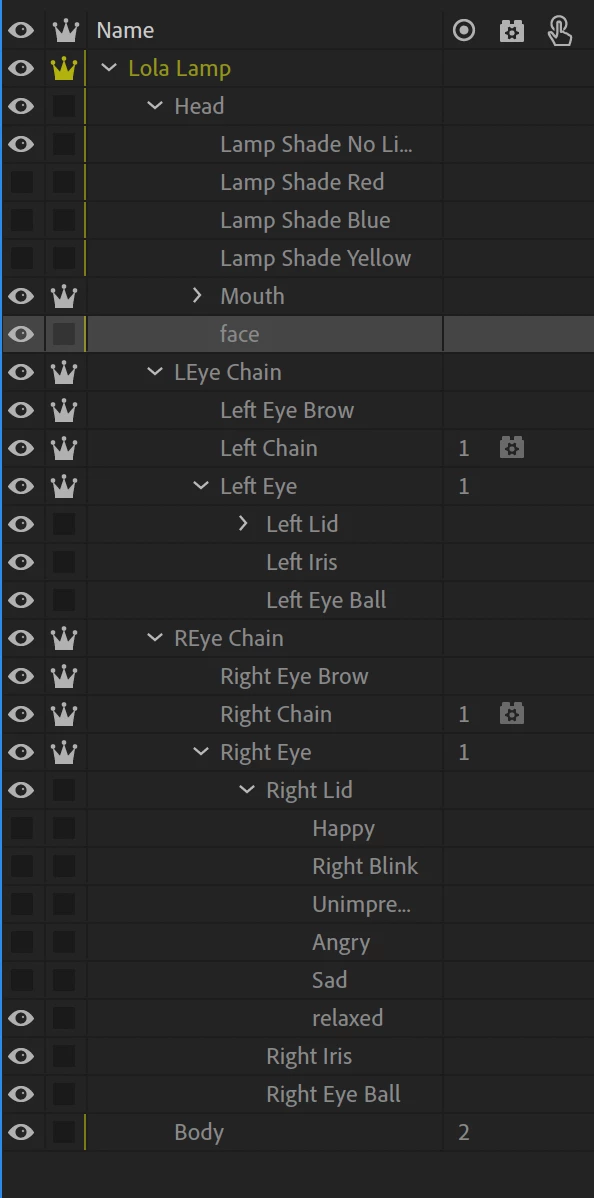
Hey. I am creating a robot floor lamp wiht two chains that turn the light bulbs on. I thought it would be funny to have the eyes be attached to the chain. I can make the chain dangle beautifully without an eye attached. But when I tried to attach and eye to it, It just doesn't want to work. I moved the Eye files out of the head folder so they are separate. But I am unable to find a way to attach the eye to the chain. Am I wanting to do something that just isn't possible in Character Animator? here's an image of the eye...
 

This topic has been closed for replies.
Correct answer alank99101739

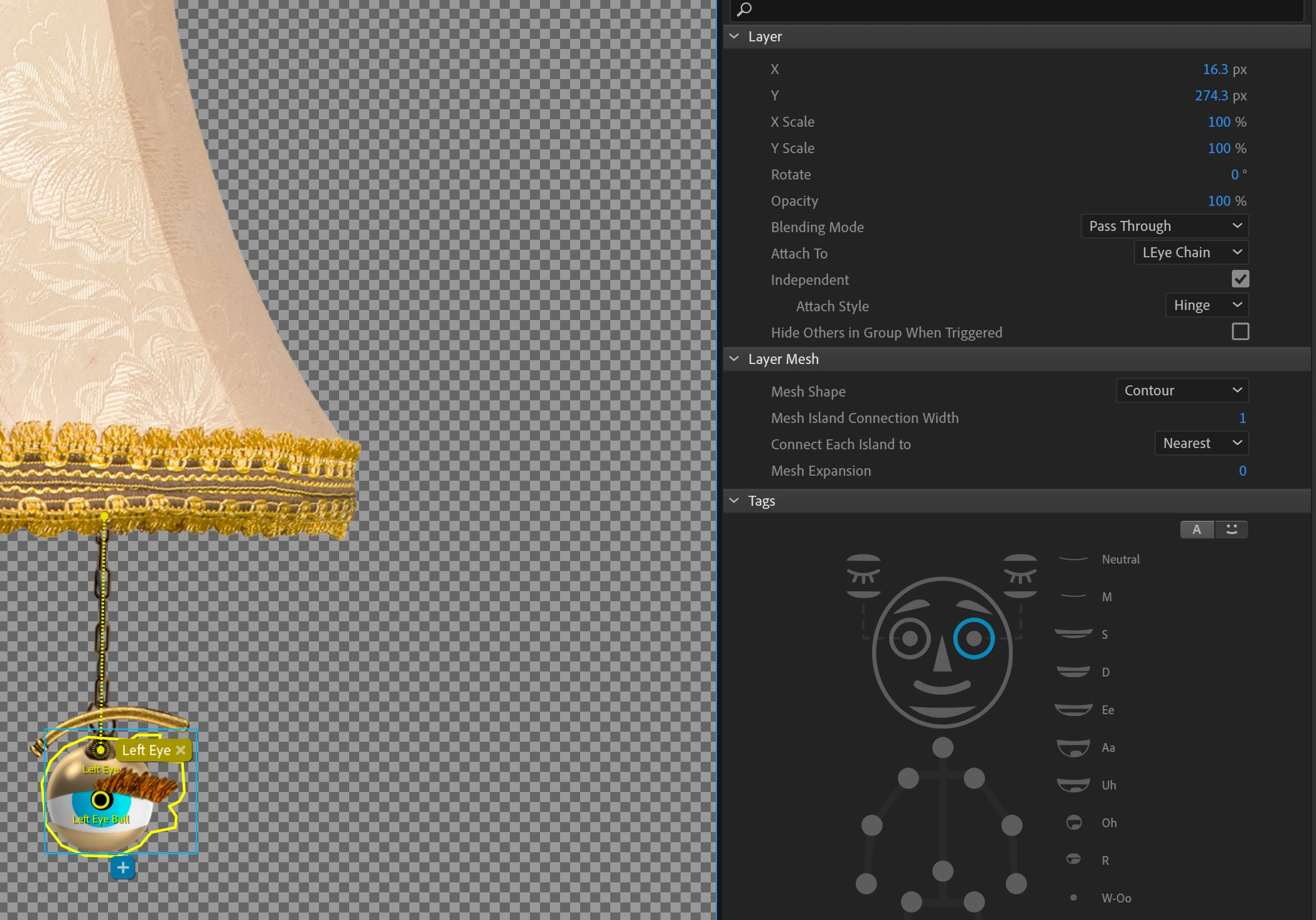
Ok. I believe I followed all of your directions. But it is still not working right yet. 

Here's what I did...

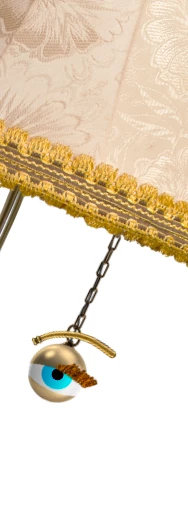
 and it's still doing this...


So I re-looked at how you set things up. And it looks like the chain was supposed to be at the bottom of the layer. I tried that. 

And the eye attached ot the chain. But the dangle then stopped working...

 Not sure what I am doing wrong. Thanks for all the help you've given so far. 


Here is the puppet I hacked for reference: https://drive.google.com/file/d/1mMDZOCpsEBd86luDD8xmWkFd9hpTeNEh/view?usp=sharing


  • The first screenshot had the child chain layer indpendent. Whenever you see an independent layer with all children independent, its probably a bug. You seemed to fix it later by making the chain not independent.
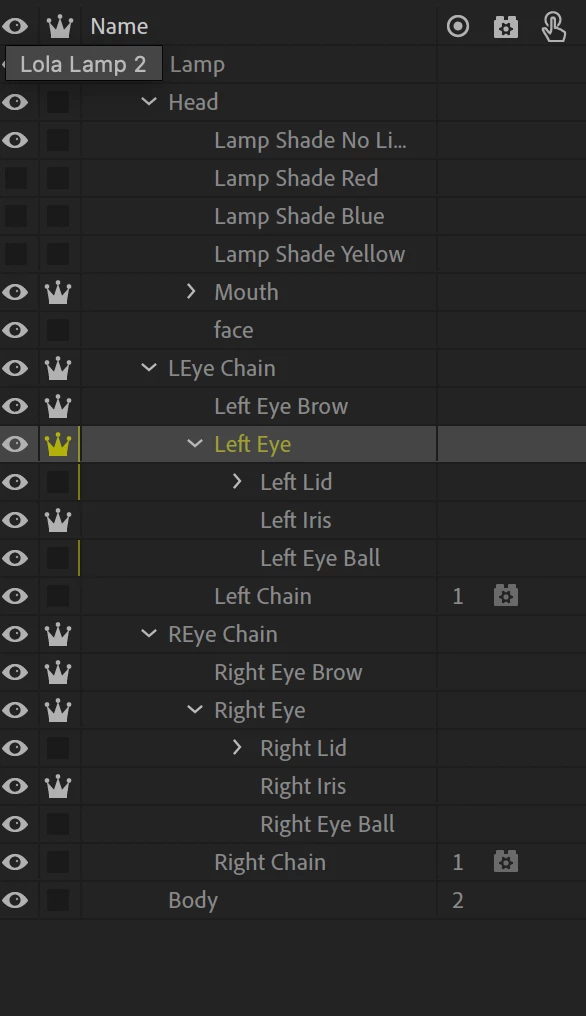
  • The "LEye Chain" group should be inside "Head" to make sure the eyes get found and used.
  • If the chain is not dangling, the dangle has been either lost or added to the wrong layer.
  • Putting the chain at the bottom is so it visually appears behind the eyeball.


Hopefully checking the puppet above will get you the last steps there - its close!

1 reply

alank99101739
Legend
November 16, 2021

Could you show the rigging hierarchy? I would have *thought* it should work, but the hierarchy matters. For example, there is a general rule that one layer can only be controlled by one behavior. There is another rule for things like Eyes that they must appear under a Head tagged layer (or else the behavior won't find them).


So when you say "does not work", could you provide more information? Like the eye does not follow the chain? Or the chain stops swinging? Or the eyes wont blink and operate like eyes any more?


For example, I just took a demo puppet, I put "+Left Eye" inside a nested group called "+Eye on Stick", added a rectangle for a stick into the group, then moved the eye to the end of the stick. I then put a dangle on the stick. I set the origin for the rectangle to the head, the eye origin was the stick. They eye continued to work and bounced around at the end of the sick. It is generally the nesting you have to get right.

alank99101739
Legend
November 16, 2021

With pictures... (poor Tully!)


alank99101739
alank99101739Correct answer
Legend
November 17, 2021

Ok. I believe I followed all of your directions. But it is still not working right yet. 

Here's what I did...

 and it's still doing this...


So I re-looked at how you set things up. And it looks like the chain was supposed to be at the bottom of the layer. I tried that. 

And the eye attached ot the chain. But the dangle then stopped working...

 Not sure what I am doing wrong. Thanks for all the help you've given so far. 


Here is the puppet I hacked for reference: https://drive.google.com/file/d/1mMDZOCpsEBd86luDD8xmWkFd9hpTeNEh/view?usp=sharing


  • The first screenshot had the child chain layer indpendent. Whenever you see an independent layer with all children independent, its probably a bug. You seemed to fix it later by making the chain not independent.
  • The "LEye Chain" group should be inside "Head" to make sure the eyes get found and used.
  • If the chain is not dangling, the dangle has been either lost or added to the wrong layer.
  • Putting the chain at the bottom is so it visually appears behind the eyeball.


Hopefully checking the puppet above will get you the last steps there - its close!